Tuesday, September 4, 2018

Security Onion 16.04.5.2 now available!

Security Onion 16.04.5.2 is now available!


Issues Resolved

Issue 1317: pinguybuilder: increment version to 16.04.5.2
https://github.com/Security-Onion-Solutions/security-onion/issues/1317

Issue 1304: 16.04.5.2 ISO image
https://github.com/Security-Onion-Solutions/security-onion/issues/1304

Release Notes
For more information about this release, please see:
https://github.com/Security-Onion-Solutions/security-onion/wiki/16.04.5.2

Security Onion 14.04 EOL Reminder
As a reminder, all new development is now on Security Onion 16.04 and Security Onion 14.04 will reach EOL on November 30, 2018:
https://blog.securityonion.net/2018/06/6-month-eol-notice-for-security-onion.html

After that date, we will not provide any support for Security Onion 14.04.  Please plan to upgrade or replace any existing 14.04 systems before that date.

Installation Guide
We've updated the Installation guide to reflect the download locations for the new ISO image:
https://github.com/Security-Onion-Solutions/security-onion/wiki/Installation

Existing Deployments
If you have existing 16.04 installations, there is no need to download the new ISO image.  You can simply continue using our standard update process to install updated packages as they are made available:
https://github.com/Security-Onion-Solutions/security-onion/wiki/Upgrade

If you have existing installations of Security Onion 14.04, you can upgrade from 14.04 to 16.04:
https://github.com/Security-Onion-Solutions/security-onion/wiki/Upgrading-from-14.04-to-16.04

Thanks
Thanks to Wes Lambert for testing this new ISO image!

Conference
Registration is now open for our annual Security Onion Conference in Augusta GA!
http://socaugusta2018.eventbrite.com/

Training
We have 4-day Security Onion training classes coming up in Maryland and Georgia!  If you can't make it to any of these onsite classes, we have a new online training platform!  For more information and other training options, please see:
https://securityonionsolutions.com

Support
Need support?  Please see:
https://securityonion.net/wiki/Support

Screenshot Tour

ISO Boot Menu

ISO Live Desktop

After ISO installer completes, reboot and login

Next, run Setup

Welcome to Setup

Configure network interfaces, reboot, then run Setup again, and skip network configuration

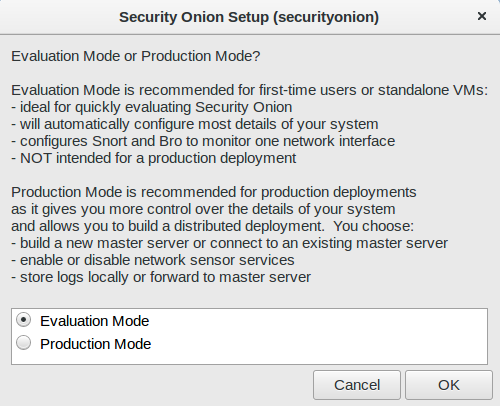
Evaluation Mode vs Production Mode

Interface Selection

Creating User Account

Setting Password

Confirming Password

Confirming Setup Options

Setup Complete

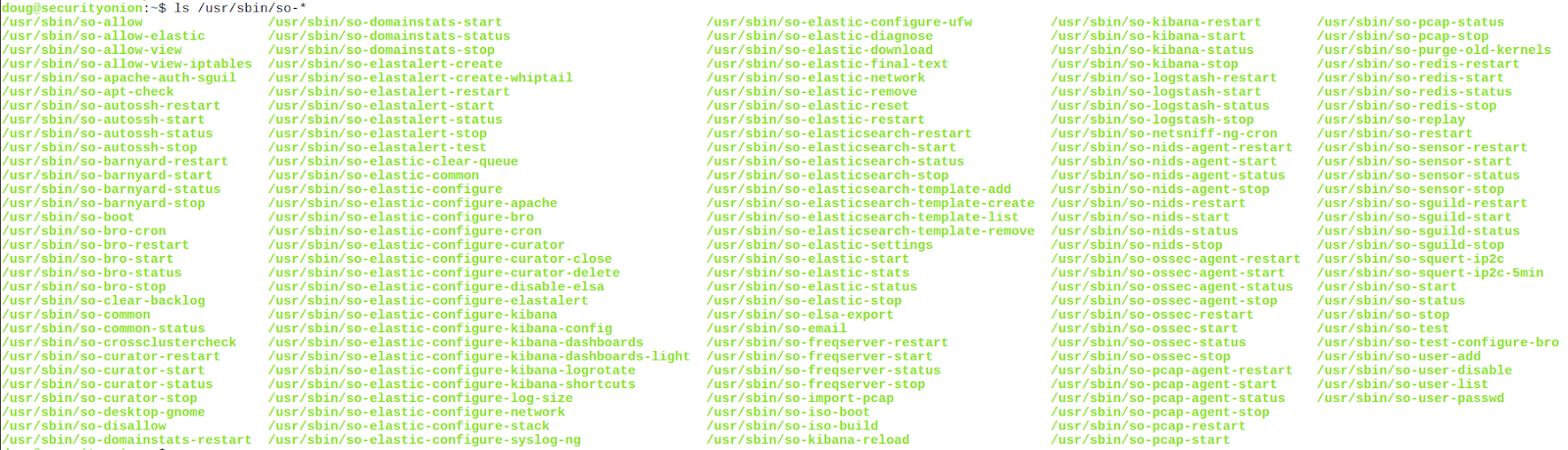
so-COMPONENT-VERB scripts

CyberChef 8.5.0

NetworkMiner 2.3.2

Bro 2.5.5

Single Sign On (SSO) for Squert, Kibana, and CapMe

Squert

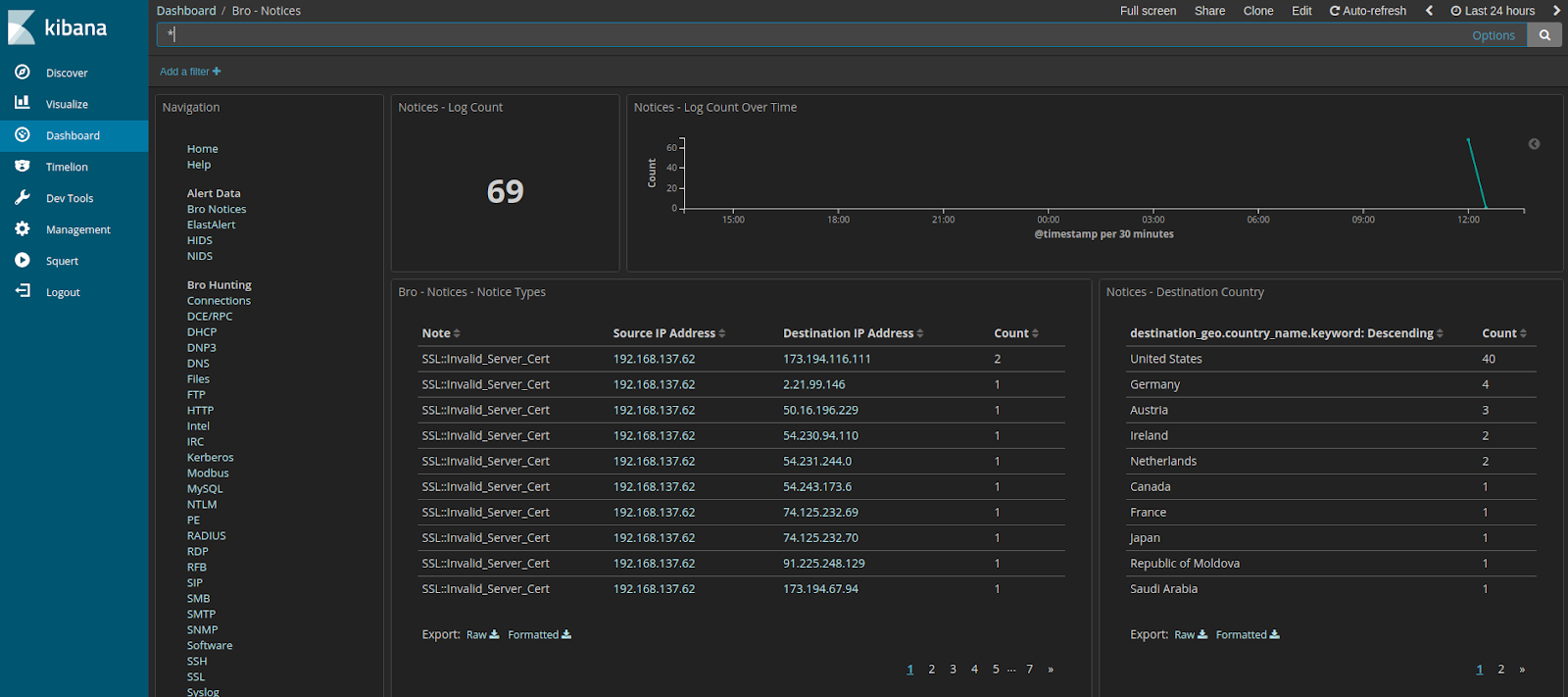
Kibana with default dark theme

To switch to light dashboards, run so-elastic-configure-kibana-dashboards-light

Kibana with light theme

To return to default dark theme, run so-elastic-configure-kibana-dashboards

Kibana back to default dark theme

Help

Bro Notices

ElastAlert

HIDS Alerts

NIDS Alerts

Connections

DCE/RPC

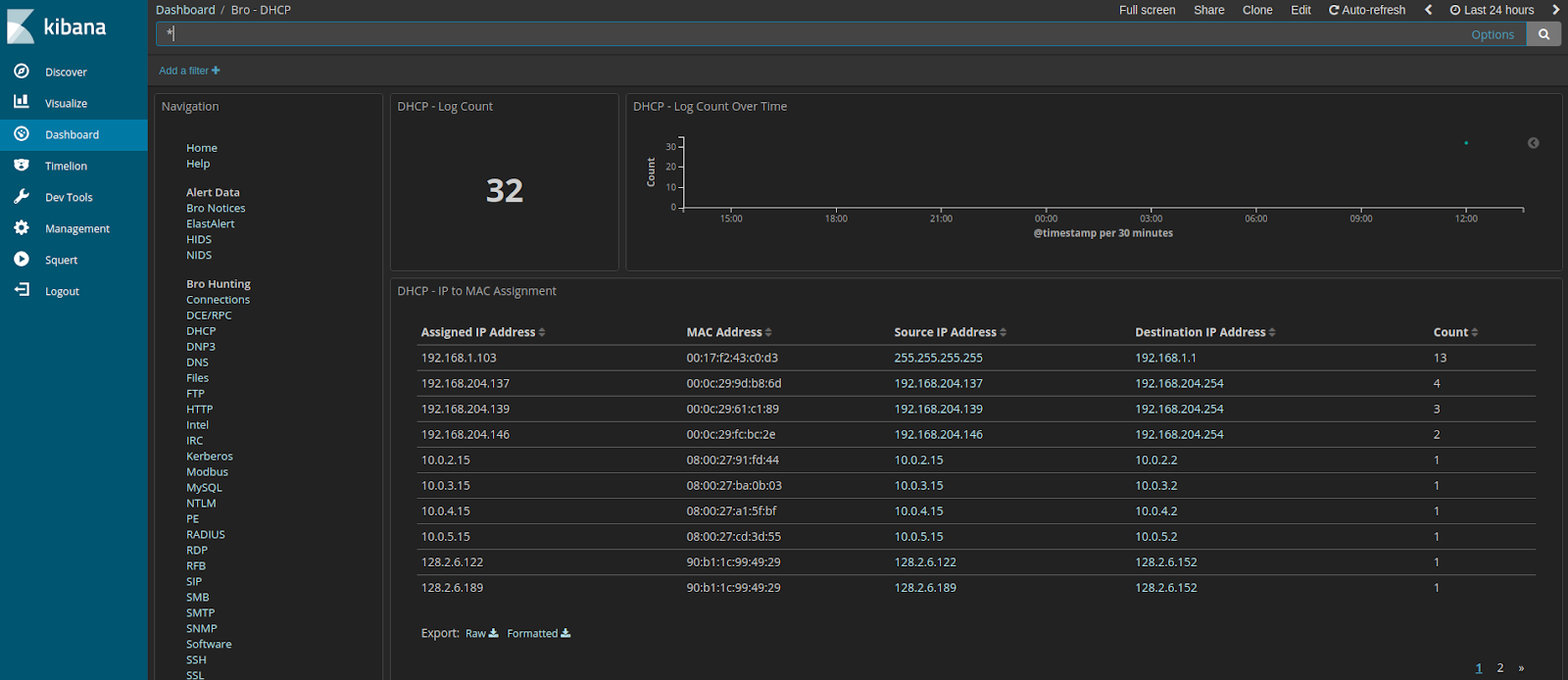
DHCP

DNP3

DNS

Files

FTP 
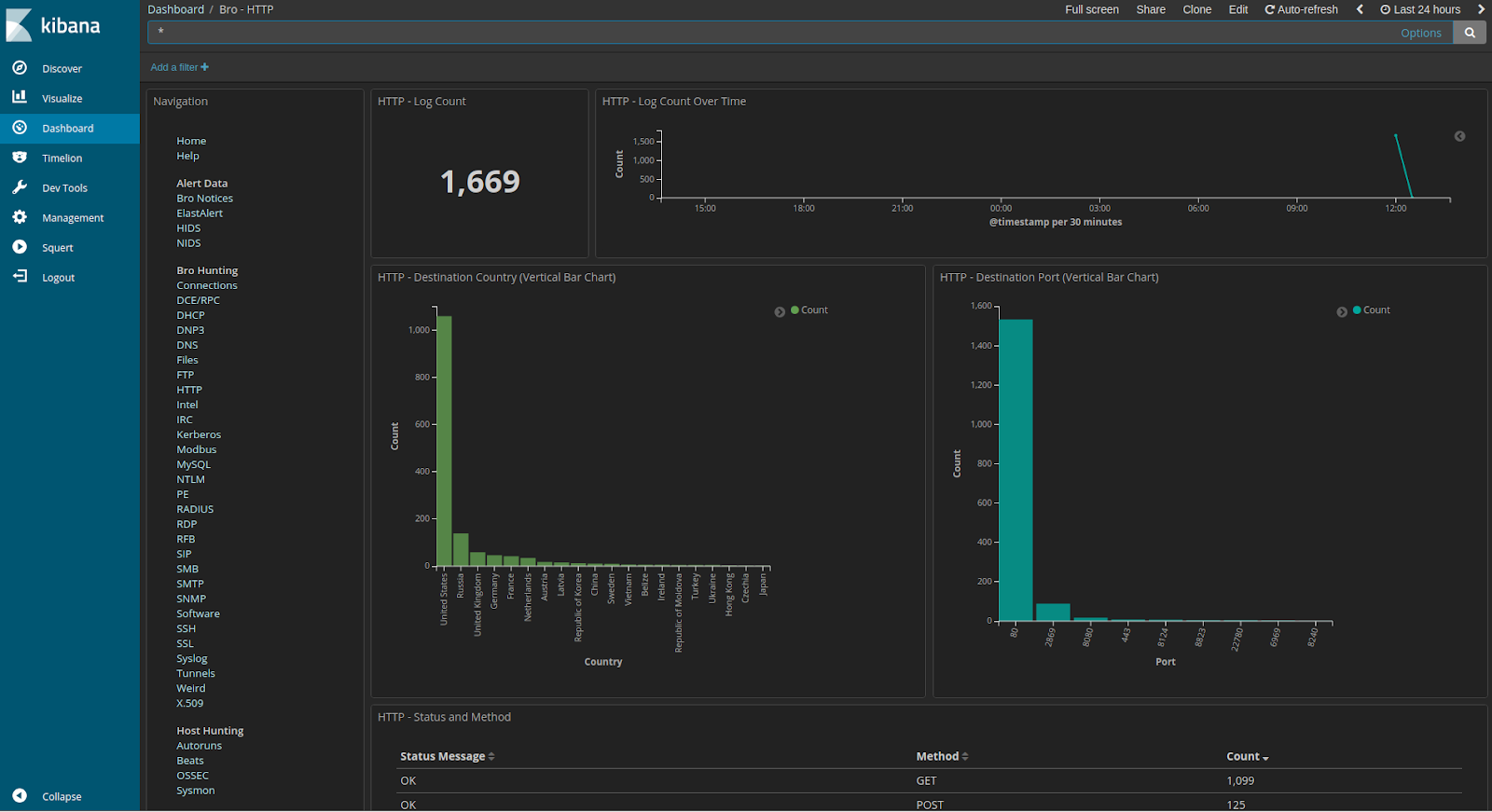
HTTP


Intel

IRC

Kerberos

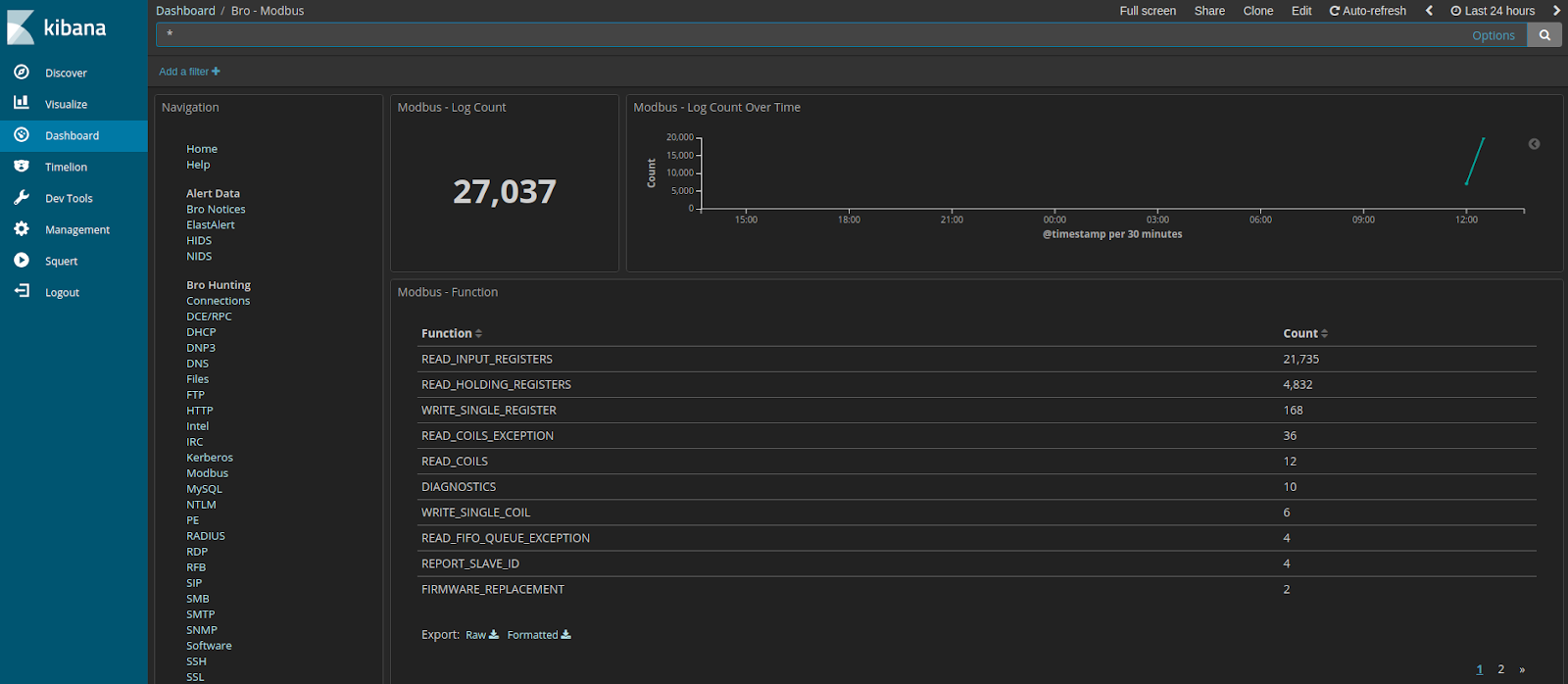
Modbus

MySQL

NTLM

PE

RADIUS

RDP

RFB

SIP

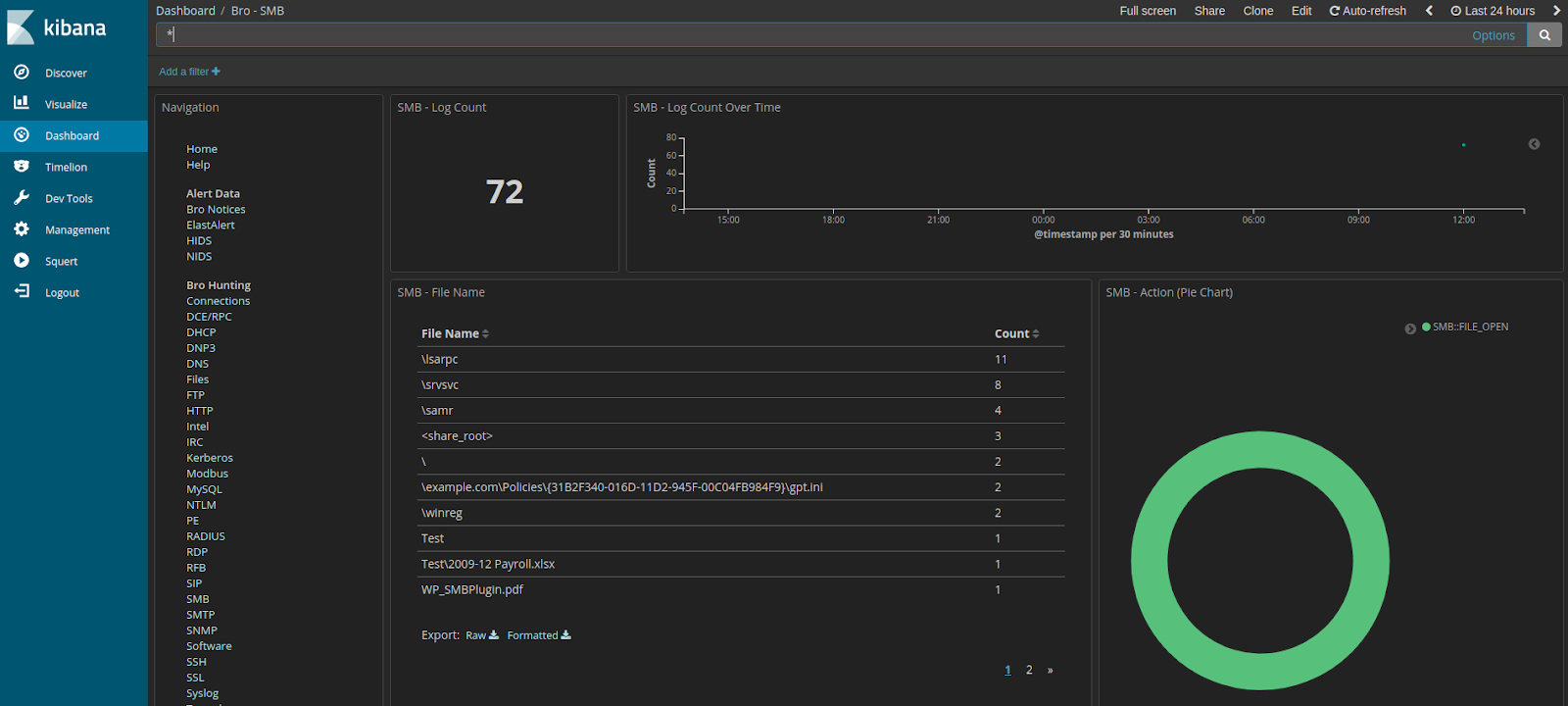
SMB

SMTP

SNMP

Software

SSH

SSL

Syslog

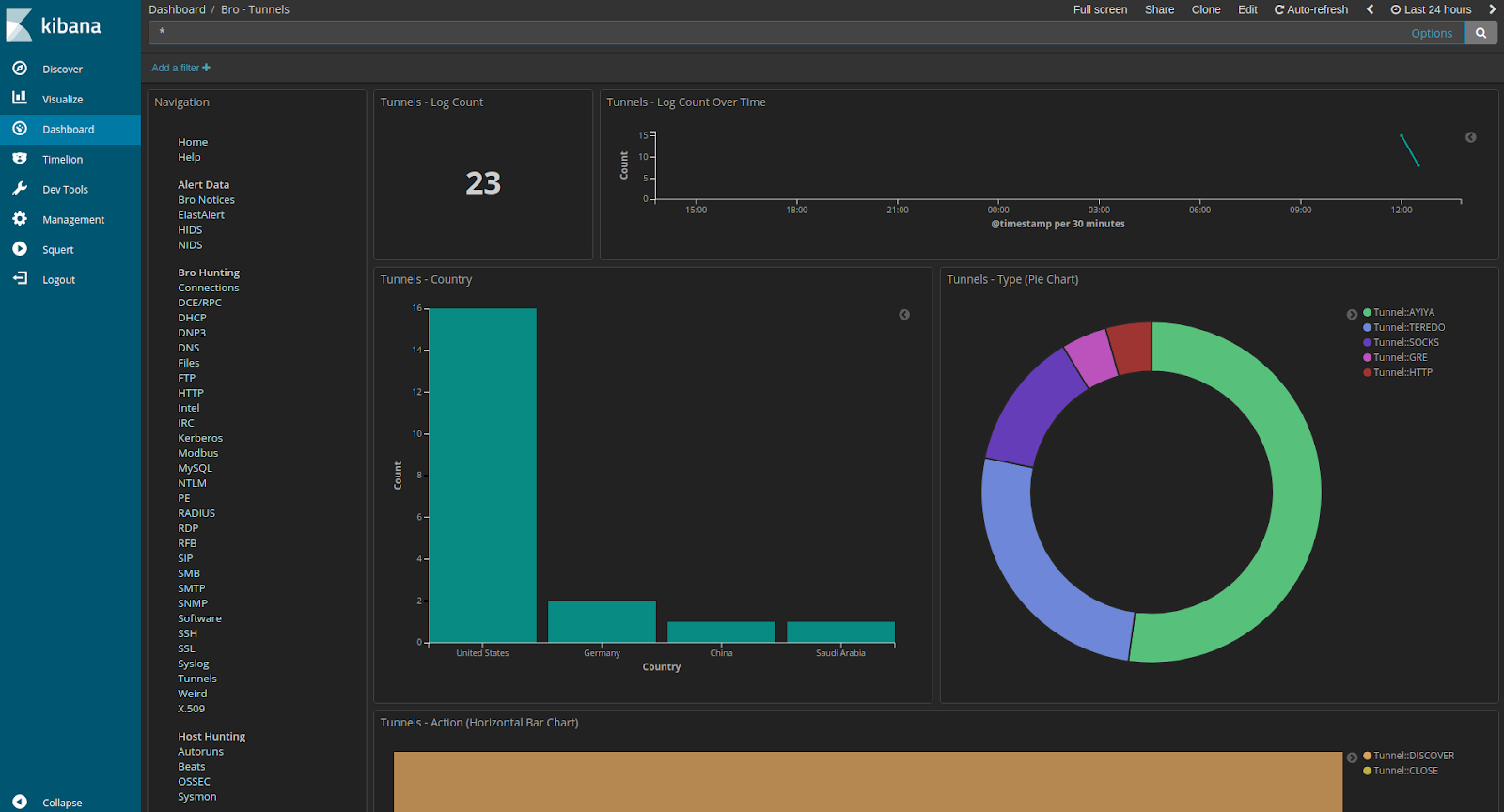
Tunnels

Weird

X.509

Autoruns

Beats

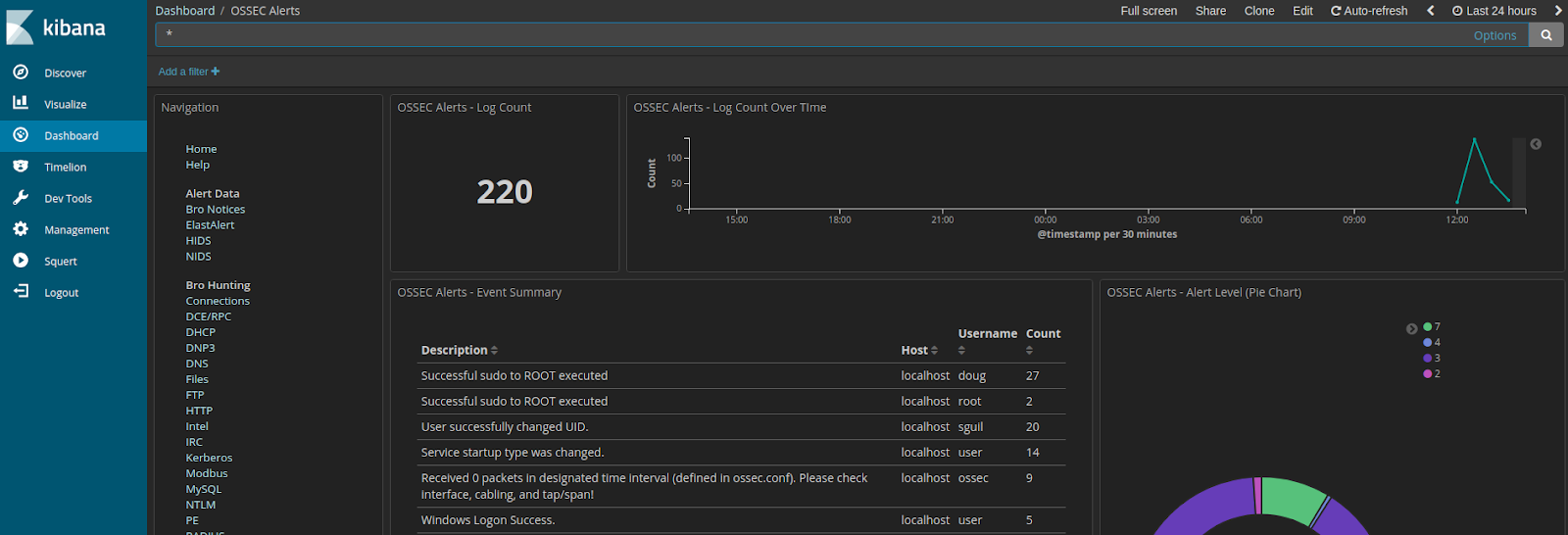
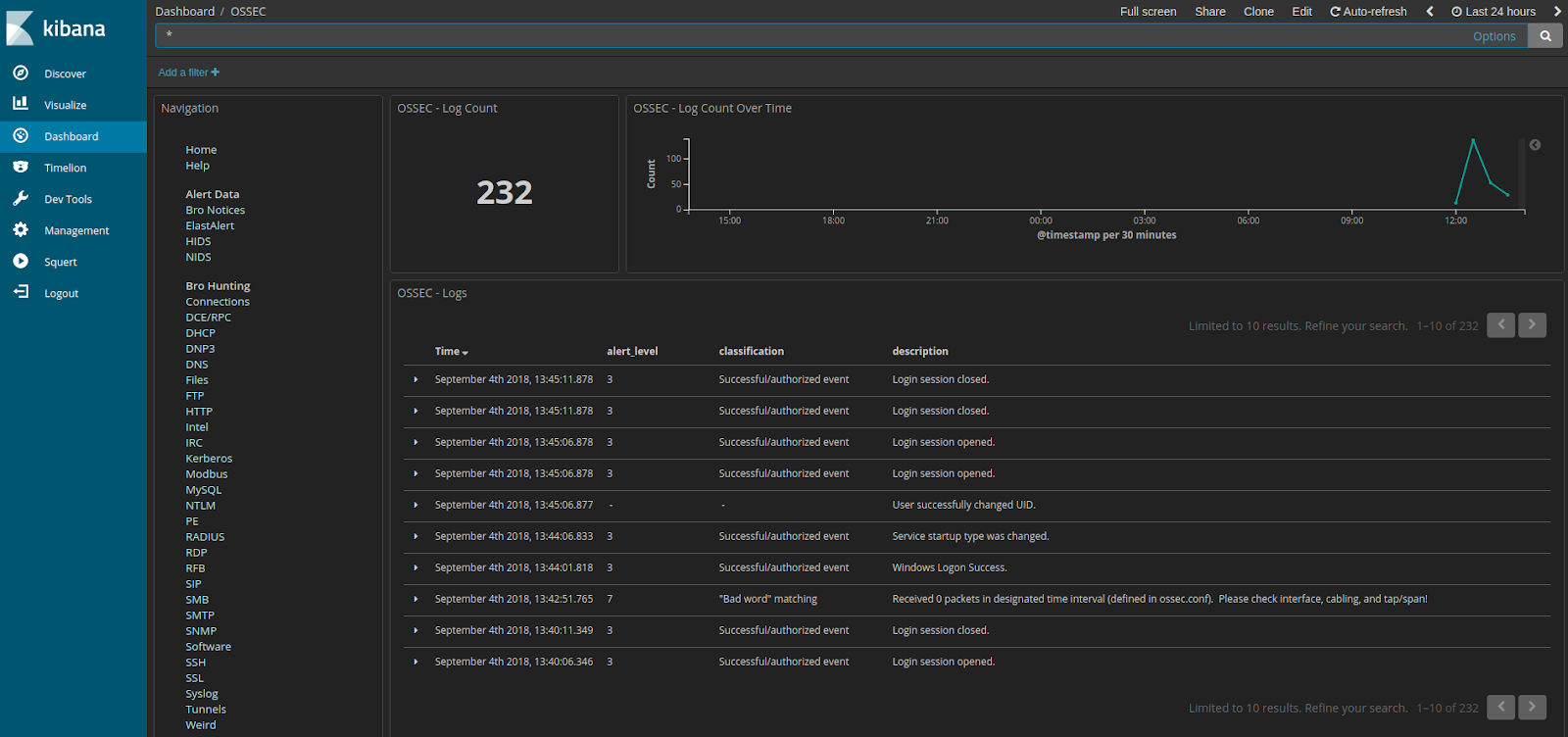
OSSEC Logs

Sysmon

DomainStats - Baby Domains

PFSense Firewall Logs

Frequency Analysis

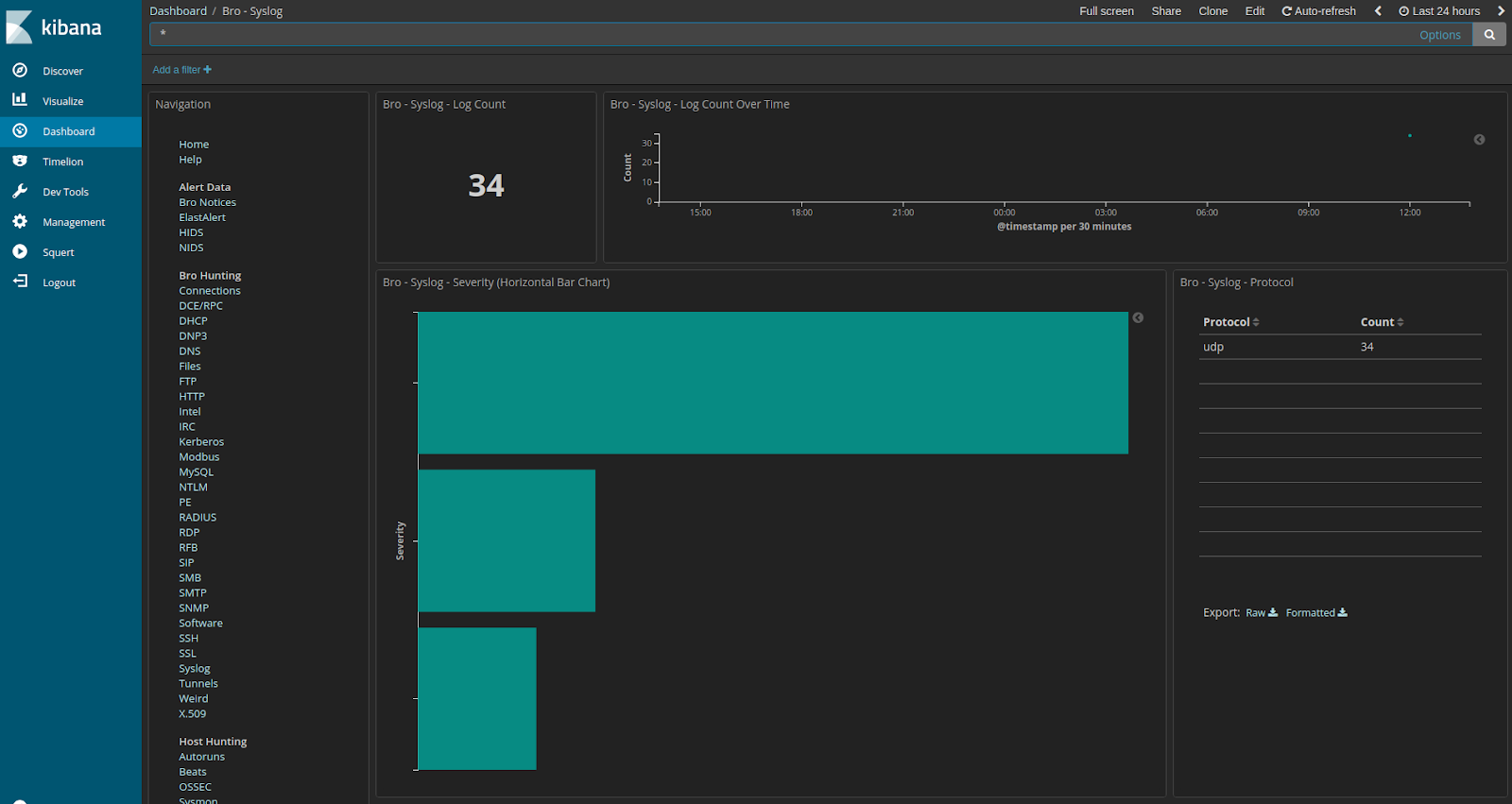
Syslog

Thursday, August 30, 2018

Bro 2.5.5 now available for Security Onion 14.04 and 16.04!

Bro 2.5.5 was released last night:
https://www.bro.org/download/NEWS.bro.html
https://www.bro.org/download/CHANGES.bro.txt

The following 14.04 packages are now available:
securityonion-bro - 2.5.5-1ubuntu1securityonion1
securityonion-bro-scripts - 20121004-0ubuntu0securityonion59

The following 16.04 packages are now available:
securityonion-bro - 2.5.5-1ubuntu1securityonion2
securityonion-bro-scripts - 20121004-0ubuntu0securityonion60

These packages should resolve the following issue:

Bro 2.5.5 #1314
https://github.com/Security-Onion-Solutions/security-onion/issues/1314

Bro 2.5.5

Thanks
Thanks to the Bro team for Bro 2.5.5!
Thanks to Wes Lambert for testing these new packages!

Updating
Please see the following page for full update instructions:
https://securityonion.net/wiki/Upgrade

Conference
Registration is now open for our annual Security Onion Conference in Augusta GA!
http://socaugusta2018.eventbrite.com/

Training
We have 4-day Security Onion training classes coming up in Maryland and Georgia!  If you can't make it to any of these onsite classes, we have a new online training platform!  For more information and other training options, please see:
https://securityonionsolutions.com

Support
Need support?  Please see:
https://securityonion.net/wiki/Support

Thanks!

Wednesday, August 29, 2018

securityonion-onionsalt - 20140917-0ubuntu0securityonion26 now available for Security Onion 16.04!

The following package is now available:
securityonion-onionsalt - 20140917-0ubuntu0securityonion26

This should resolve the following issues:

securityonion-onionsalt: Replicate Logstash config from master to other nodes #1306
https://github.com/Security-Onion-Solutions/security-onion/issues/1306

Thanks
Thanks to Wes Lambert for testing this new package!

Updating
Please see the following page for full update instructions:
https://securityonion.net/wiki/Upgrade

Conference
Registration is now open for our annual Security Onion Conference in Augusta GA!
http://socaugusta2018.eventbrite.com/

Training
We have 4-day Security Onion training classes coming up in Maryland and Georgia!  If you can't make it to any of these onsite classes, we have a new online training platform!  For more information and other training options, please see:
https://securityonionsolutions.com

Support
Need support?  Please see:
https://securityonion.net/wiki/Support

Thanks!

securityonion-setup - 20120912-0ubuntu0securityonion275 now available for Security Onion 16.04!

The following package is now available:
securityonion-setup - 20120912-0ubuntu0securityonion275

This should resolve the following issues:

securityonion-setup: allow ES exposure through so-allow #1307
https://github.com/Security-Onion-Solutions/security-onion/issues/1307

securityonion-setup: so-email advanced mode to set FROM email addresses #1308
https://github.com/Security-Onion-Solutions/security-onion/issues/1308

Screenshots

so-email now has an Advanced Setup option for specifying FROM addresses

so-allow now includes Elasticsearch options

Thanks
Thanks to Jon Zeolla and Wes Lambert for the Pull Requests!
Thanks to Wes Lambert for testing this new package!

Updating
Please see the following page for full update instructions:
https://securityonion.net/wiki/Upgrade

Conference
Registration is now open for our annual Security Onion Conference in Augusta GA!
http://socaugusta2018.eventbrite.com/

Training
We have 4-day Security Onion training classes coming up in Maryland and Georgia!  If you can't make it to any of these onsite classes, we have a new online training platform!  For more information and other training options, please see:
https://securityonionsolutions.com

Support
Need support?  Please see:
https://securityonion.net/wiki/Support

Thanks!

securityonion-et-rules - 20180827-1ubuntu1securityonion1 now available for Security Onion 16.04!

The following package is now available:
securityonion-et-rules - 20180827-1ubuntu1securityonion1

This should resolve the following issues:

securityonion-et-rules: Update to latest rules #1310
https://github.com/Security-Onion-Solutions/security-onion/issues/1310

Thanks
Thanks to Wes Lambert for testing this new package!

Updating
Please see the following page for full update instructions:
https://securityonion.net/wiki/Upgrade

Conference
Registration is now open for our annual Security Onion Conference in Augusta GA!
http://socaugusta2018.eventbrite.com/

Training
We have 4-day Security Onion training classes coming up in Maryland and Georgia!  If you can't make it to any of these onsite classes, we have a new online training platform!  For more information and other training options, please see:
https://securityonionsolutions.com

Support
Need support?  Please see:
https://securityonion.net/wiki/Support

Thanks!

securityonion-menu - 20121026-0ubuntu0securityonion4 now available for Security Onion 16.04!

The following package is now available:
securityonion-menu - 20121026-0ubuntu0securityonion4

This should resolve the following issues:

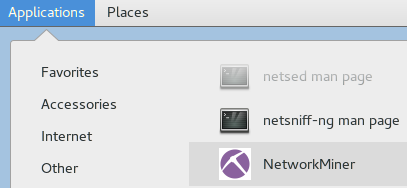
securityonion-menu: add icon for NetworkMiner and update Exec #1313
https://github.com/Security-Onion-Solutions/security-onion/issues/1313

Menu now displays correct NetworkMiner icon

Thanks
Thanks to Erik Hjelmvik for suggesting the changes and providing the NetworkMiner icon!
Thanks to Wes Lambert for testing this new package!

Updating
Please see the following page for full update instructions:
https://securityonion.net/wiki/Upgrade

Conference
Registration is now open for our annual Security Onion Conference in Augusta GA!
http://socaugusta2018.eventbrite.com/

Training
We have 4-day Security Onion training classes coming up in Maryland and Georgia!  If you can't make it to any of these onsite classes, we have a new online training platform!  For more information and other training options, please see:
https://securityonionsolutions.com

Support
Need support?  Please see:
https://securityonion.net/wiki/Support

Thanks!

Tuesday, August 28, 2018

securityonion-networkminer - 20180410-1ubuntu1securityonion5 now available for Security Onion 16.04!

The following package is now available:
securityonion-networkminer - 20180410-1ubuntu1securityonion5

This should resolve the following issues:

NetworkMiner 2.3.2 #1309
https://github.com/Security-Onion-Solutions/security-onion/issues/1309


NetworkMiner 2.3.2

Thanks
Thanks to Erik Hjelmvik for NetworkMiner 2.3.2!
Thanks to Wes Lambert and Erik Hjelmvik for testing this new package!

Updating
Please see the following page for full update instructions:
https://securityonion.net/wiki/Upgrade

Conference
Registration is now open for our annual Security Onion Conference in Augusta GA!
http://socaugusta2018.eventbrite.com/

Training
We have 4-day Security Onion training classes coming up in Maryland and Georgia!  If you can't make it to any of these onsite classes, we have a new online training platform!  For more information and other training options, please see:
https://securityonionsolutions.com

Support
Need support?  Please see:
https://securityonion.net/wiki/Support

Thanks!

securityonion-web-page - 20141015-0ubuntu0securityonion83 now available for Security Onion 16.04!

The following package is now available:
securityonion-web-page - 20141015-0ubuntu0securityonion83

This should resolve the following issues:

securityonion-web-page: CyberChef 8.5 #1312
https://github.com/Security-Onion-Solutions/security-onion/issues/1312


Thanks
Thanks to the CyberChef team for CyberChef 8.5!
Thanks to Wes Lambert for testing this new package!

Updating
Please see the following page for full update instructions:
https://securityonion.net/wiki/Upgrade

Conference
Registration is now open for our annual Security Onion Conference in Augusta GA!
http://socaugusta2018.eventbrite.com/

Training
We have 4-day Security Onion training classes coming up in Maryland and Georgia!  If you can't make it to any of these onsite classes, we have a new online training platform!  For more information and other training options, please see:
https://securityonionsolutions.com

Support
Need support?  Please see:
https://securityonion.net/wiki/Support

Thanks!

Monday, August 27, 2018

Elastic 6.3.2 now available for Security Onion!

The following are now available:
Docker images for Elastic 6.3.2, domainstats, freqserver, curator, and elastalert
securityonion-elastic - 20180130-1ubuntu1securityonion79 (14.04)
securityonion-elastic - 20180130-1ubuntu1securityonion119 (16.04)

This should resolve the following issues:

Issue 1294: Elastic 6.3.2
https://github.com/Security-Onion-Solutions/security-onion/issues/1294

For Security Onion 14.04, the updated securityonion-elastic package just changes the logstash config to match the new freq_server requirement.  Therefore, you should not see any difference in dashboards or scripts.

For Security Onion 16.04, the updated securityonion-elastic package changes the logstash config and many other items.  It should resolve the following issues:

Issue 1302: securityonion-elastic: dashboard updates
https://github.com/Security-Onion-Solutions/security-onion/issues/1302

Issue 1303: securityonion-elastic: disable delete all in Elasticsearch
https://github.com/Security-Onion-Solutions/security-onion/issues/1303

Issue 1298: securityonion-elastic: so-import-pcap should write to unique subdirectories
https://github.com/Security-Onion-Solutions/security-onion/issues/1298

Issue 1297: securityonion-elastic: add script to disable dark theme in Kibana
https://github.com/Security-Onion-Solutions/security-onion/issues/1297

Issue 1299: securityonion-elastic: add so-elasticsearch-template scripts
https://github.com/Security-Onion-Solutions/security-onion/issues/1299

Issue 1265: securityonion-elastic: Rotate /var/log/kibana/kibana.log
https://github.com/Security-Onion-Solutions/security-onion/issues/1265

Issue 1301: securityonion-elastic: provide option to tail log after restart
https://github.com/Security-Onion-Solutions/security-onion/issues/1301

Issue 1269: securityonion-elastic: Logstash should include all inputs
https://github.com/Security-Onion-Solutions/security-onion/issues/1269

Issue 1267: securityonion-elastic: so-elastalert-test
https://github.com/Security-Onion-Solutions/security-onion/issues/1267

Issue 1268: securityonion-elastic: so-elastalert-create
https://github.com/Security-Onion-Solutions/security-onion/issues/1268

Thanks
Thanks to the Elastic team for Elastic 6.3.2!
Thanks to Mark Baggett for the new versions of domainstats and freqserver!
Thanks to Bryant Treacle for so-elastalert-test and so-elastalert-create!
Thanks to Seth Grover for so-import-pcap updates!
Thanks to Wes Lambert for submitting several pull requests and testing these new packages!

Screenshots

Dashboards default to Dark Theme

If you want to switch to Light Theme, just run 'sudo so-elastic-configure-kibana-dashboards-light'

All dashboards are now set to Light Theme

If you want to return to Dark Theme, just run 'sudo so-elastic-configure-kibana-dashboards'


Updating
Please see the following page for full update instructions:
https://securityonion.net/wiki/Upgrade

Conference
Registration is now open for our annual Security Onion Conference in Augusta GA!
http://socaugusta2018.eventbrite.com/

Training
We have 4-day Security Onion training classes coming up in Maryland and Georgia!  If you can't make it to any of these onsite classes, we have a new online training platform!  For more information and other training options, please see:
https://securityonionsolutions.com

Support
Need support?  Please see:
https://securityonion.net/wiki/Support

Thanks!

Wednesday, August 15, 2018

securityonion-desktop-gnome - 20180411-1ubuntu1securityonion47 and securityonion-sostat - 20120722-0ubuntu0securityonion109 now available for Security Onion 16.04!

The following packages are now available:
securityonion-desktop-gnome - 20180411-1ubuntu1securityonion47
securityonion-sostat - 20120722-0ubuntu0securityonion109

This should resolve the following issues:

Issue 1295: securityonion-desktop-gnome: install gnome-screensaver
https://github.com/Security-Onion-Solutions/security-onion/issues/1295

Issue 1296: soup: install gnome-screensaver if necessary
https://github.com/Security-Onion-Solutions/security-onion/issues/1296

Thanks
Thanks to Wes Lambert for testing these new packages!

Updating
Please see the following page for full update instructions:
https://securityonion.net/wiki/Upgrade

Conference
Registration is now open for our annual Security Onion Conference in Augusta GA!
http://socaugusta2018.eventbrite.com/

Training
We have 4-day Security Onion training classes coming up in Maryland and Georgia!  If you can't make it to any of these onsite classes, we have a new online training platform!  For more information and other training options, please see:
https://securityonionsolutions.com

Support
Need support?  Please see:
https://securityonion.net/wiki/Support

Thanks!

Thursday, August 9, 2018

securityonion-web-page - 20141015-0ubuntu0securityonion82 now available for Security Onion 16.04!

The following package is now available:
securityonion-web-page - 20141015-0ubuntu0securityonion82

This should resolve the following issues:

securityonion-web-page: CyberChef 8.0.0 #1290
https://github.com/Security-Onion-Solutions/security-onion/issues/1290


Thanks
Thanks to Wes Lambert for testing this new package!

Updating
Please see the following page for full update instructions:
https://securityonion.net/wiki/Upgrade

Conference
Registration is now open for our annual Security Onion Conference in Augusta GA!
http://socaugusta2018.eventbrite.com/

Training
We have 4-day Security Onion training classes coming up in Maryland and Georgia!  If you can't make it to any of these onsite classes, we have a new online training platform!  For more information and other training options, please see:
https://securityonionsolutions.com

Support
Need support?  Please see:
https://securityonion.net/wiki/Support

Thanks!

Search This Blog

Featured Post

Security Onion 3.4.0 Now Available including Agentic AI Automations!

Security Onion 3.4.0 is now available and includes new features, updated components, and many quality of life improvements! The highlight of...

Popular Posts

Blog Archive