Showing posts with label hotfix. Show all posts

Thursday, May 22, 2025

Security Onion 2.4.150 Hotfix 20250522 now available!

Last week, we released version 2.4.150:

https://blog.securityonion.net/2025/05/security-onion-24150-celebrating.html


This week, an upstream package update caused an issue with one of our utilities so today we are releasing a hotfix which resolves this issue:

https://docs.securityonion.net/en/2.4/release-notes.html


Known Issues


For a list of known issues, please see:

https://docs.securityonion.net/en/2.4/release-notes.html#known-issues


Existing 2.4 Installations


If you have an existing Security Onion 2.4 installation, you can update to the latest version using soup:

https://docs.securityonion.net/en/2.4/soup.html


Before updating your production deployment, we highly recommend testing the upgrade process on a test deployment that closely matches your production deployment if possible. This is especially important for releases that update components like Salt and Elastic.


New Installations


If this is your first time installing Security Onion 2.4, then we highly recommend starting with an IMPORT installation as shown at:

https://docs.securityonion.net/en/2.4/first-time-users.html


Once you’re comfortable with your IMPORT installation, then you can move on to more advanced installations as shown at:

https://docs.securityonion.net/en/2.4/architecture.html


Documentation


You can find our online documentation here:

https://docs.securityonion.net/en/2.4/


Documentation is always a work in progress. If you find documentation that needs to be updated, please let us know as described in the Feedback section below.


Questions, Problems, and Feedback


If you have any questions or problems relating to Security Onion 2.4, please use the 2.4 category at our Discussions site:

https://github.com/Security-Onion-Solutions/securityonion/discussions/categories/2-4


Security Onion Pro


We recently celebrated 10 years in business by announcing Security Onion Pro:

https://blog.securityonion.net/2024/07/celebrating-10-years-of-security-onion.html


Security Onion Pro includes many enterprise features that folks have been asking for:


  • Active Query Management
  • External API
  • Open ID Connect (OIDC)
  • Data at Rest Encryption
  • FIPS for the OS
  • DoD STIG for the OS
  • External Notifications in SOC
  • Time Tracking inside of Cases
  • Guaranteed Message Delivery
  • Manager of Managers


You can read more about these enterprise features at:

https://securityonion.com/pro


Training


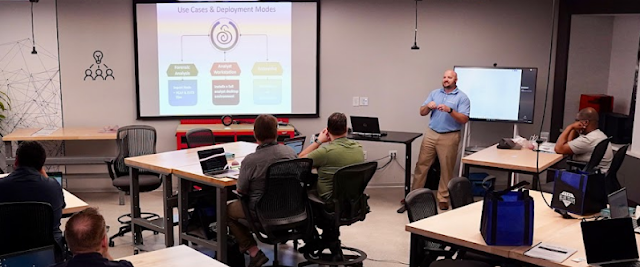
Need training? Start with our free Security Onion Essentials training and then take a look at some of our other official Security Onion training!

https://securityonion.net/training


Security Onion Solutions Hardware Appliances


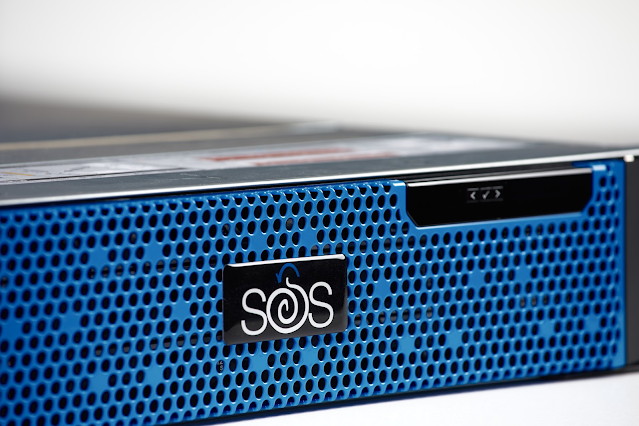
We know Security Onion's hardware needs, and our appliances are the perfect match for the platform. Leave the hardware research, testing, and support to us, so you can focus on what's important for your organization. Not only will you have confidence that your Security Onion deployment is running on the best-suited hardware, you will also be supporting future development and maintenance of the Security Onion project!

https://securityonionsolutions.com/hardware


Thursday, October 10, 2024

Security Onion 2.4.110 Hotfix 20241010 now available!

On Monday, we released version 2.4.110:

https://blog.securityonion.net/2024/10/security-onion-24110-hurricane-helene.html


That release had an issue that affected a small percentage of users with custom policies:

https://github.com/Security-Onion-Solutions/securityonion/issues/13795


Today, we are releasing a hotfix which resolves this issue:

https://docs.securityonion.net/en/2.4/release-notes.html


Known Issues


For a list of known issues, please see:

https://docs.securityonion.net/en/2.4/release-notes.html#known-issues


Existing 2.4 Installations


If you have an existing Security Onion 2.4 installation, you can update to the latest version using soup:

https://docs.securityonion.net/en/2.4/soup.html


Before updating your production deployment, we highly recommend testing the upgrade process on a test deployment that closely matches your production deployment if possible. This is especially important for releases that update components like Salt and Elastic.


New Installations


If this is your first time installing Security Onion 2.4, then we highly recommend starting with an IMPORT installation as shown at:

https://docs.securityonion.net/en/2.4/first-time-users.html


Once you’re comfortable with your IMPORT installation, then you can move on to more advanced installations as shown at:

https://docs.securityonion.net/en/2.4/architecture.html


Documentation


You can find our online documentation here:

https://docs.securityonion.net/en/2.4/


Documentation is always a work in progress. If you find documentation that needs to be updated, please let us know as described in the Feedback section below.


Questions, Problems, and Feedback


If you have any questions or problems relating to Security Onion 2.4, please use the 2.4 category at our Discussions site:

https://github.com/Security-Onion-Solutions/securityonion/discussions/categories/2-4


Security Onion Pro


We recently celebrated 10 years in business by announcing Security Onion Pro:

https://blog.securityonion.net/2024/07/celebrating-10-years-of-security-onion.html


Security Onion Pro includes many enterprise features that folks have been asking for:


  • Open ID Connect (OIDC)
  • Data at Rest Encryption
  • FIPS for the OS
  • DoD STIG for the OS
  • External Notifications in SOC (this feature got even better in this release!)
  • Time Tracking inside of Cases
  • Guaranteed Message Delivery


You can read more about these enterprise features at:

https://securityonion.com/pro


Training


Need training? Start with our free Security Onion Essentials training and then take a look at some of our other official Security Onion training!

https://securityonion.net/training


Security Onion Solutions Hardware Appliances


We know Security Onion's hardware needs, and our appliances are the perfect match for the platform. Leave the hardware research, testing, and support to us, so you can focus on what's important for your organization. Not only will you have confidence that your Security Onion deployment is running on the best-suited hardware, you will also be supporting future development and maintenance of the Security Onion project!

https://securityonionsolutions.com/hardware


Tuesday, September 3, 2024

Security Onion 2.4.100 Hotfix 20240903 now available!

Last week's 2.4.100 release contained an issue that affects deployments that use Kibana dashboards AND have deployed remote agents to endpoints. Today, we are releasing a hotfix which resolves this issue:

https://docs.securityonion.net/en/2.4/release-notes.html


If you have already updated to 2.4.100 and Kibana is not showing source IP addresses correctly, then you should update to this hotfix using soup:

https://docs.securityonion.net/en/2.4/soup.html


After updating to the hotfix, you may still have indices with incorrect data. If so, you can delete the incorrect indices via the command line as follows.


First, become root:


sudo -i


Next, roll over each of the affected data streams:


for i in logs-system.application-default logs-system.security-default logs-system.system-default; do 

    so-elasticsearch-query $i/_rollover -XPOST

done


Then, delete the previous index for each of the affected data streams:


for i in logs-system.application-default logs-system.security-default logs-system.system-default; do

    INDEX_TO_DELETE=$(so-elasticsearch-query $i | jq -r 'keys[]' | tail -2 | head -1); so-elasticsearch-query $INDEX_TO_DELETE -XDELETE

done


Finally, navigate to Kibana -> Security Onion - Home -> Network dashboard to confirm that source IP addresses now display as expected.


New Installations


If this is your first time installing Security Onion 2.4, then we highly recommend starting with an IMPORT installation as shown at:

https://docs.securityonion.net/en/2.4/first-time-users.html


Once you’re comfortable with your IMPORT installation, then you can move on to more advanced installations as shown at:

https://docs.securityonion.net/en/2.4/architecture.html


Documentation


You can find our online documentation here:

https://docs.securityonion.net/en/2.4/


Documentation is always a work in progress. If you find documentation that needs to be updated, please let us know as described in the Feedback section below.


Questions, Problems, and Feedback


If you have any questions or problems relating to Security Onion 2.4, please use the 2.4 category at our Discussions site:

https://github.com/Security-Onion-Solutions/securityonion/discussions/categories/2-4


Security Onion Pro


We recently celebrated 10 years in business by announcing Security Onion Pro:

https://blog.securityonion.net/2024/07/celebrating-10-years-of-security-onion.html


Security Onion Pro includes many enterprise features that folks have been asking for:


  • Open ID Connect (OIDC)
  • Data at Rest Encryption
  • FIPS for the OS
  • DoD STIG for the OS
  • External Notifications in SOC (this feature got even better in this release!)
  • Time Tracking inside of Cases
  • Guaranteed Message Delivery


You can read more about these enterprise features at:

https://securityonion.com/pro


Training


Need training? Start with our free Security Onion Essentials training and then take a look at some of our other official Security Onion training!

https://securityonion.net/training


Security Onion Solutions Hardware Appliances


We know Security Onion's hardware needs, and our appliances are the perfect match for the platform. Leave the hardware research, testing, and support to us, so you can focus on what's important for your organization. Not only will you have confidence that your Security Onion deployment is running on the best-suited hardware, you will also be supporting future development and maintenance of the Security Onion project!

https://securityonionsolutions.com/hardware


Wednesday, December 6, 2023

Security Onion 2.4.30 Hotfix 20231204 Now Available!

We recently released Security Onion 2.4.30 and a couple of hotfixes:


https://blog.securityonion.net/2023/11/security-onion-2430-now-available.html

https://blog.securityonion.net/2023/11/security-onion-2430-hotfix-20231117-now.html

https://blog.securityonion.net/2023/11/security-onion-2430-hotfix-20231121-now.html


Today, we are releasing an additional hotfix which resolves some additional issues:


https://docs.securityonion.net/en/2.4/release-notes.html


Documentation


You can find our online documentation here:

https://docs.securityonion.net/en/2.4/


Documentation is always a work in progress. If you find documentation that needs to be updated, please let us know as described in the Feedback section below.


New Installations


If this is your first time installing Security Onion 2.4, then we highly recommend starting with an IMPORT installation as shown at:

https://docs.securityonion.net/en/2.4/first-time-users.html


Once you’re comfortable with your IMPORT installation, then you can move on to more advanced installations as shown at:

https://docs.securityonion.net/en/2.4/architecture.html


Existing 2.4 Installations


If you have an existing Security Onion 2.4 installation, you can update to the latest version using soup:

https://docs.securityonion.net/en/2.4/soup.html


Questions, Problems, and Feedback


If you have any questions or problems relating to Security Onion 2.4, please use the new 2.4 category at our Discussions site:

https://github.com/Security-Onion-Solutions/securityonion/discussions/categories/2-4


2.3 EOL


Security Onion 2.3 will reach End Of Life (EOL) on April 6, 2024:

https://blog.securityonion.net/2023/10/6-month-eol-notice-for-security-onion-23.html


Training


Need training? Start with our free Security Onion Essentials training and then take a look at some of our other official Security Onion training!

https://securityonion.net/training


Security Onion Solutions Hardware Appliances


We know Security Onion's hardware needs, and our appliances are the perfect match for the platform. Leave the hardware research, testing, and support to us, so you can focus on what's important for your organization. Not only will you have confidence that your Security Onion deployment is running on the best-suited hardware, you will also be supporting future development and maintenance of the Security Onion project!

https://securityonionsolutions.com/hardware


Monday, November 20, 2023

Security Onion 2.4.30 Hotfix 20231117 Now Available!

We recently released Security Onion 2.4.30:

https://blog.securityonion.net/2023/11/security-onion-2430-now-available.html


Today, we are releasing a hotfix which resolves a couple of issues:

https://docs.securityonion.net/en/2.4/release-notes.html


Documentation


You can find our online documentation here:

https://docs.securityonion.net/en/2.4/


Documentation is always a work in progress. If you find documentation that needs to be updated, please let us know as described in the Feedback section below.


New Installations


If this is your first time installing Security Onion 2.4, then we highly recommend starting with an IMPORT installation as shown at:

https://docs.securityonion.net/en/2.4/first-time-users.html


Once you’re comfortable with your IMPORT installation, then you can move on to more advanced installations as shown at:

https://docs.securityonion.net/en/2.4/architecture.html


Existing 2.4 Installations


If you have an existing Security Onion 2.4 installation, you can update to the latest version using soup:

https://docs.securityonion.net/en/2.4/soup.html


Questions, Problems, and Feedback


If you have any questions or problems relating to Security Onion 2.4, please use the new 2.4 category at our Discussions site:

https://github.com/Security-Onion-Solutions/securityonion/discussions/categories/2-4


2.3 EOL


Security Onion 2.3 will reach End Of Life (EOL) on April 6, 2024:

https://blog.securityonion.net/2023/10/6-month-eol-notice-for-security-onion-23.html


Training


Need training? Start with our free Security Onion Essentials training and then take a look at some of our other official Security Onion training!

https://securityonion.net/training


Security Onion Solutions Hardware Appliances

We know Security Onion's hardware needs, and our appliances are the perfect match for the platform. Leave the hardware research, testing, and support to us, so you can focus on what's important for your organization. Not only will you have confidence that your Security Onion deployment is running on the best-suited hardware, you will also be supporting future development and maintenance of the Security Onion project!


https://securityonionsolutions.com/hardware


Thursday, October 12, 2023

Security Onion 2.4.20 Hotfix 20231012 Now Available!

We recently released Security Onion 2.4.20:
https://blog.securityonion.net/2023/10/security-onion-2420-now-available.html

Today, we are releasing a hotfix which resolves an issue with Elastic Defend:
https://docs.securityonion.net/en/2.4/release-notes.html

New Installations

If you want to perform a new installation, please review the documentation and then you can find instructions here:
https://docs.securityonion.net/en/2.4/download.html

Existing 2.4 Installations

If you have an existing installation of 2.4.20, then you should update to this hotfix. If your 2.4 installation is RC or GA (not Beta), then you can run soup to update.

For more information about the update process, please see:
https://docs.securityonion.net/en/2.4/soup.html

Known Issues

There is a known issue with the Elastic Agent and Elastic Defend on MacOS Sonoma.

Questions, Problems, and Feedback

If you have any questions or problems relating to Security Onion 2.4, please use the new 2.4 category at our Discussions site:
https://github.com/Security-Onion-Solutions/securityonion/discussions/categories/2-4

Training

Need training? Start with our free Security Onion Essentials training and then take a look at some of our other official Security Onion training!

https://securityonion.net/training


Security Onion Solutions Hardware Appliances

We know Security Onion's hardware needs, and our appliances are the perfect match for the platform. Leave the hardware research, testing, and support to us, so you can focus on what's important for your organization. Not only will you have confidence that your Security Onion deployment is running on the best-suited hardware, you will also be supporting future development and maintenance of the Security Onion project!

https://securityonionsolutions.com/hardware


Monday, August 21, 2023

Security Onion 2.4.10 Hotfix 20230821 Now Available!

We recently released Security Onion 2.4.10 (2.4 GA):
https://blog.securityonion.net/2023/08/security-onion-24-has-reached-general.html

Today, we are releasing a hotfix which resolves a few issues:
https://docs.securityonion.net/en/2.4/release-notes.html

New Installations

If you want to perform a new installation, please review the documentation and then you can find instructions here:
https://docs.securityonion.net/en/2.4/download.html

Existing 2.4 Installations

If you have an existing installation of 2.4, then you should update to this hotfix. If your 2.4 installation is RC or GA (not Beta), then you can run soup to update.

If you are upgrading an Import node and have already imported a pcap or evtx file, then you may need to delete the import data stream for all imports to work correctly. You can either run the following command:
sudo so-elasticsearch-query _data_stream/logs-import-so -XDELETE

OR you can clear Elastic altogether with the following command:
sudo so-elastic-clear -d -y

In many cases, Import nodes are only temporary anyway, so you may just want to perform a fresh installation.

For more information about the update process, please see:
https://docs.securityonion.net/en/2.4/soup.html

Known Issues

Here are some known issues that should be resolved in later releases:

  • You cannot do an in-place upgrade from 2.3 to 2.4. We are still investigating data migration.
  • Security Onion Desktop is still considered experimental. It should work when installing from our ISO image but will not work for network installations currently.
  • so-ip-update, while not an officially supported tool to begin with, has not been given any attention for 2.4 and may not work at all.
  • SOC Grid is unable to display EPS production values for sensors.
  • ISO install does not remove NOPASSWD option from sudo configuration.

Questions, Problems, and Feedback

If you have any questions or problems relating to Security Onion 2.4, please use the new 2.4 category at our Discussions site:
https://github.com/Security-Onion-Solutions/securityonion/discussions/categories/2-4

Conference

Our 10th Annual Security Onion Conference is coming up soon! You don't want to miss great speakers like:

  • Dave Kennedy
  • Wes Lambert
  • Josh Kamdjou
  • Scott Hall
  • Pete Di Giorgio
  • Josh Brower
  • David Bianco
  • Doug Burks

Reserve your seat today! Last day to register is September 29!

https://socaugusta2023.eventbrite.com/

Training

Do you want to deploy the new Security Onion 2.4 to your enterprise but need training? 

Our first 4-day public training class on Security Onion 2.4 will be in beautiful Augusta GA as part of Augusta Cyber Week! 

The class is at a very special price AND you get a free ticket to BOTH Security Onion Conference AND BSidesAugusta!

For more information, please see:
https://blog.securityonion.net/2023/07/registration-now-open-for-augusta-cyber.html

Security Onion Solutions Hardware Appliances

We know Security Onion's hardware needs, and our appliances are the perfect match for the platform. Leave the hardware research, testing, and support to us, so you can focus on what's important for your organization. Not only will you have confidence that your Security Onion deployment is running on the best-suited hardware, you will also be supporting future development and maintenance of the Security Onion project!

https://securityonionsolutions.com/hardware

Wednesday, March 1, 2023

Security Onion 2.3.220 Hotfix 20230301 Now Available!

We recently released Security Onion 2.3.220:
https://blog.securityonion.net/2023/02/security-onion-23220-now-available.html

Today, we are releasing a hotfix which resolves an issue with Curator:
https://docs.securityonion.net/en/2.3/release-notes.html#hotfix-20230301-changes

New Installations

If you want to perform a new installation, please review the documentation and then you can find instructions here:
https://docs.securityonion.net/en/2.3/download.html

Existing 2.3 Installations

If you haven't yet updated to 2.3.220, then you should review all links at the top of this post so that you are aware of all recent changes.

WARNING! If you have an existing Security Onion 2.3 installation and update to Security Onion 2.3.140 or higher, the Elastic components will undergo a major version upgrade to version 8. Please review and follow the steps at the link below. Failure to do so could result in loss of access to all data stored inside of Elastic and a non-functioning Security Onion installation.

https://docs.securityonion.net/en/2.3/soup.html#elastic-8

Please be aware that custom settings in Kibana may be overwritten during upgrade. We recommend that you test the upgrade process on a test deployment before deploying to production. If you have a distributed deployment, then we recommend monitoring SOC Grid while your update is running to verify that all nodes update properly. If there are issues, you can review logs, services, and containers for any additional clues. If you need help, please see our support information below.

If you have custom Elasticsearch templates, please see:
https://docs.securityonion.net/en/2.3/elasticsearch.html#custom-templates

For more information about the update process, please see:
https://docs.securityonion.net/en/2.3/soup.html

Security Onion 16.04

If you are still running Security Onion 16.04, please note that it is past End Of Life. Please take this opportunity to upgrade to Security Onion 2:
https://docs.securityonion.net/en/2.3/appendix.html

Questions or Problems

If you have questions or problems, please see our support options:
https://docs.securityonion.net/en/2.3/support.html


Thursday, December 8, 2022

Security Onion 2.3.190 Hotfix 20221207 Now Available!

We recently released Security Onion 2.3.190:
https://blog.securityonion.net/2022/12/security-onion-23190-now-available.html

Today, we are releasing a hotfix which improves support for Suricata file extraction into Strelka:
https://docs.securityonion.net/en/2.3/release-notes.html#hotfix-20221207-changes

New Installations

If you want to perform a new installation, please review the documentation and then you can find instructions here:
https://docs.securityonion.net/en/2.3/download.html

Existing 2.3 Installations

If you haven't yet updated to 2.3.190, then you should review all links at the top of this post so that you are aware of all recent changes.

WARNING! If you have an existing Security Onion 2.3 installation and update to Security Onion 2.3.140 or higher, the Elastic components will undergo a major version upgrade to version 8. Please review and follow the steps at the link below. Failure to do so could result in loss of access to all data stored inside of Elastic and a non-functioning Security Onion installation.

https://docs.securityonion.net/en/2.3/soup.html#elastic-8

Please be aware that custom settings in Kibana may be overwritten during upgrade. We recommend that you test the upgrade process on a test deployment before deploying to production. If you have a distributed deployment, then we recommend monitoring SOC Grid while your update is running to verify that all nodes update properly. If there are issues, you can review logs, services, and containers for any additional clues. If you need help, please see our support information below.

If you have custom Elasticsearch templates, please see:
https://docs.securityonion.net/en/2.3/elasticsearch.html#custom-templates

For more information about the update process, please see:
https://docs.securityonion.net/en/2.3/soup.html

Security Onion 16.04

If you are still running Security Onion 16.04, please note that it is past End Of Life. Please take this opportunity to upgrade to Security Onion 2:
https://docs.securityonion.net/en/2.3/appendix.html

Questions or Problems

If you have questions or problems, please see our support options:
https://docs.securityonion.net/en/2.3/support.html


Thursday, November 10, 2022

Security Onion 2.3.182 Now Available!

We recently released Security Onion 2.3.180 and 2.3.181:
https://blog.securityonion.net/2022/10/security-onion-23180-now-available.html
https://blog.securityonion.net/2022/10/security-onion-23181-now-available.html

Today, we are releasing 2.3.182 which updates Zeek:
https://docs.securityonion.net/en/2.3/release-notes.html#changes

New Installations

If you want to perform a new installation, please review the documentation and then you can find instructions here:
https://docs.securityonion.net/en/2.3/download.html

Existing 2.3 Installations

If you haven't yet updated to 2.3.180, then you should review all links at the top of this post so that you are aware of all recent changes.

WARNING! If you have an existing Security Onion 2.3 installation and update to Security Onion 2.3.140 or higher, the Elastic components will undergo a major version upgrade to version 8. Please review and follow the steps at the link below. Failure to do so could result in loss of access to all data stored inside of Elastic and a non-functioning Security Onion installation.

https://docs.securityonion.net/en/2.3/soup.html#elastic-8

Please be aware that custom settings in Kibana may be overwritten during upgrade. We recommend that you test the upgrade process on a test deployment before deploying to production. If you have a distributed deployment, then we recommend monitoring SOC Grid while your update is running to verify that all nodes update properly. If there are issues, you can review logs, services, and containers for any additional clues. If you need help, please see our support information below.

If you have custom Elasticsearch templates, please see:
https://docs.securityonion.net/en/2.3/elasticsearch.html#custom-templates

For more information about the update process, please see:
https://docs.securityonion.net/en/2.3/soup.html

Security Onion 16.04

If you are still running Security Onion 16.04, please note that it is past End Of Life. Please take this opportunity to upgrade to Security Onion 2:
https://docs.securityonion.net/en/2.3/appendix.html

Questions or Problems

If you have questions or problems, please see our support options:
https://docs.securityonion.net/en/2.3/support.html


Monday, August 15, 2022

Security Onion 2.3.140 20220812 Hotfix Now Available!

We recently released Security Onion 2.3.140 and a hotfix:
https://blog.securityonion.net/2022/07/security-onion-23140-now-available.html
https://blog.securityonion.net/2022/07/security-onion-23140-20220719-hotfix.html

Today, we are releasing a second hotfix that addresses an additional issue:
https://docs.securityonion.net/en/2.3/release-notes.html#hotfix-20220812-changes

New Installations

If you want to perform a new installation, please review the documentation and then you can find instructions here:
https://docs.securityonion.net/en/2.3/download.html

Existing 2.3 Installations

If you haven't yet updated to 2.3.140, then you should review all links at the top of this page so that you are aware of all recent changes.

WARNING! If you have an existing Security Onion 2.3 installation and update to Security Onion 2.3.140 or higher, the Elastic components will undergo a major version upgrade to version 8. Please review and follow the steps at the link below. Failure to do so could result in loss of access to all data stored inside of Elastic and a non-functioning Security Onion installation.

https://docs.securityonion.net/en/2.3/soup.html#elastic-8

Please be aware that custom settings in Kibana may be overwritten during upgrade. We recommend that you test the upgrade process on a test deployment before deploying to production. If you have a distributed deployment, then we recommend monitoring SOC Grid while your update is running to verify that all nodes update properly. If there are issues, you can review logs, services, and containers for any additional clues. If you need help, please see our support information below.

If you have custom Elasticsearch templates, please see:
https://docs.securityonion.net/en/2.3/elasticsearch.html#custom-templates

For more information about the update process, please see:
https://docs.securityonion.net/en/2.3/soup.html

Security Onion 16.04

If you are still running Security Onion 16.04, please note that it is past End Of Life. Please take this opportunity to upgrade to Security Onion 2:
https://docs.securityonion.net/en/2.3/appendix.html

Questions or Problems

If you have questions or problems, please see our support options:
https://docs.securityonion.net/en/2.3/support.html


Tuesday, July 19, 2022

Security Onion 2.3.140 20220719 Hotfix Now Available!

We recently released Security Onion 2.3.140:
https://blog.securityonion.net/2022/07/security-onion-23140-now-available.html

Today, we are releasing a hotfix that addresses a few issues in the update process:
https://docs.securityonion.net/en/2.3/release-notes.html#hotfix-20220719-changes

New Installations

If you want to perform a new installation, please review the documentation and then you can find instructions here:
https://docs.securityonion.net/en/2.3/download.html

Existing 2.3 Installations

If you already updated to Security Onion 2.3.140 successfully, then you don't need to install this hotfix.

If you tried to update 2.3.140 and it failed, please see our support options:
https://docs.securityonion.net/en/2.3/support.html

If you haven't yet attempted to update to 2.3.140, then you should review all links at the top of this page so that you are aware of all recent changes.

WARNING! If you have an existing Security Onion 2.3 installation and update to Security Onion 2.3.140 or higher, the Elastic components will undergo a major version upgrade to version 8. Please review and follow the steps at the link below. Failure to do so could result in loss of access to all data stored inside of Elastic and a non-functioning Security Onion installation.

https://docs.securityonion.net/en/2.3/soup.html#elastic-8

Please be aware that custom settings in Kibana may be overwritten during upgrade. We recommend that you test the upgrade process on a test deployment before deploying to production. If you have a distributed deployment, then we recommend monitoring SOC Grid while your update is running to verify that all nodes update properly. If there are issues, you can review logs, services, and containers for any additional clues. If you need help, please see our support information below.

If you have custom Elasticsearch templates, please see:
https://docs.securityonion.net/en/2.3/elasticsearch.html#custom-templates

For more information about the update process, please see:
https://docs.securityonion.net/en/2.3/soup.html

Security Onion 16.04

If you are still running Security Onion 16.04, please note that it is past End Of Life. Please take this opportunity to upgrade to Security Onion 2:
https://docs.securityonion.net/en/2.3/appendix.html

Questions or Problems

If you have questions or problems, please see our support options:
https://docs.securityonion.net/en/2.3/support.html

Thursday, April 7, 2022

Security Onion 2.3.110 20220407 Hotfix Now Available!

We recently released Security Onion 2.3.110 and a couple of hotfixes:
https://blog.securityonion.net/2022/03/security-onion-23110-now-available.html
https://blog.securityonion.net/2022/04/security-onion-23110-20220401-hotfix.html
https://blog.securityonion.net/2022/04/security-onion-23110-20220405-hotfix.html

Today, we are releasing a third hotfix:
https://docs.securityonion.net/en/2.3/release-notes.html#hotfix-20220407-changes

If you haven't updated recently, then you should review all links above so that you are aware of all recent changes.

If you had a previous failed soup please ensure that the salt-master service is running before you run soup again.

New Installations

If you want to perform a new installation, please review the documentation and then you can find instructions here:
https://docs.securityonion.net/en/2.3/download.html

Existing 2.3 Installations

If you have an existing 2.3 installation that you want to update, please see:
https://docs.securityonion.net/en/2.3/soup.html

Security Onion 16.04

If you are still running Security Onion 16.04, please note that it is past End Of Life. Please take this opportunity to upgrade to Security Onion 2:
https://docs.securityonion.net/en/2.3/appendix.html

Questions or Problems

If you have questions or problems, please see our community support forum guidelines:
https://docs.securityonion.net/en/2.3/community-support.html

You can then find the community support forum at:
https://securityonion.net/discuss

Tuesday, April 5, 2022

Security Onion 2.3.110 20220405 Hotfix Now Available!

We recently released Security Onion 2.3.110 and a hotfix:
https://blog.securityonion.net/2022/03/security-onion-23110-now-available.html
https://blog.securityonion.net/2022/04/security-onion-23110-20220401-hotfix.html

Today, we are releasing a second hotfix:
https://docs.securityonion.net/en/2.3/release-notes.html#hotfix-20220405-changes

If you haven't updated recently, then you should review all links above so that you are aware of all recent changes.

This hotfix addresses an issue with SaltStack updates for Ubuntu and now pulls these packages from our standard Security Onion repository. If you are locking down your outbound access you will need to allow access to repo.securityonion.net for these new updates.

If you are using CentOS and have already applied the 20220401 hotfix, then this hotfix is optional.

New Installations

If you want to perform a new installation, please review the documentation and then you can find instructions here:
https://docs.securityonion.net/en/2.3/download.html

Existing 2.3 Installations

If you have an existing 2.3 installation that you want to update, please see:
https://docs.securityonion.net/en/2.3/soup.html

Security Onion 16.04

If you are still running Security Onion 16.04, please note that it is past End Of Life. Please take this opportunity to upgrade to Security Onion 2:
https://docs.securityonion.net/en/2.3/appendix.html

Questions or Problems

If you have questions or problems, please see our community support forum guidelines:
https://docs.securityonion.net/en/2.3/community-support.html

You can then find the community support forum at:
https://securityonion.net/discuss

Monday, April 4, 2022

Security Onion 2.3.110 20220401 Hotfix Now Available!

We recently released Security Onion 2.3.110:
https://blog.securityonion.net/2022/03/security-onion-23110-now-available.html

Today, we are releasing a hotfix to update to SaltStack version 3004.1:
https://docs.securityonion.net/en/2.3/release-notes.html#hotfix-20220401-changes

If you haven't updated recently, then you should review all links above so that you are aware of all recent changes.

New Installations

If you want to perform a new installation, please review the documentation and then you can find instructions here:
https://docs.securityonion.net/en/2.3/download.html

Existing 2.3 Installations

If you have an existing 2.3 installation that you want to update, please see:
https://docs.securityonion.net/en/2.3/soup.html

Security Onion 16.04

If you are still running Security Onion 16.04, please note that it is past End Of Life. Please take this opportunity to upgrade to Security Onion 2:
https://docs.securityonion.net/en/2.3/appendix.html

Questions or Problems

If you have questions or problems, please see our community support forum guidelines:
https://docs.securityonion.net/en/2.3/community-support.html

You can then find the community support forum at:
https://securityonion.net/discuss


Wednesday, March 2, 2022

Security Onion 2.3.100 20220301 Hotfix Now Available!

We recently released Security Onion 2.3.100 and a couple of hotfixes:
https://blog.securityonion.net/2022/01/security-onion-23100-now-available.html
https://blog.securityonion.net/2022/02/security-onion-23100-20220202-hotfix.html
https://blog.securityonion.net/2022/02/security-onion-23100-20220203-hotfix.html

Today, we are releasing another hotfix:
https://docs.securityonion.net/en/2.3/release-notes.html#hotfix-20220301-changes

If you are currently running 2.3.100 and using Cases, you will want to update to this hotfix to avoid any accidental deletion of Cases data.

If you haven't updated recently, then you should review all links above so that you are aware of all recent changes.

New Installations

If you want to perform a new installation, please review the documentation and then you can find instructions here:
https://docs.securityonion.net/en/2.3/download.html

Existing 2.3 Installations

If you have an existing 2.3 installation that you want to update, please see:
https://docs.securityonion.net/en/2.3/soup.html

Security Onion 16.04

If you are still running Security Onion 16.04, please note that it is past End Of Life. Please take this opportunity to upgrade to Security Onion 2:
https://docs.securityonion.net/en/2.3/appendix.html

Questions or Problems

If you have questions or problems, please see our community support forum guidelines:
https://docs.securityonion.net/en/2.3/community-support.html

You can then find the community support forum at:
https://securityonion.net/discuss

Thursday, February 3, 2022

Security Onion 2.3.100 20220203 Hotfix Now Available!

We recently released Security Onion 2.3.100 and a hotfix:
https://blog.securityonion.net/2022/01/security-onion-23100-now-available.html
https://blog.securityonion.net/2022/02/security-onion-23100-20220202-hotfix.html

Today, we are releasing another hotfix:
https://docs.securityonion.net/en/2.3/release-notes.html#hotfix-20220203-changes

If you have already updated to Security Onion 2.3.100 without any issues, then you don't necessarily need to install this hotfix.

If you haven't updated recently, then you should review all links above so that you are aware of all recent changes.

New Installations

If you want to perform a new installation, please review the documentation and then you can find instructions here:
https://docs.securityonion.net/en/2.3/download.html

Existing 2.3 Installations

If you have an existing 2.3 installation that you want to update, please see:
https://docs.securityonion.net/en/2.3/soup.html

Security Onion 16.04

If you are still running Security Onion 16.04, please note that it is past End Of Life. Please take this opportunity to upgrade to Security Onion 2:
https://docs.securityonion.net/en/2.3/appendix.html

Questions or Problems

If you have questions or problems, please see our community support forum guidelines:
https://docs.securityonion.net/en/2.3/community-support.html

You can then find the community support forum at:
https://securityonion.net/discuss

Wednesday, February 2, 2022

Security Onion 2.3.100 20220202 Hotfix Now Available!

We recently released Security Onion 2.3.100:
https://blog.securityonion.net/2022/01/security-onion-23100-now-available.html

Today, we are releasing a hotfix to fix a couple of issues:
https://docs.securityonion.net/en/2.3/release-notes.html#changes

If you have already updated to Security Onion 2.3.100 without any issues, then you don't necessarily need to install this hotfix.

If you haven't updated recently, then you should review all links above so that you are aware of all recent changes.

New Installations

If you want to perform a new installation, please review the documentation and then you can find instructions here:
https://docs.securityonion.net/en/2.3/download.html

Existing 2.3 Installations

If you have an existing 2.3 installation that you want to update, please see:
https://docs.securityonion.net/en/2.3/soup.html

Security Onion 16.04

If you are still running Security Onion 16.04, please note that it is past End Of Life. Please take this opportunity to upgrade to Security Onion 2:
https://docs.securityonion.net/en/2.3/appendix.html

Questions or Problems

If you have questions or problems, please see our community support forum guidelines:
https://docs.securityonion.net/en/2.3/community-support.html

You can then find the community support forum at:
https://securityonion.net/discuss

Search This Blog

Featured Post

Registration Now Open for Augusta Cyber Week 2026!

Registration is now open for Augusta Cyber Week in beautiful Augusta GA from October 19, 2026 through October 24, 2026! This includes: 4-day...

Popular Posts

Blog Archive