Our upcoming Security Onion 2.4.120 release includes a new MSI option for deploying the Elastic Agent to your Windows endpoints!

Security Onion 2.4.120 is coming soon!
Our upcoming Security Onion 2.4.120 release includes a new MSI option for deploying the Elastic Agent to your Windows endpoints!
Security Onion 2.4.120 is coming soon!
Did you know Security Onion provides a customized Elastic Agent that makes deployment easier?
Check out our Elastic Agent documentation:
https://docs.securityonion.net/en/2.4/elastic-agent.html
Also see our Elastic Agent video:
Security Onion started in 2008 as a Network Security Monitoring (NSM) platform. Over the years, more and more of our network traffic has become encrypted. That's a good thing for privacy but it makes our jobs as defenders a little more difficult. To fill in those blind spots, we've spent the last several years making sure that Security Onion is equally as powerful on the host side as it is on the network side. Here's a diagram showing an overview of Security Onion consuming not just network traffic from your taps or span ports but also logs from your endpoints:

The following screenshot shows a comprehensive Security Onion deployment that does both network monitoring and host monitoring as well:

Security Onion includes a complete set of dashboards for each of those different kinds of endpoint data:

The Elastic Agent Overview dashboard gives you an overview of the comprehensive telemetry that is provided by the Elastic Agent when installed on your servers, desktops, and laptops:

You can read more about our endpoint capabilities in the Host Visibility section of our documentation:
https://docs.securityonion.net/en/2.4/host.htmlLast week's 2.4.100 release contained an issue that affects deployments that use Kibana dashboards AND have deployed remote agents to endpoints. Today, we are releasing a hotfix which resolves this issue:
https://docs.securityonion.net/en/2.4/release-notes.html
If you have already updated to 2.4.100 and Kibana is not showing source IP addresses correctly, then you should update to this hotfix using soup:
https://docs.securityonion.net/en/2.4/soup.html
After updating to the hotfix, you may still have indices with incorrect data. If so, you can delete the incorrect indices via the command line as follows.
First, become root:
sudo -i
Next, roll over each of the affected data streams:
for i in logs-system.application-default logs-system.security-default logs-system.system-default; do
so-elasticsearch-query $i/_rollover -XPOST
done
Then, delete the previous index for each of the affected data streams:
for i in logs-system.application-default logs-system.security-default logs-system.system-default; do
INDEX_TO_DELETE=$(so-elasticsearch-query $i | jq -r 'keys[]' | tail -2 | head -1); so-elasticsearch-query $INDEX_TO_DELETE -XDELETE
done
Finally, navigate to Kibana -> Security Onion - Home -> Network dashboard to confirm that source IP addresses now display as expected.
New Installations
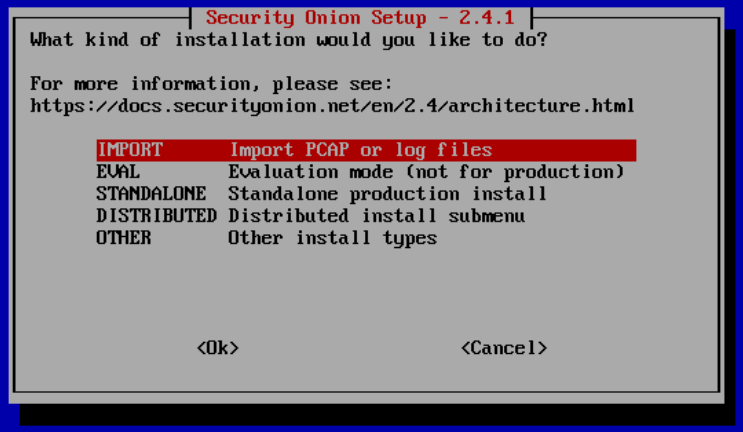
If this is your first time installing Security Onion 2.4, then we highly recommend starting with an IMPORT installation as shown at:
https://docs.securityonion.net/en/2.4/first-time-users.html

Once you’re comfortable with your IMPORT installation, then you can move on to more advanced installations as shown at:
https://docs.securityonion.net/en/2.4/architecture.html
Documentation
You can find our online documentation here:
https://docs.securityonion.net/en/2.4/
Documentation is always a work in progress. If you find documentation that needs to be updated, please let us know as described in the Feedback section below.
Questions, Problems, and Feedback
If you have any questions or problems relating to Security Onion 2.4, please use the 2.4 category at our Discussions site:
https://github.com/Security-Onion-Solutions/securityonion/discussions/categories/2-4
Security Onion Pro
We recently celebrated 10 years in business by announcing Security Onion Pro:
https://blog.securityonion.net/2024/07/celebrating-10-years-of-security-onion.html
Security Onion Pro includes many enterprise features that folks have been asking for:
You can read more about these enterprise features at:
Training
Need training? Start with our free Security Onion Essentials training and then take a look at some of our other official Security Onion training!
https://securityonion.net/training

Security Onion Solutions Hardware Appliances
We know Security Onion's hardware needs, and our appliances are the perfect match for the platform. Leave the hardware research, testing, and support to us, so you can focus on what's important for your organization. Not only will you have confidence that your Security Onion deployment is running on the best-suited hardware, you will also be supporting future development and maintenance of the Security Onion project!
https://securityonionsolutions.com/hardware

Recently, a vulnerability was reported in the xz library:
https://www.cve.org/CVERecord?id=CVE-2024-3094
https://nvd.nist.gov/vuln/detail/CVE-2024-3094
https://www.openwall.com/lists/oss-security/2024/03/29/4
https://www.redhat.com/en/blog/urgent-security-alert-fedora-41-and-rawhide-users
Security Onion is NOT affected by this vulnerability.
Searching for xz Vulnerability across non-Security Onion Devices
If you have Security Onion deployed in your enterprise with Elastic Agent deployed to your endpoints, you can use Osquery Manager to search for vulnerable xz packages as shown in these Github gists by James Spiteri.
Linux:
https://gist.github.com/jamesspi/ee8319f55d49b4f44345c626f80c430f
macOS:
https://gist.github.com/jamesspi/5cb060b5e0e2d43222a71c876b56daab
For example, here's the Linux query run across several Linux endpoints (hostnames excluded from the screenshot):

We recently released the first Beta version of Security Onion 2.4:
https://blog.securityonion.net/2023/03/security-onion-24-beta-release-now.html
Today, we are excited to release the second Beta version of Security Onion 2.4!
Release Notes
Please review the Release Notes for changes in this release:
https://docs.securityonion.net/en/2.4/release-notes.html#beta-2-20230424-changes
Known Issues
Here are some known issues that should be resolved in later releases:
Transition from 2.3 to 2.4
When we release the final version of Security Onion 2.4, we will announce an End Of Life (EOL) date for Security Onion 2.3. Security Onion 2.3 will continue to receive security patches and priority bug fixes until it reaches EOL.
Documentation
You can find 2.4 documentation at:
https://docs.securityonion.net/en/2.4/
Documentation is always a work in progress. If you find documentation that needs to be updated, please let us know as described in the Feedback section below.
Warnings and Disclaimers
Enough warnings and disclaimers? Let’s go!
Installation
Our Security Onion 2.4 ISO image is not quite ready yet so for now you'll need to download Rocky Linux 9 Minimal:
https://download.rockylinux.org/pub/rocky/9/isos/x86_64/Rocky-9.1-x86_64-minimal.iso
Then check the checksum:
https://download.rockylinux.org/pub/rocky/9/isos/x86_64/CHECKSUM
Next, install Rocky Linux 9 and start our Security Onion installation as shown here:
https://docs.securityonion.net/en/2.4/installation.html#installation-on-rocky-linux-or-ubuntu
Once you've installed Rocky Linux 9 Minimal and started our Setup wizard, we highly recommend that you start with a simple IMPORT installation as shown here:
https://docs.securityonion.net/en/2.4/first-time-users.html
Once you have verified proper IMPORT installation, you can then try EVAL, STANDALONE, and DISTRIBUTED deployments as described here:
https://docs.securityonion.net/en/2.4/configuration.html
Questions, Problems, and Feedback
If you have any questions or problems relating to Security Onion 2.4, please use the new 2.4 category at our Discussions site:
https://github.com/Security-Onion-Solutions/securityonion/discussions/categories/2-4
We welcome your detailed feedback!
Screenshot Tour





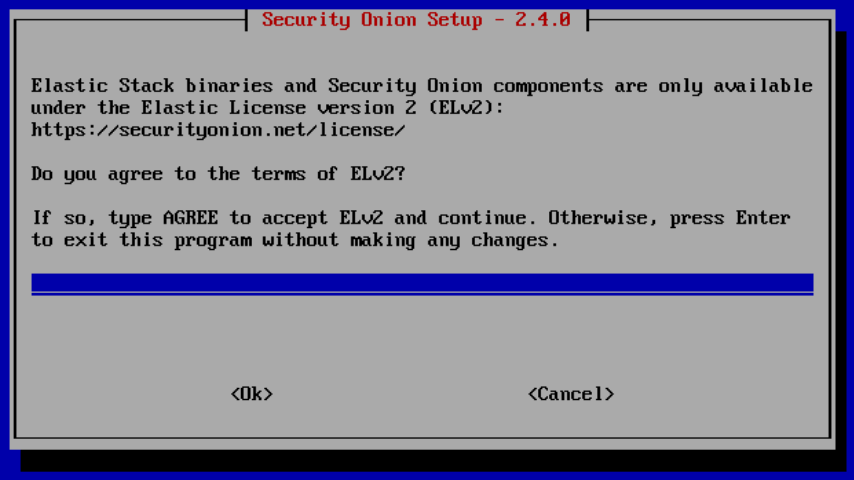
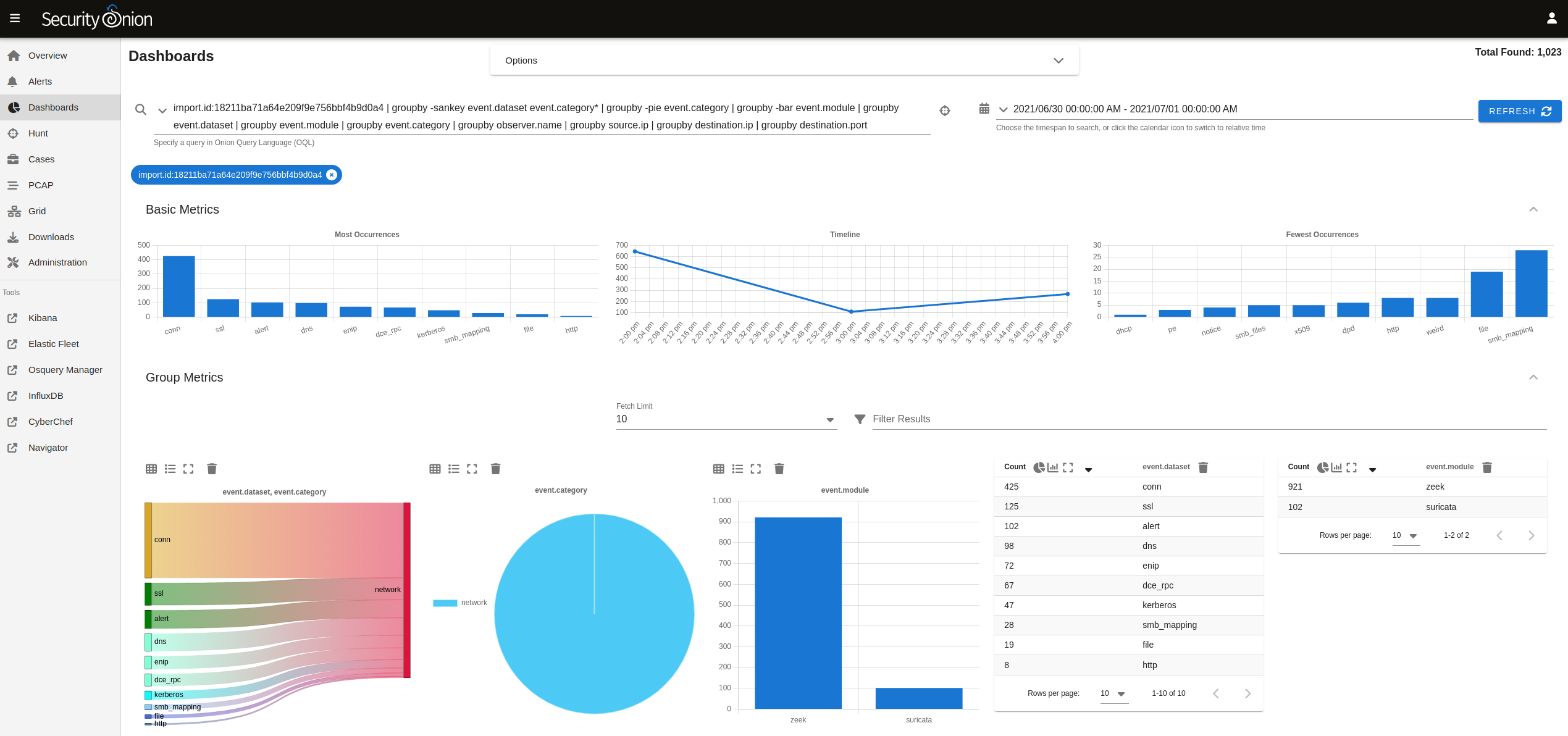
At Security Onion Conference 2022, we showed a sneak peek of Security Onion 2.4: https://blog.securityonion.net/2022/10/sneak-peek-at-security-onion-24.html
We have been overwhelmed by the excitement from our community and customers about Security Onion 2.4!
Today, we are excited to release the first Beta version of Security Onion 2.4. This release builds on the success of 2.3 but is easier to install, configure, and maintain. In addition, it's more powerful yet more streamlined!
New Features
Let’s start by talking about some of the many new features in Security Onion 2.4!
Configuration Interface
With the introduction of the configuration interface, we hope to reduce the overall time spent to manage and administer the grid. The goal is to make editing files at the command line a thing of the past. The configuration interface will help lower the barrier of entry for new users to the platform as well as be a nice convenience for our more seasoned users.

Enhanced Grid Status Interface
In addition to the configuration interface, we’ve also enhanced the SOC Grid page to give you more information about the status of your grid.

New Grid Members Interface
There is a new Grid Members interface used to review and accept new nodes that attempt to join the grid.

Simplified Setup
The installer has been greatly simplified and configuring new members of the grid will take place in the configuration interface. This removes the need for the soremote account and ssh access to the manager.
Elastic Agent and Elastic Fleet
Our primary endpoint agent will be Elastic Agent. It replaces osquery, Beats, and Wazuh and is easily managed in Elastic Fleet, giving more control over upgrades. Users will also be able to deploy agents in standalone (unmanaged) mode if they choose to do so.
Security Onion Virtual Appliance based on Rocky Linux 9
When we were laying out features for Security Onion 2.4, we really wanted to shift the focus away from the OS and more into features that help our users find evil. We felt that we needed to shift to more of a virtual appliance model to allow us to continue to grow and scale to the needs of the future. We are basing this new appliance model on Rocky Linux 9. This change will allow us to deliver features faster and simplify support of the platform. Rocky Linux 9 has an EOL date of March 2032 allowing us to continue to innovate on the platform for years to come. Users will be able to install Security Onion either from our ISO image or on top of a minimal installation of Rocky Linux 9. Below we explain how this will impact Ubuntu-based deployments.
Simplified Updates
For this new virtual appliance model, all packages will be distributed from the manager similar to the current Airgap mode. You can optionally override the package source to some other source which hosts specific signed packages. In non-Airgap deployments, the manager or repo will sync daily with the upstream Security Onion repo to ensure updates are downloaded from the Internet. Airgap deployments will continue to pull their updates from the latest ISO image as they do in 2.3.
Improved Health Metric Visualizations
Security Onion 2.4 includes InfluxDB 2 and some improved health metric visualizations.

Component Changes in Security Onion 2.4
Security Onion 2.4 has some major changes, including components that have been retired or are being phased out:
Ubuntu support
Wazuh
FleetDM
Dedicated osquery agents
Filebeat for SO components
Phasing Out Support for Ubuntu
Back in 2009, the first release of Security Onion was based on Ubuntu 9.04 and we have continued to support Ubuntu through Security Onion 2.3. Since Security Onion 2.4 is shifting to more of an appliance model based on Rocky Linux 9 (as described above), we are phasing out support for Ubuntu. Users running a large distributed grid of Ubuntu 20.04 nodes will be able to gradually migrate those nodes to the new appliance structure as long as the manager runs Rocky Linux 9. We will release more details on this as we finalize the process.
Endpoint Agent Changes
As mentioned above, our primary endpoint agent will be Elastic Agent:
Known Issues
Here are some known issues that should be resolved in later releases:
You cannot do an in-place upgrade from 2.3 to 2.4. We are still investigating the feasibility of migrating data.
You must perform a new installation of Rocky Linux 9 Minimal and have full Internet access. We hope to have a 2.4 ISO image in a future release.
Upgrades from this 2.4 Beta release to anything else will not be supported. Starting in RC2 we will support soup to upgrade 2.4 grids.
Airgap mode is not supported at this time. This is due to a 3rd party dependency but will be supported in RC1.
Ubuntu 20.04 support is not available until RC1. This has to do with a 3rd party dependency.
Elastic agents will connect directly to the Elasticsearch cluster. Future releases will have the Elastic agents sending their data to Logstash similar to how the data pipeline works in version 2.3.
ATT&CK Navigator doesn’t work correctly yet.
so-import-evtx imports logs but they don't get parsed correctly.
The following installation modes are NOT supported at this time:
Heavy Node
Receiver Node
Analyst Workstation
Dedicated Elastic Fleet Node
Transition from 2.3 to 2.4
When we release the final version of Security Onion 2.4, we will announce an End Of Life (EOL) date for Security Onion 2.3. Security Onion 2.3 will continue to receive security patches and priority bug fixes until it reaches EOL.
Documentation
You can find 2.4 documentation at:
https://docs.securityonion.net/en/2.4/
Documentation is always a work in progress. If you find documentation that needs to be updated, please let us know as described in the Feedback section below.
Warnings and Disclaimers
This is Beta software. It is not a finished product.
Beta software is not officially supported for production usage.
Ask your doctor if Beta software is right for you.
If it breaks, you get to keep both pieces!
Enough warnings and disclaimers? Let’s go!
Installation
Our Security Onion 2.4 ISO image is not quite ready yet so for now you'll need to download Rocky Linux 9 Minimal: https://download.rockylinux.org/pub/rocky/9/isos/x86_64/Rocky-9.1-x86_64-minimal.iso
Then check the checksum: https://download.rockylinux.org/pub/rocky/9/isos/x86_64/CHECKSUM
Next, install Rocky Linux 9 and start our Security Onion installation as shown here:
https://docs.securityonion.net/en/2.4/installation.html#installation-on-rocky-linux-or-ubuntu
Once you've installed Rocky Linux 9 Minimal and started our Setup wizard, we highly recommend that you start with a simple IMPORT installation as shown here:
https://docs.securityonion.net/en/2.4/first-time-users.html
Once you have verified proper IMPORT installation, you can then try EVAL, STANDALONE, and DISTRIBUTED deployments as described here:
https://docs.securityonion.net/en/2.4/configuration.html
Questions, Problems, and Feedback
If you have any questions or problems relating to Security Onion 2.4, please use the new 2.4 category at our Discussions site:
https://github.com/Security-Onion-Solutions/securityonion/discussions/categories/2-4
We welcome your detailed feedback!
Screenshot Tour