Showing posts with label soup. Show all posts

Tuesday, July 19, 2022

Security Onion 2.3.140 20220719 Hotfix Now Available!

We recently released Security Onion 2.3.140:
https://blog.securityonion.net/2022/07/security-onion-23140-now-available.html

Today, we are releasing a hotfix that addresses a few issues in the update process:
https://docs.securityonion.net/en/2.3/release-notes.html#hotfix-20220719-changes

New Installations

If you want to perform a new installation, please review the documentation and then you can find instructions here:
https://docs.securityonion.net/en/2.3/download.html

Existing 2.3 Installations

If you already updated to Security Onion 2.3.140 successfully, then you don't need to install this hotfix.

If you tried to update 2.3.140 and it failed, please see our support options:
https://docs.securityonion.net/en/2.3/support.html

If you haven't yet attempted to update to 2.3.140, then you should review all links at the top of this page so that you are aware of all recent changes.

WARNING! If you have an existing Security Onion 2.3 installation and update to Security Onion 2.3.140 or higher, the Elastic components will undergo a major version upgrade to version 8. Please review and follow the steps at the link below. Failure to do so could result in loss of access to all data stored inside of Elastic and a non-functioning Security Onion installation.

https://docs.securityonion.net/en/2.3/soup.html#elastic-8

Please be aware that custom settings in Kibana may be overwritten during upgrade. We recommend that you test the upgrade process on a test deployment before deploying to production. If you have a distributed deployment, then we recommend monitoring SOC Grid while your update is running to verify that all nodes update properly. If there are issues, you can review logs, services, and containers for any additional clues. If you need help, please see our support information below.

If you have custom Elasticsearch templates, please see:
https://docs.securityonion.net/en/2.3/elasticsearch.html#custom-templates

For more information about the update process, please see:
https://docs.securityonion.net/en/2.3/soup.html

Security Onion 16.04

If you are still running Security Onion 16.04, please note that it is past End Of Life. Please take this opportunity to upgrade to Security Onion 2:
https://docs.securityonion.net/en/2.3/appendix.html

Questions or Problems

If you have questions or problems, please see our support options:
https://docs.securityonion.net/en/2.3/support.html

Monday, July 18, 2022

Security Onion 2.3.140 now available including Elastic 8.3.2, Suricata 6.0.6, Salt 3004.2, and much more!

Security Onion 2.3.140 is now available! It includes new features and resolves a few issues:
https://docs.securityonion.net/en/2.3/release-notes.html#changes

Dashboards

Our updated Dashboards app now allows tables and charts to be maximized to fill the entire pane:

Cases

Our updated Cases app now supports adding multiple observables of the same type:


Updates

This release also updates many components including:

  • Elastic 8.3.2
  • Suricata 6.0.6
  • Salt 3004.2
  • Kratos 0.10.1
  • Redmine 4.2.7

TheHive

As a reminder, we have fully transitioned from TheHive to Cases. TheHive is no longer included or supported.

Documentation

You can find our documentation here:
https://docs.securityonion.net/en/2.3/

Documentation is always a work in progress and some documentation may be missing or incorrect. Please let us know if you notice any issues.

New Installations

If you want to perform a new installation, please review the documentation and then you can find instructions here:
https://docs.securityonion.net/en/2.3/download.html

Existing 2.3 Installations

WARNING! If you have an existing Security Onion 2.3 installation and update to Security Onion 2.3.140 or higher, the Elastic components will undergo a major version upgrade to version 8. Please review and follow the steps at the link below. Failure to do so could result in loss of access to all data stored inside of Elastic and a non-functioning Security Onion installation.
https://docs.securityonion.net/en/2.3/soup.html#elastic-8

Please be aware that custom settings in Kibana may be overwritten during upgrade. We recommend that you test the upgrade process on a test deployment before deploying to production. If you have a distributed deployment, then we recommend monitoring SOC Grid while your update is running to verify that all nodes update properly. If there are issues, you can review logs, services, and containers for any additional clues. If you need help, please see our support information below.

If you have custom Elasticsearch templates, please see:
https://docs.securityonion.net/en/2.3/elasticsearch.html#custom-templates

For more information about the update process, please see:
https://docs.securityonion.net/en/2.3/soup.html

AWS Marketplace

For new Security Onion 2 installations on AWS, Security Onion 2.3.140 will soon be available on AWS Marketplace via the official Security Onion 2 AMI:
https://securityonion.net/aws/?ref=_ptnr_soc_blog_220714

AMI Documentation:
https://securityonion.net/docs/cloud-ami

Existing Security Onion 2 AMI users should use the "soup" command to upgrade:
https://docs.securityonion.net/en/2.3/soup.html

Azure Marketplace

For new Security Onion 2 installations on Azure, Security Onion 2.3.140 will soon be available on the Azure Marketplace!
https://securityonion.net/azure

Azure Documentation:
https://docs.securityonion.net/en/2.3/cloud-azure.html

Existing Security Onion 2 users on Azure should use the "soup" command to upgrade:
https://docs.securityonion.net/en/2.3/soup.html

Security Onion 16.04 EOL

As a reminder, Security Onion 16.04 has reached End Of Life (EOL):
https://blog.securityonion.net/2021/04/security-onion-1604-has-reached-end-of.html

If you're still running Security Onion 16.04, please see the following for upgrade options:
https://docs.securityonion.net/en/2.3/appendix.html

Questions or Problems

If you have questions or problems, please see our community support forum guidelines:
https://docs.securityonion.net/en/2.3/community-support.html

You can then find the community support forum at:
https://securityonion.net/discuss

Thanks

Lots of love went into this release!

Special thanks to all our folks working so hard to make this release happen!

  • Josh Brower
  • Jason Ertel
  • Wes Lambert
  • Josh Patterson
  • Mike Reeves

Conference

Registration is now open for Augusta Cyber Week in Augusta GA from September 26, 2022 through October 1, 2022! This includes 4-day Security Onion training, Security Onion Conference, and BSidesAugusta. These are separate events, but if you sign up for the 4-day training class, you get a FREE non-transferable ticket to both Security Onion Conference and BSidesAugusta!

4-day Security Onion training:
https://bsidesaugusta.org/training/#SecurityOnion

Security Onion Conference 2022:
https://socaugusta2022.eventbrite.com/

BSidesAugusta:
https://bsidesaugusta.org/

Hope to see you there!

Training

Need training? Start with our free Security Onion Essentials training and then take a look at some of our other official Security Onion training!

https://securityonion.net/training

Hardware Appliances

We know Security Onion's hardware needs, and our appliances are the perfect match for the platform. Leave the hardware research, testing, and support to us, so you can focus on what's important for your organization. Not only will you have confidence that your Security Onion deployment is running on the best-suited hardware, you will also be supporting future development and maintenance of the Security Onion project!

https://securityonionsolutions.com/hardware

Screenshot Tour

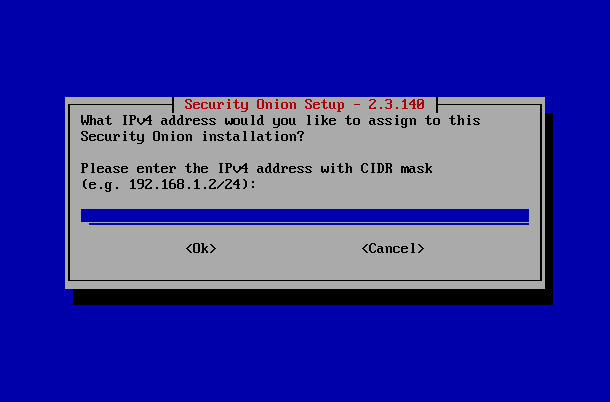
If you want the quickest and easiest way to try out Security Onion 2, just follow the screenshots below to install an Import node and then optionally enable the Analyst Workstation. This can be done in a minimal VM with only 4GB RAM! For more information, please see:

https://docs.securityonion.net/en/2.3/first-time-users.html


Thursday, July 23, 2020

Security Update for Security Onion 2.0 RC1

We recently released Security Onion 2.0 RC1:

Some community members quickly reported some issues (including 2 security issues) and we've released fixes:

Security Fix 1067: variables.txt from ISO install stays on disk for 10 days

Security Fix 1068: Remove user values from static.sls

Issue 1059: Fix distributed deployment sensor interval issue allowing PCAP

Issue 1058: Support for passwords that start with special characters

Thanks to Max Diorio and Reddit user TungstenCLXI for reporting these issues!

UPDATE 2020/07/23 4:53 PM
Looks like the sensor interval fix for distributed deployments introduced a regression for other installation types. We're working on this issue now:
https://github.com/Security-Onion-Solutions/securityonion/issues/1089

UPDATE 2020/07/24 12:14 PM
We've fixed the regression in 2.0.2:
https://blog.securityonion.net/2020/07/security-onion-202-rc1-available-for.html

Existing Installations
If you have an existing 2.0 RC1 installation, you'll want to run "sudo soup" as soon as possible. soup will then update itself and ask you to run soup again. On the second run, soup will update salt and your Docker images. Salt will then remove variables.txt and update static.sls.

Please note that Docker images may still show 2.0.0 (instead of 2.0.1) as they have simply been re-tagged.

For more information, please see the soup page on our documentation site:

New Installations
If you're doing a new installation and you download our ISO image, you'll get the new 2.0.1 ISO image that already contains these fixes. 

Otherwise, if you install a standard CentOS7 or Ubuntu 18.04 ISO and then perform a network installation, you'll get the latest code that contains the fixes.

For more information, please see the download page on our documentation site:

Feedback
If you have questions or problems, please reach out to our community:

Thanks!

Wednesday, October 16, 2019

securityonion-sostat - 20120722-0ubuntu0securityonion133 now available for Security Onion!

securityonion-sostat - 20120722-0ubuntu0securityonion133 is now available for Security Onion!  This package resolves the following issue:

securityonion-sostat: block docker 19.03.3 packages #1652
https://github.com/Security-Onion-Solutions/security-onion/issues/1652

Docker 19.03.3 was released recently and included a regression for the DOCKER-USER iptables chain:
https://blog.securityonion.net/2019/10/docker-package-issues-please-do-not.html
https://github.com/docker/for-linux/issues/810

When you install this updated securityonion-sostat package, it will prevent any future installation of Docker 19.03.3.  It will also check to see if you already have Docker 19.03.3 installed.  If so, it will provide instructions for removing Docker 19.03.3 and replacing it with a fixed version.  Any future runs of soup will check Docker version as well.

Thanks
Thanks to Wes Lambert and Dustin Lee for testing!

Updating
Please see the following page for full update instructions:
https://securityonion.net/docs/Upgrade

Documentation
We've got a new documentation site!  Please let us know if anything needs to be updated:
https://securityonion.net/docs

Also, we're now offering a printed copy of our official documentation with foreword by Richard Bejtlich and proceeds going to Rural Technology Fund:
https://securityonion.net/book

Training
Security Onion Solutions is the only official authorized training provider for Security Onion and we have 4-day Basic and 4-day Advanced onsite training classes.  We also offer online classes as well.  For more information, please see:
https://securityonionsolutions.com

Appliances
We now offer hardware appliances!  For more information, please see:
https://blog.securityonion.net/2018/10/introducing-security-onion-solutions.html

Support
Need support?  Please see:
https://securityonion.net/docs/Support

Thanks!

Tuesday, July 2, 2019

securityonion-sostat - 20120722-0ubuntu0securityonion128 now available for Security Onion!

securityonion-sostat - 20120722-0ubuntu0securityonion128 is now available for Security Onion!  This package should resolve the following issues:

soup: if snort or suricata are updated, remind user to run rule-update #1536
https://github.com/Security-Onion-Solutions/security-onion/issues/1536

soup: if Wazuh is updated, remind user to review ossec.conf and update Wazuh agents #1544
https://github.com/Security-Onion-Solutions/security-onion/issues/1544

Thanks
Thanks to Wes Lambert for testing!

Updating
Please see the following page for full update instructions:
https://securityonion.net/docs/Upgrade

Conference
Please mark your calendar! Security Onion Conference 2019 will be on Friday, October 4, 2019 and registration will open July 18!
https://securityonion.net/conference

Documentation
We've got a brand new documentation site!  Please let us know if anything needs to be updated:
https://securityonion.net/docs

Also, we're now offering a printed copy of our official documentation with foreword by Richard Bejtlich and proceeds going to Rural Technology Fund:
https://securityonion.net/book

Training
We have 4-day Security Onion Training classes coming up in Columbia MD and Augusta GA!  If you can't make it to an onsite class, we have a new online training platform.  For more information and other training options, please see:
https://securityonionsolutions.com

Appliances
We now offer hardware appliances!  For more information, please see:
https://blog.securityonion.net/2018/10/introducing-security-onion-solutions.html

Support
Need support?  Please see:
https://securityonion.net/docs/Support

Thanks!

Tuesday, May 28, 2019

Security Onion Users Can Now Switch to Elastic Features

Many folks have asked if they could switch from the open source version of the Elastic Stack to the Features version licensed under the Elastic license.  You can try it out starting today!

Instructions

  • First, please review the Elastic Features license:
    https://github.com/elastic/elasticsearch/blob/6.7/licenses/ELASTIC-LICENSE.txt
  • Next, you should make sure that all updates have been installed:
    sudo soup
  • If soup prompts to reboot, please do so.  
  • Verify that everything is working properly before continuing.
  • Edit /etc/nsm/elasticdownload.conf using your favorite text editor and change DOCKERHUB from "securityonionsolutions" to "securityonionsolutionselas":
    DOCKERHUB="securityonionsolutionselas"
  • Run soup again to download the new Docker images for Elastic Features:
    sudo soup
  • Once soup has downloaded the new Docker images, it should restart your Docker containers.
  • Kibana should now have some new features on the left side.


Screenshots
Soup downloading new Docker images

Kibana now includes new features on left side

Q&A

Is Elastic Features open source?

No, it is not open source.  It is licensed under the Elastic license:
https://github.com/elastic/elasticsearch/blob/6.7/licenses/ELASTIC-LICENSE.txt

What does this mean for Security Onion licensing?

Security Onion continues to be free and open source and will continue to default to the open source version of the Elastic Stack.  If you choose to switch to Elastic Features (not open source), you may do so using the instructions above.

If I switch to Elastic Features, is this a trial license?

If you switch to Elastic Features, you can remain on the BASIC license for free forever or you can choose to upgrade to a paid subscription. For more information about Elastic Features subscription levels, please see:
https://www.elastic.co/subscriptions

How does authentication work?

Authentication works the same way it does in our existing Elastic open source images.  Security Onion provides Single Sign On (SSO) using the same username and password for Sguil, Squert, and Kibana.

What about the recent Elastic announcement about security features?

Elastic recently announced that security features are included for free in the Elastic Features license starting in version 6.8.0.  Since Security Onion still uses Elastic 6.7.2, those security features are not free in that version.  We will begin the process of working towards Elastic 6.8.0.

Search This Blog

Featured Post

Security Onion 3.3.0 Hotfix 20260911 Now Available!

Earlier this week, we released Security Onion 3.3.0: https://blog.securityonion.net/2026/09/security-onion-330-now-available.html Today we a...

Popular Posts

Blog Archive