Showing posts with label kibana. Show all posts

Tuesday, September 3, 2024

Security Onion 2.4.100 Hotfix 20240903 now available!

Last week's 2.4.100 release contained an issue that affects deployments that use Kibana dashboards AND have deployed remote agents to endpoints. Today, we are releasing a hotfix which resolves this issue:

https://docs.securityonion.net/en/2.4/release-notes.html


If you have already updated to 2.4.100 and Kibana is not showing source IP addresses correctly, then you should update to this hotfix using soup:

https://docs.securityonion.net/en/2.4/soup.html


After updating to the hotfix, you may still have indices with incorrect data. If so, you can delete the incorrect indices via the command line as follows.


First, become root:


sudo -i


Next, roll over each of the affected data streams:


for i in logs-system.application-default logs-system.security-default logs-system.system-default; do 

    so-elasticsearch-query $i/_rollover -XPOST

done


Then, delete the previous index for each of the affected data streams:


for i in logs-system.application-default logs-system.security-default logs-system.system-default; do

    INDEX_TO_DELETE=$(so-elasticsearch-query $i | jq -r 'keys[]' | tail -2 | head -1); so-elasticsearch-query $INDEX_TO_DELETE -XDELETE

done


Finally, navigate to Kibana -> Security Onion - Home -> Network dashboard to confirm that source IP addresses now display as expected.


New Installations


If this is your first time installing Security Onion 2.4, then we highly recommend starting with an IMPORT installation as shown at:

https://docs.securityonion.net/en/2.4/first-time-users.html


Once you’re comfortable with your IMPORT installation, then you can move on to more advanced installations as shown at:

https://docs.securityonion.net/en/2.4/architecture.html


Documentation


You can find our online documentation here:

https://docs.securityonion.net/en/2.4/


Documentation is always a work in progress. If you find documentation that needs to be updated, please let us know as described in the Feedback section below.


Questions, Problems, and Feedback


If you have any questions or problems relating to Security Onion 2.4, please use the 2.4 category at our Discussions site:

https://github.com/Security-Onion-Solutions/securityonion/discussions/categories/2-4


Security Onion Pro


We recently celebrated 10 years in business by announcing Security Onion Pro:

https://blog.securityonion.net/2024/07/celebrating-10-years-of-security-onion.html


Security Onion Pro includes many enterprise features that folks have been asking for:


  • Open ID Connect (OIDC)
  • Data at Rest Encryption
  • FIPS for the OS
  • DoD STIG for the OS
  • External Notifications in SOC (this feature got even better in this release!)
  • Time Tracking inside of Cases
  • Guaranteed Message Delivery


You can read more about these enterprise features at:

https://securityonion.com/pro


Training


Need training? Start with our free Security Onion Essentials training and then take a look at some of our other official Security Onion training!

https://securityonion.net/training


Security Onion Solutions Hardware Appliances


We know Security Onion's hardware needs, and our appliances are the perfect match for the platform. Leave the hardware research, testing, and support to us, so you can focus on what's important for your organization. Not only will you have confidence that your Security Onion deployment is running on the best-suited hardware, you will also be supporting future development and maintenance of the Security Onion project!

https://securityonionsolutions.com/hardware


Tuesday, July 21, 2020

Security Onion 2.0 Release Candidate 1 (RC1) Available for Testing!

In 2018, Security Onion Solutions started working on the next major version of Security Onion, code-named Hybrid Hunter:

Today, we are dropping the Hybrid Hunter code name and are proud to release Security Onion 2.0 RC1! It has some amazing new features and improvements!

Release Candidate
This is our first Release Candidate for 2.0, so we're getting closer to a final release, but we're not quite there yet. Please be reminded of the usual pre-release warnings and disclaimers:
  • If this breaks your system, you get to keep both pieces!
  • This is a work in progress and is in constant flux.
  • This configuration may change drastically over time leading up to the final release.
  • Do NOT run this on a system that you care about!
  • Do NOT run this on a system that has data that you care about!
  • This script should only be run on a TEST box with TEST data!
  • Use of this script may result in nausea, vomiting, or a burning sensation.

Documentation
We've started migrating our documentation to 2.0:
However, this is a work in progress and some documentation may be missing or incorrect. Please let us know if you notice any issues.

Download
Once you've reviewed the documentation and are ready to download, you can find instructions here:
Changes from Previous Beta Releases
After installing Security Onion 2.0, you'll notice many changes from previous beta releases. One of the first changes you'll notice is that account creation and authentication is much more streamlined now. This includes the initial OS account and the individual web interface accounts. 

Another change is that so-import-pcap is back by popular demand! You can run through our installer choosing Eval or Standalone and then run "sudo so-import-pcap" and give it the full path to one or more pcap files. It will then provide a custom hyperlink to show you the resulting data in our new Hunt interface. Another utility that is back by popular demand is soup! Looking forward to RC2 and beyond, this should make it possible to perform in-place updates.

Finally, there are lots of little bug fixes and improvements and you can find more information in the detailed change list below!
  • Re-branded 2.0 to give it a fresh look
  • All documentation has moved to our docs site
  • soup is alive! Note: This tool only updates Security Onion components. Please use the built-in OS update process to keep the OS and other components up to date.
  • so-import-pcap is back! See the so-import-pcap docs here.
  • Fixed issue with so-features-enable
  • Users can now pivot to PCAP from Suricata alerts
  • ISO install now prompts users to create an admin/sudo user instead of using a default account name
  • The web email & password set during setup is now used to create the initial accounts for TheHive, Cortex, and Fleet
  • Fixed issue with disk cleanup
  • Changed the default permissions for /opt/so to keep non-priviledged users from accessing salt and related files
  • Locked down access to certain SSL keys
  • Suricata logs now compress after they roll over
  • Users can now easily customize shard counts per index
  • Improved Elastic ingest parsers including Windows event logs and Sysmon logs shipped with WinLogbeat and Osquery (ECS)
  • Elastic nodes are now “hot” by default, making it easier to add a warm node later
  • so-allow now runs at the end of an install so users can enable access right away
  • Alert severities across Wazuh, Suricata and Playbook (Sigma) have been standardized and copied to event.severity:
    1-Low / 2-Medium / 3-High / 4-Critical
  • Initial implementation of alerting queues:
    • Low & Medium alerts are accessible through Kibana & Hunt
    • High & Critical alerts are accessible through Kibana, Hunt and sent to TheHive for immediate analysis
  • ATT&CK Navigator is now a statically-hosted site in the nginx container
  • Playbook
    • All Sigma rules in the community repo (500+) are now imported and kept up to date
    • Initial implementation of automated testing when a Play’s detection logic has been edited (i.e., Unit Testing)
    • Updated UI Theme
    • Once authenticated through SOC, users can now access Playbook with analyst permissions without login
  • Kolide Launcher has been updated to include the ability to pass arbitrary flags - new functionality sponsored by SOS
  • Fixed issue with Wazuh authd registration service port not being correctly exposed
  • Added option for exposure of Elasticsearch REST API (port 9200) to so-allow for easier external querying/integration with other tools
  • Added option to so-allow for external Strelka file uploads (e.g., via strelka-fileshot)
  • Added default YARA rules for Strelka – default rules are maintained by Florian Roth and pulled from https://github.com/Neo23x0/signature-base
  • Added the ability to use custom Zeek scripts
  • Renamed “master server” to “manager node”
  • Improved unification of Zeek and Strelka file data

Known Issues

so-import-pcap currently doesn't check for sudo. If you get any errors, try running with sudo.

Thanks

Lots of love went into this release!

Special thanks to all our folks working so hard to make this release happen!

Josh Brower
Jason Ertel
Wes Lambert
Josh Patterson
Mike Reeves
Bryant Treacle
William Wernert

Screenshot Tour
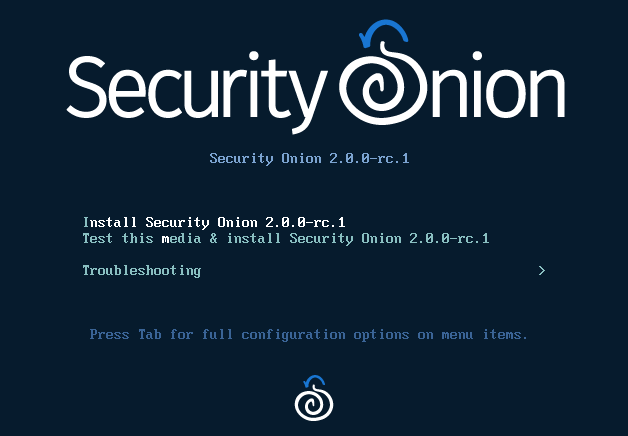
ISO Boot Menu

OS account creation

Web account creation


Logging into Security Onion Console (SOC)

Security Onion Console (SOC)

Hunt

Pivot to PCAP from Hunt or Kibana

SOC Sensor Management

Downloads page includes links to Winlogbeat and osquery packages


SOC User Management

Kibana

Grafana

CyberChef

Playbook

Fleet

TheHive

ATT&CK Navigator


Wednesday, June 17, 2020

Security Onion Hybrid Hunter 1.4.0 - Beta 3 Available for Testing!

In 2018, Security Onion Solutions started working on the next major version of Security Onion, code-named Hybrid Hunter:

Today we are proud to release Security Onion "Hybrid Hunter” 1.4.0 AKA Beta 3 and it has some amazing new features and improvements!

In this release, we continue to embrace Community ID as a way to correlate different data types.  Both Zeek and Suricata can natively generate Community ID values, but what about tools that don't natively support Community ID?  We sponsored the development of an Elasticsearch Ingest Processor that can automatically generate Community ID values for ANY logs that contain the necessary IP address and port information.  This means that you can now easily pivot from, for example, Suricata alerts to Zeek logs to Sysmon logs and vice versa.  

From an interface perspective, we've updated our Kibana dashboards and Hunt interface to make better use of those Community ID values.  Hunt also includes a new Auto Hunt toggle that will automatically submit your hunt query after changing filters or groupings.

Finally, there are lots of little bug fixes and improvements and you can find more details in the bullet points below!

Hunt now shows Community ID by default and includes a new Auto Hunt feature


To read more and download Hybrid Hunter, please see:

If you have any questions about Hybrid Hunter, please post a message on our reddit community and prefix the title with [Hybrid Hunter]!

Major Highlights in this Release

Changes:

  • Complete overhaul of the way we handle custom and default settings and data. You will now see a default and local directory under the saltstack directory. All customizations are stored in local.
  • The way firewall rules are handled has been completely revamped. This will allow the user to customize firewall rules much easier.
  • Users can now change their own password in SOC.
  • Hunt now allows users to enable auto-hunt. This is a toggle which, when enabled, automatically submits a new hunt when filtering, grouping, etc.
  • Title bar now reflects current Hunt query. This will assist users in locating a previous query from their browser history.
  • Zeek 3.0.7
  • Elastic 7.7.1
  • Suricata can now be used for meta data generation.
  • Suricata eve.json has been moved to /nsm to align with storage of other data.
  • Suricata will now properly rotate its logs.
  • Grafana dashboards now work properly in standalone mode.
  • Kibana Dashboard updates including osquery, community_id.
  • New Elasticsearch Ingest processor to generate community_id from any log that includes the required fields.
  • Community_id generated for additional logs: Zeek HTTP/SMTP, Sysmon shipped with Osquery or Winlogbeat.
  • Major streamlining of Fleet setup & configuration - no need to run a secondary setup script anymore.
  • Fleet Standalone node now includes the ability to set a FQDN to point osquery endpoints to.
  • Distributed installs now support ingesting Windows Eventlogs via Winlogbeat - includes full parsing support for Sysmon.
  • SOC Downloads section now includes a link to the supported version of Winlogbeat.
  • Basic syslog ingestion capability now included.
  • Elasticsearch index name transition fixes for various components.
  • Updated URLs for pivot fields in Kibana.
  • Instances of hive renamed to thehive.

Known Issues:

  • When prompted for hostname, please only enter the hostname itself and NOT a fully qualified domain name! There should be no dots or other special characters.
  • The Hunt feature is currently considered "Preview" and although very useful in its current state, not everything works. We wanted to get this out as soon as possible to get the feedback from you! Let us know what you want to see! Let us know what you think we should call it!
  • You cannot pivot to PCAP from Suricata alerts in Kibana or Hunt.
  • Navigator is currently not working when using hostname to access SOC. IP mode works correctly.
  • Due to the move to ECS, the current Playbook plays may not alert correctly at this time.
  • The osquery MacOS package does not install correctly.

Thanks

Lots of love went into this release!

Special thanks to all our folks working so hard to make this release happen!

Josh Brower
Jason Ertel
Wes Lambert
Josh Patterson
Mike Reeves
William Wernert

Wednesday, March 18, 2020

Elastic 6.8.7 now available for Security Onion!

The following updates are now available for Security Onion!


  • Elastic 6.8.7 Docker images
  • securityonion-elastic - 20190510-1ubuntu1securityonion87


These updates should resolve the following issues:

Elastic 6.8.7 #1728
https://github.com/Security-Onion-Solutions/security-onion/issues/1728

securityonion-elastic: adjust bro_notice parsing #1724
https://github.com/Security-Onion-Solutions/security-onion/issues/1724

securityonion-elastic: check ingest geoip fields #1725
https://github.com/Security-Onion-Solutions/security-onion/issues/1725

so-import-pcap: support paths with spaces #1714
https://github.com/Security-Onion-Solutions/security-onion/issues/1714

so-import-pcap: enable file-extraction #1715
https://github.com/Security-Onion-Solutions/security-onion/issues/1715

securityonion-elastic: change template name in 9002_output_import.conf #1723
https://github.com/Security-Onion-Solutions/security-onion/issues/1723

securityonion-elastic: logstash custom config should get copied for LOGSTASH_MINIMAL #1719
https://github.com/Security-Onion-Solutions/security-onion/issues/1719

Thanks
Thanks to the Elastic team for Elastic 6.8.7!
Thanks to Wes Lambert and Bryant Treacle for testing and QA!

Updating
Please see the following page for full update instructions:
https://securityonion.net/docs/Upgrade

Support
Need support?  Please see:
https://securityonion.net/docs/Support

Documentation
You can find our documentation here:
https://securityonion.net/docs

Also, we're now offering a printed copy of our official documentation with foreword by Richard Bejtlich and proceeds going to Rural Technology Fund:
https://securityonion.net/book

Training
Security Onion Solutions is the only official authorized training provider for Security Onion.  For more information about our training classes, please see:
https://securityonionsolutions.com

Appliances
We now offer hardware appliances!  For more information, please see:
https://securityonionsolutions.com

Thanks!

Wednesday, December 4, 2019

Security Onion 16.04.6.3 now available featuring Elastic 6.8.4, CyberChef 9.11.7, Bro 2.6.4, Suricata 4.1.5, Snort 2.9.15.0, and more!

Security Onion 16.04.6.3 is now available!

Security Onion 16.04.6.3
Major Changes Since Last ISO Image

  • Elastic 6.8.4
  • CyberChef 9.11.7
  • Bro 2.6.4
  • Suricata 4.1.5
  • Snort 2.9.15.0

Thanks
Thanks to Wes Lambert for testing this ISO image!

Package Updates
This release also includes the following updated packages:
pinguybuilder - 20180514-1ubuntu1securityonion20

This package resolves the following issue:

pinguybuilder: increment version to 16.04.6.3 #1668
https://github.com/Security-Onion-Solutions/security-onion/issues/1668

Issues Resolved
For a list of all issues resolved in this release, please see:
https://github.com/Security-Onion-Solutions/security-onion/projects/8

Release Notes
For more information about this release, please see:
https://securityonion.net/docs/release-notes.html

Installation Guide
We've updated the Installation guide to reflect the download locations for the new ISO image:
https://securityonion.net/docs/installation.html

Existing Deployments
If you have existing 16.04 installations, there is no need to download the new ISO image.  You can simply continue using our standard update process to install updated packages as they are made available:
https://securityonion.net/docs/Upgrade

If you have existing installations of Security Onion 14.04, you can upgrade from 14.04 to 16.04:
https://securityonion.net/docs/upgrading-from-14.04-to-16.04.html

Documentation
We've got a new documentation site!  Please let us know if anything needs to be updated:
https://securityonion.net/docs

Also, we're now offering a printed copy of our official documentation with foreword by Richard Bejtlich and proceeds going to Rural Technology Fund:
https://securityonion.net/book

Training
Security Onion Solutions is the only official authorized training provider for Security Onion and we have 4-day Basic and 4-day Advanced onsite training classes.  We also offer online classes as well.  For more information, please see:
https://securityonionsolutions.com

Appliances
We now offer hardware appliances!  For more information, please see:
https://blog.securityonion.net/2018/10/introducing-security-onion-solutions.html

Support
Need support?  Please see:
https://securityonion.net/docs/Support

Screenshot Tour

ISO Boot Menu

Once the Live Desktop appears, double-click the Install icon and follow the prompts

Once you've completed the installer and rebooted, login using the username and password you created in the installer

After logging in, you are prompted to run Setup

Setup can now run interactively via CLI and sosetup-minimal can be used to minimize RAM and CPU usage

Welcome to Setup

Configure network interfaces

If your hostname is securityonion, Setup gives you the opportunity to rename it

Configure your network interfaces, reboot, then log back in

Launch Setup again and skip network configuration to go to service configuration

sosetup-minimal can run Evaluation Mode in 4GB RAM

Confirm sniffing interface

Create username

Create Password

Confirm Password

Confirm all options

Please wait while Setup configures your system

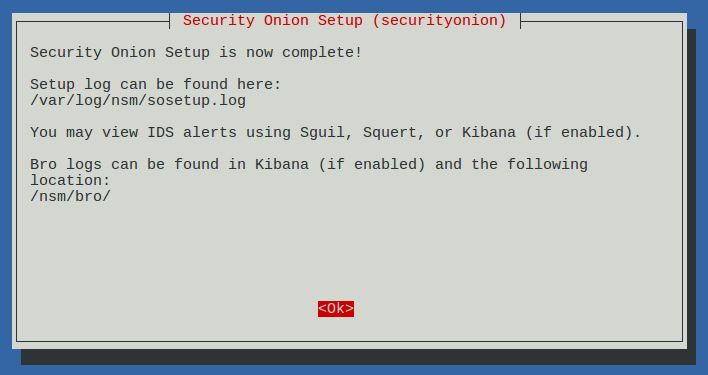
Setup complete

Desktop no longer prompts to run Setup and includes icons for analyst applications 

The README shortcut includes links to the cheat sheet and online and offline documentation

CyberChef 9.11.7

Single Sign On (SSO) for Squert, CapMe, and Kibana

sosetup-minimal can run Evaluation Mode in only 4GB RAM

Analyze IDS alerts using Squert

Retrieve full packet capture with CapMe

Kibana Overview Dashboard

Help

Bro Notices

HIDS Alerts from OSSEC/Wazuh

NIDS Alerts from Snort or Suricata

Bro Connections

Bro DCERPC

Bro DHCP

Bro DNP3

Bro DNS

Bro Files

Bro FTP

Bro HTTP

Bro Intel

Bro IRC

Bro Kerberos

Bro Modbus

Bro MySQL

Bro NTLM

Bro PE

Bro RADIUS

Bro RDP

Bro RFB

Bro SIP

Bro SMB

Bro SMTP

Bro SNMP
 
Bro Software


Bro SSH

Bro SSL

Bro Syslog

Bro Tunnels

Bro Weird

Bro X.509

OSSEC (Wazuh)

Syslog

Search This Blog

Featured Post

Registration Now Open for Augusta Cyber Week 2026!

Registration is now open for Augusta Cyber Week in beautiful Augusta GA from October 19, 2026 through October 24, 2026! This includes: 4-day...

Popular Posts

Blog Archive