The following packages are now available:
securityonion-sostat - 20120722-0ubuntu0securityonion87
These packages should resolve the following issues:
sostat: check for connection to cross cluster search nodes #1195
https://github.com/Security-Onion-Solutions/security-onion/issues/1195
Thanks
Thanks to Wes Lambert for submitting the pull request and testing this package!
Updating
Please see the following page for full update instructions:
https://securityonion.net/wiki/Upgrade
Want to show your support for Security Onion?
Security Onion t-shirts are available in our CafePress store!
http://www.cafepress.com/securityonion/11820053
Training
Security Onion Solutions offers onsite and online training! For more information, please see:
https://securityonionsolutions.com
Support
Need support? Please see:
https://securityonion.net/wiki/Support
Thanks!
Wednesday, January 24, 2018


Tuesday, January 23, 2018
securityonion-nsmnow-admin-scripts - 20120724-0ubuntu0securityonion165 now available for Security Onion!
The following packages are now available:
securityonion-nsmnow-admin-scripts - 20120724-0ubuntu0securityonion165
These packages should resolve the following issues:
Issue 1196: NSM: when configuring Squert, run securityonion_update.sh
https://github.com/Security-Onion-Solutions/security-onion/issues/1196
Thanks
Thanks to Wes Lambert for testing these packages!
Updating
Please see the following page for full update instructions:
https://securityonion.net/wiki/Upgrade
Want to show your support for Security Onion?
Security Onion t-shirts are available in our CafePress store!
http://www.cafepress.com/securityonion/11820053
Training
Security Onion Solutions offers onsite and online training! For more information, please see:
https://securityonionsolutions.com
Support
Need support? Please see:
https://securityonion.net/wiki/Support
Thanks!
Security Advisory for Squert
Introduction
Jeffrey Medsger reported several command injection and SQL injection vulnerabilities in Squert. Wes Lambert also discovered some XSS vulnerabilities in Squert.
These issues are resolved in the following package:
securityonion-squert - 20161212-1ubuntu1securityonion26
Resolution
To resolve these issues, simply install the new Squert package according to our normal update instructions:
https://securityonion.net/wiki/Upgrade
Release Notes
If you start seeing "Prepared statement needs to be re-prepared" in /var/log/apache2/error.log, please see the following:
https://github.com/Security-Onion-Solutions/security-onion/wiki/MySQLTuning#table_definition_cache
Thanks
Special thanks to Jeffrey Medsger for responsibly disclosing these security issues per our Security page (https://securityonion.net/security) and for submitting patches for some of the issues!
Timeline
All times below are in Eastern time.
12/31/2017 6:22 PM - Received notification from Jeffrey Medsger concerning Squert command injection vulnerabilities.
12/31/2017 6:43 PM - Confirmed receipt of email.
1/1/2018 2:47 PM - Asked Jeffrey Medsger for clarification on some details.
1/2/2018 1:19 AM - Jeffrey Medsger provided additional details and reported additional SQL injection issues.
1/2/2018 6:05 PM - Confirmed receipt of email.
1/3/2018 4:35 PM - Asked Jeffrey Medsger to test new package to confirm it resolves command injection vulnerabilities.
1/6/2018 2:09 AM - Jeffrey Medsger confirmed command injection issues resolved.
1/8/2018 2:05 PM - Asked Jeffrey Medsger to test new code to confirm it resolves SQL injection vulnerabilities.
1/9/2018 9:14 PM - Jeffrey Medsger confirmed SQL injection issues resolved but reported unrelated error messages.
1/9/2018 9:19 PM - Confirmed error messages.
1/10/2018 1:32 PM - Asked Jeffrey Medsger to test new code to confirm it resolves error messages.
1/11/2018 12:25 AM - Jeffrey Medsger confirmed all issues resolved.
1/11/2018 4:44 PM - Confirmed receipt of email.
1/12/2018 8:00 AM - Began working on packaging to support both Elastic and non-Elastic systems.
1/20/2018 8:02 AM - Completed packaging.
1/22/2018 8:00 AM - Started regression testing.
1/23/2018 8:57 AM - Completed regression testing.
Monday, January 22, 2018
securityonion-sguil-* - 20141004-0ubuntu0securityonion17 now available for Security Onion!
The following packages are now available:
securityonion-sguil-client_20141004-0ubuntu0securityonion17
securityonion-sguil-sensor_20141004-0ubuntu0securityonion17
securityonion-sguil-server_20141004-0ubuntu0securityonion17
These packages should resolve the following issues:
Issue 905: Sguil: disable DNS lookups in pcap transcripts
https://github.com/Security-Onion-Solutions/security-onion/issues/905
Issue 1171: Sguil: update DShield URL
https://github.com/Security-Onion-Solutions/security-onion/issues/1171
Issue 1186: Sguil: dynamically generate lookups based on filters table
https://github.com/Security-Onion-Solutions/security-onion/issues/1186
Thanks
Thanks to Wes Lambert for testing these packages!
Updating
Please see the following page for full update instructions:
https://securityonion.net/wiki/Upgrade
Want to show your support for Security Onion?
Security Onion t-shirts are available in our CafePress store!
http://www.cafepress.com/securityonion/11820053
Training
Security Onion Solutions offers onsite and online training! For more information, please see:
https://securityonionsolutions.com
Support
Need support? Please see:
https://securityonion.net/wiki/Support
Thanks!
Thursday, January 18, 2018
Security Advisory for ELSA
Introduction
Jeffrey Medsger reported multiple Cross-Site Scripting (XSS) vulnerabilities in ELSA.
These issues are resolved in the following ELSA packages:
securityonion-elsa - 1205chartsjsd3-1ubuntu1securityonion12
securityonion-elsa-extras - 20151011-1ubuntu1securityonion58
Resolution
To resolve these issues, simply install the new ELSA packages according to our normal update instructions:
https://securityonion.net/wiki/Upgrade
Thanks
Special thanks to Jeffrey Medsger for responsibly disclosing these security issues per our Security page (https://securityonion.net/security) and for submitting patches for some of the issues!
Timeline
All times below are in Eastern time.
1/2/2018 1:19 AM - Received initial notification from Jeffrey Medsger concerning ELSA XSS vulnerabilities.
1/2/2018 6:05 PM - Confirmed receipt of email and confirmed issues.
1/3/2018 4:35 PM - Asked Jeffrey Medsger to test new packages.
1/10/2018 12:26 AM - Jeffrey Medsger confirmed original XSS issues resolved and reported additional XSS issues.
1/10/2018 1:32 PM - Confirmed receipt of email with new XSS issues.
1/12/2018 2:02 PM - Asked Jeffrey Medsger to test latest packages.
1/13/2018 4:00 PM - Jeffrey Medsger confirmed issues resolved.
1/13/2018 4:03 PM - Confirmed receipt of email and began regression testing.
1/18/2018 8:32 AM - Completed regression testing.
Wednesday, January 17, 2018
Mike Reeves has joined Security Onion Solutions LLC as Product Manager
Mike Reeves has been a part of the Security Onion community for many years now. You may remember his work on OnionSalt or his talks at Security Onion Conference and BSides Augusta.
I'm excited to announce that Mike has joined Security Onion Solutions LLC as Product Manager.
Congratulations, Mike, and welcome aboard!
I'm excited to announce that Mike has joined Security Onion Solutions LLC as Product Manager.
Congratulations, Mike, and welcome aboard!
securityonion-ossec-rules - 20120726-0ubuntu0securityonion6 now available for Security Onion!
The following package is now available:
securityonion-ossec-rules - 20120726-0ubuntu0securityonion6
This package should resolve the following issues:
securityonion-ossec-rules: add rules for Elastic integration #1189
https://github.com/Security-Onion-Solutions/security-onion/issues/1189
Thanks
Thanks to Wes Lambert and Robert Bardo for testing this package!
Updating
Please see the following page for full update instructions:
https://securityonion.net/wiki/Upgrade
Want to show your support for Security Onion?
Security Onion t-shirts are available in our CafePress store!
http://www.cafepress.com/securityonion/11820053
Training
Security Onion Solutions offers onsite and online training! For more information, please see:
https://securityonionsolutions.com
Support
Need support? Please see:
https://securityonion.net/wiki/Support
Thanks!
Tuesday, January 16, 2018
securityonion-sostat - 20120722-0ubuntu0securityonion86 now available for Security Onion!
The following package is now available:
securityonion-sostat - 20120722-0ubuntu0securityonion86
This package should resolve the following issues:
sostat: don't show sensor stats if sensortab exists but is empty #1191
https://github.com/Security-Onion-Solutions/security-onion/issues/1191
soup: if Elastic is enabled, ensure that Docker repo is enabled #1190
https://github.com/Security-Onion-Solutions/security-onion/issues/1190
Thanks
Thanks to Wes Lambert for testing this package!
Updating
Please see the following page for full update instructions:
https://securityonion.net/wiki/Upgrade
Want to show your support for Security Onion?
Security Onion t-shirts are available in our CafePress store!
http://www.cafepress.com/securityonion/11820053
Training
Security Onion Solutions offers onsite and online training! For more information, please see:
https://securityonionsolutions.com
Support
Need support? Please see:
https://securityonion.net/wiki/Support
Thanks!
Tuesday, December 19, 2017
securityonion-sostat - 20120722-0ubuntu0securityonion85 now available for Security Onion!
The following package is now available:
securityonion-sostat - 20120722-0ubuntu0securityonion85
This package should resolve the following issues:
sostat: clean up error/output when performing Docker interface correlation #1175
https://github.com/Security-Onion-Solutions/security-onion/issues/1175
Thanks
Thanks to Wes Lambert and Rob Bardo for testing this package!
Updating
Please see the following page for full update instructions:
https://securityonion.net/wiki/Upgrade
Want to show your support for Security Onion?
Security Onion t-shirts are available in our CafePress store!
http://www.cafepress.com/securityonion/11820053
Training
Security Onion Solutions offers onsite and online training! For more information, please see:
https://securityonionsolutions.com
Support
Need support? Please see:
https://securityonion.net/wiki/Support
Thanks!
Monday, December 18, 2017
Security Onion Elastic Stack Beta 3 Release and Security Onion 14.04.5.6 ISO Image!
UPDATED 2018/04/09! We've released a newer version!
https://blog.securityonion.net/2018/04/security-onion-elastic-stack-general.html
We're excited to announce that our Elastic stack integration has now reached Beta 3 Release! This Beta 3 release includes a new 14.04.5.6 ISO image that contains these Beta 3 components and all the latest Ubuntu and Security Onion updates as of December 15, 2017!
Previous Releases
To see our progress over the last few months, please see the previous announcements:
http://blog.securityonion.net/2017/03/towards-elk-on-security-onion.html
http://blog.securityonion.net/2017/06/towards-elastic-on-security-onion.html
http://blog.securityonion.net/2017/07/towards-elastic-on-security-onion.html
http://blog.securityonion.net/2017/09/elastic-stack-alpha-release-and.html
http://blog.securityonion.net/2017/11/elastic-stack-beta-release-and-security.html
http://blog.securityonion.net/2017/11/elastic-stack-beta-2-release-and.html
Highlights of this Beta 3 Release
Issues Resolved
Issue 1172: Elastic Stack Beta 3
https://github.com/Security-Onion-Solutions/security-onion/issues/1172
Issue 1173: 14.04.5.6 ISO image
https://github.com/Security-Onion-Solutions/security-onion/issues/1173
Known Issues
For known issues, please see the todo list for our next release:
https://github.com/Security-Onion-Solutions/security-onion/issues/1179
Thanks
This new ISO image has been tested by Wes Lambert. Thanks, Wes!
New Installations
We've updated the Verify_ISO page for the new ISO image:
https://github.com/Security-Onion-Solutions/security-onion/blob/master/Verify_ISO.md
Please remember to verify the signature of the downloaded ISO image using the instructions on that page.
Please note! This ISO image includes the EXPERIMENTAL Elastic stack!
The Elastic components are included in the ISO image and Setup gives you an option of Stable Setup (ELSA) or Experimental Setup (Elastic). If you do not want to try the new Elastic stack, you can choose Stable Setup. If you choose Experimental Setup, the usual disclaimers and warnings apply!
For more about this Elastic Beta 3 release, please see https://securityonion.net/wiki/elastic and the Screenshot tour at the bottom of this blog post.
Please note the following minimum hardware requirements for the Elastic stack:
If you would prefer an ISO image with no Elastic components at all, you have a few options:
OR
Feedback
We want to hear from you! What works well? What could be improved? Please send feedback to our mailing list and include "Elastic Beta 3" in the Subject:
https://github.com/Security-Onion-Solutions/security-onion/wiki/MailingLists
Existing Deployments
If you have existing ELSA installations based on a previous 14.04 ISO image, there is no need to download this new ISO image. You can simply continue using our standard update process to install updated packages as they are made available:
https://github.com/Security-Onion-Solutions/security-onion/wiki/Upgrade
If you have existing Elastic installations (Technology Previews, Alpha, or Beta), we don't officially support upgrading to newer releases. You can try running "sudo soup" but if that fails, you can perform a fresh installation using this Beta 3 ISO image.
Release Notes
For more information about this release, please see:
https://github.com/Security-Onion-Solutions/security-onion/wiki/Security-Onion-14.04-Release-Notes
Want to show your support for Security Onion?
Security Onion t-shirts are available in our CafePress store!
http://www.cafepress.com/securityonion/11820053
Training
We offer onsite and online training! For more information, please see:
https://securityonionsolutions.com
Support
Need support? Please see:
https://securityonion.net/wiki/Support
Screenshot Tour
https://blog.securityonion.net/2018/04/security-onion-elastic-stack-general.html
Previous Releases
To see our progress over the last few months, please see the previous announcements:
http://blog.securityonion.net/2017/03/towards-elk-on-security-onion.html
http://blog.securityonion.net/2017/06/towards-elastic-on-security-onion.html
http://blog.securityonion.net/2017/07/towards-elastic-on-security-onion.html
http://blog.securityonion.net/2017/09/elastic-stack-alpha-release-and.html
http://blog.securityonion.net/2017/11/elastic-stack-beta-release-and-security.html
http://blog.securityonion.net/2017/11/elastic-stack-beta-2-release-and.html
Highlights of this Beta 3 Release
- Upgraded from Elastic 5.6.4 to 5.6.5
- changes in preparation for Elastic 6:
- stop using _all
- single mapping type (change type: to event_type:)
- load Kibana settings via new API
- load Kibana dashboards via new API
- logstash config now includes a beats input
- so-allow now allows you to send to logstash from external IP addresses
- lots of cleanup and fixes
 |
| Kibana Overview Dashboard |
Issues Resolved
Issue 1172: Elastic Stack Beta 3
https://github.com/Security-Onion-Solutions/security-onion/issues/1172
Issue 1173: 14.04.5.6 ISO image
https://github.com/Security-Onion-Solutions/security-onion/issues/1173
Known Issues
For known issues, please see the todo list for our next release:
https://github.com/Security-Onion-Solutions/security-onion/issues/1179
Thanks
This new ISO image has been tested by Wes Lambert. Thanks, Wes!
New Installations
We've updated the Verify_ISO page for the new ISO image:
https://github.com/Security-Onion-Solutions/security-onion/blob/master/Verify_ISO.md
Please remember to verify the signature of the downloaded ISO image using the instructions on that page.
Please note! This ISO image includes the EXPERIMENTAL Elastic stack!
The Elastic components are included in the ISO image and Setup gives you an option of Stable Setup (ELSA) or Experimental Setup (Elastic). If you do not want to try the new Elastic stack, you can choose Stable Setup. If you choose Experimental Setup, the usual disclaimers and warnings apply!
- Experimental Setup is BLEEDING EDGE and TOTALLY UNSUPPORTED!
- If this breaks your system, you get to keep both pieces!
- This is a work in progress and is in constant flux.
- This is intended to build a quick prototype proof of concept so you can see what our ultimate Elastic configuration might look like. This configuration will change drastically over time leading up to the final release.
- Do NOT run this on a system that you care about!
- Do NOT run this on a system that has data that you care about!
- This should only be run on a TEST box with TEST data!
- Experimental Setup may result in nausea, vomiting, or a burning sensation.
For more about this Elastic Beta 3 release, please see https://securityonion.net/wiki/elastic and the Screenshot tour at the bottom of this blog post.
Please note the following minimum hardware requirements for the Elastic stack:
- 2 CPU cores
- 8GB RAM
If you would prefer an ISO image with no Elastic components at all, you have a few options:
- Install the older Security Onion 14.04.5.2 ISO image and then run "sudo soup"
OR
- Install your preferred flavor of Ubuntu 14.04 and then add our PPA and your desired packages:
https://github.com/Security-Onion-Solutions/security-onion/wiki/InstallingOnUbuntu
Feedback
We want to hear from you! What works well? What could be improved? Please send feedback to our mailing list and include "Elastic Beta 3" in the Subject:
https://github.com/Security-Onion-Solutions/security-onion/wiki/MailingLists
Existing Deployments
If you have existing ELSA installations based on a previous 14.04 ISO image, there is no need to download this new ISO image. You can simply continue using our standard update process to install updated packages as they are made available:
https://github.com/Security-Onion-Solutions/security-onion/wiki/Upgrade
If you have existing Elastic installations (Technology Previews, Alpha, or Beta), we don't officially support upgrading to newer releases. You can try running "sudo soup" but if that fails, you can perform a fresh installation using this Beta 3 ISO image.
Release Notes
For more information about this release, please see:
https://github.com/Security-Onion-Solutions/security-onion/wiki/Security-Onion-14.04-Release-Notes
Want to show your support for Security Onion?
Security Onion t-shirts are available in our CafePress store!
http://www.cafepress.com/securityonion/11820053
Training
We offer onsite and online training! For more information, please see:
https://securityonionsolutions.com
Support
Need support? Please see:
https://securityonion.net/wiki/Support
Screenshot Tour
 |
| Security Onion 14.04.5.6 20171215 |
 |
| Welcome to Setup |
 |
| Network Configuration |
 |
| Stable Setup vs Experimental Setup |
 |
| Experimental Setup - Warnings and Disclaimers |
 |
| Evaluation Mode vs Production Mode |
 |
| Monitor (Sniffing) Interface |
 |
| Creating Username |
 |
| Creating Password |
 |
| Confirming Password |
 |
| Confirming Options |
 |
| Setup Complete |
 |
| Single Sign On (SSO) for Squert, CapMe, and Kibana |
 |
| Squert |
 |
| CapMe |
 |
| Kibana Overview Dashboard |

 |
| Help |
 |
| Bro Notices |
 |
| ElastAlert |
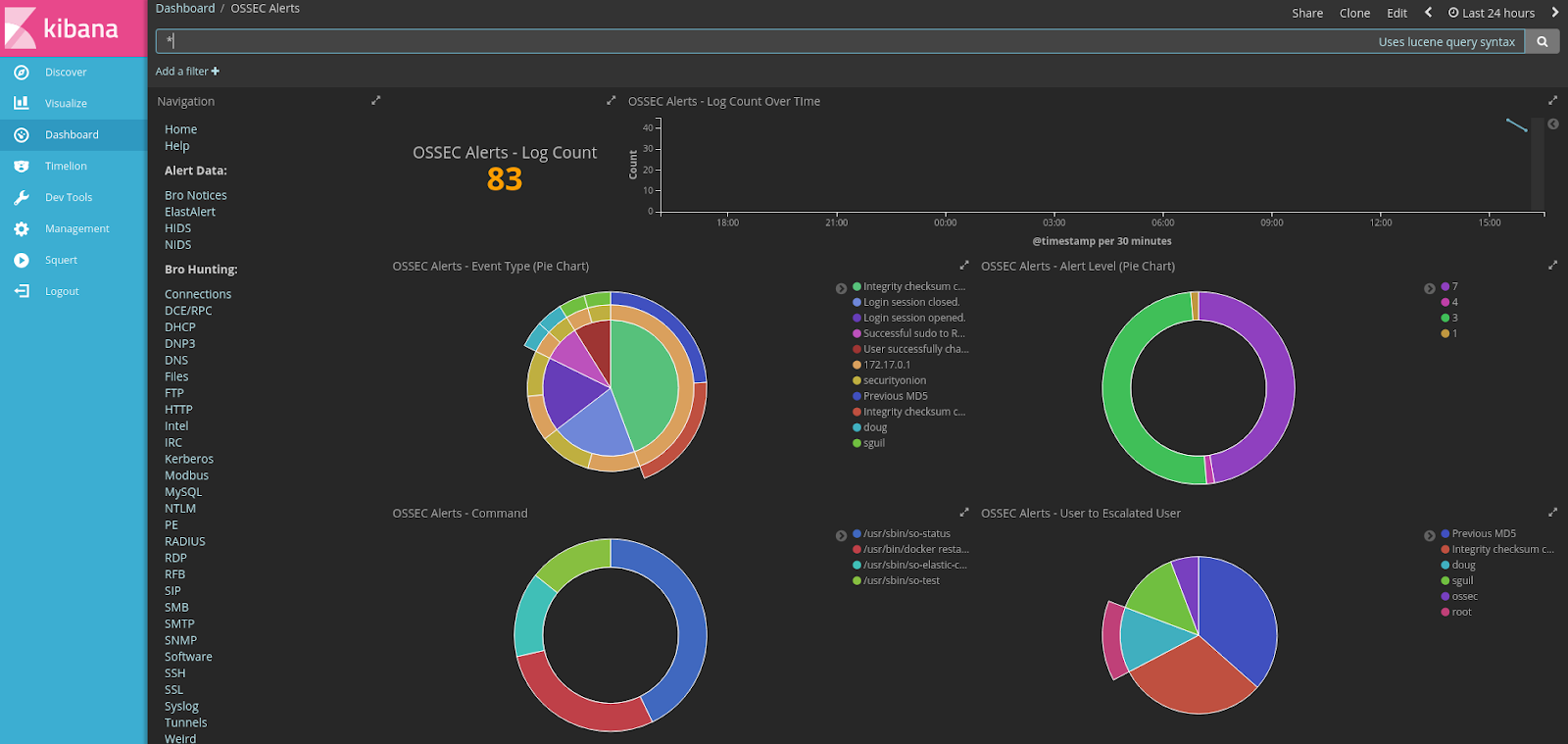 |
| OSSEC HIDS Alerts |
 |
| NIDS Alerts - Snort or Suricata |
 |
| Bro - Connections |
 |
| Bro - DCE/RPC |
 |
| Bro - DHCP |
 |
| Bro - DNP3 |

 |
| Bro - DNS |
 |
| Bro - Files |
 |
| Bro - FTP |
 |
| Bro - HTTP |
 |
| Bro - Intel |

 |
| Bro - IRC |
 |
| Bro - Kerberos |
 |
| Bro - Modbus |
 |
| Bro - MySQL |
 |
| Bro - NTLM |
 |
| Bro - PE |
 |
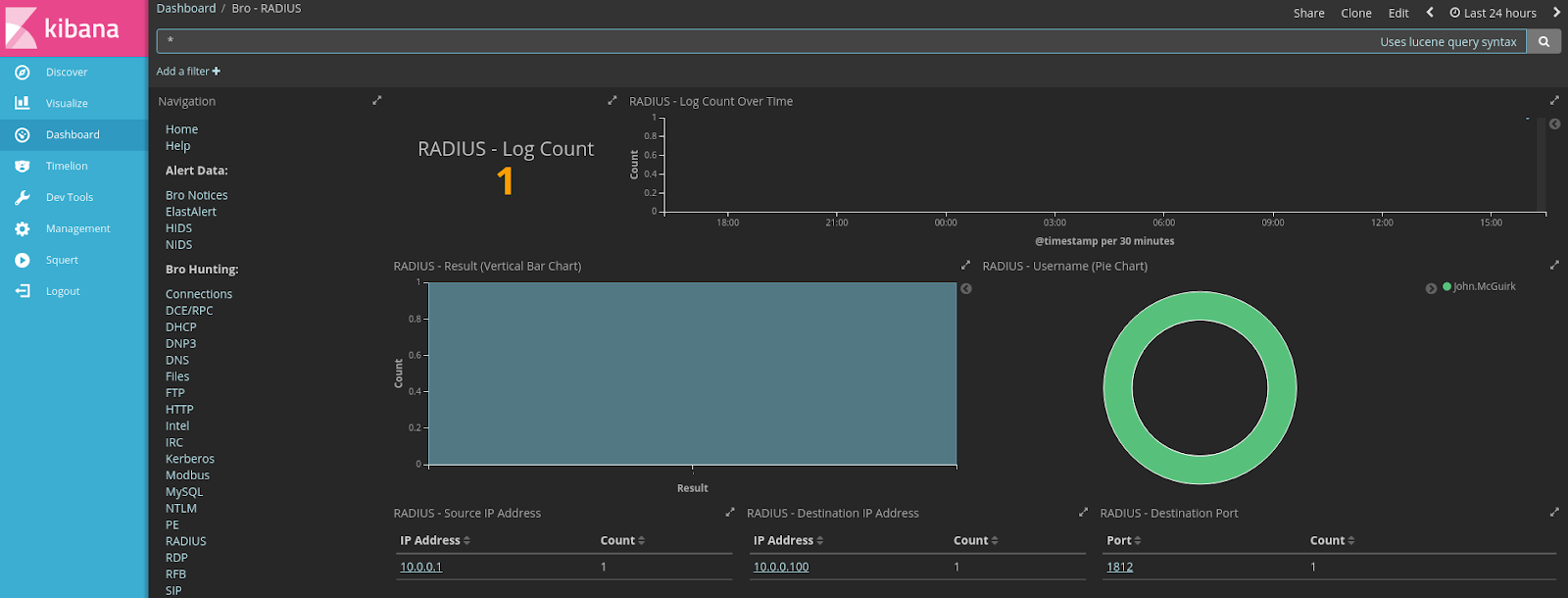
| Bro - RADIUS |
 |
| Bro - RDP |
 |
| Bro - RFB |
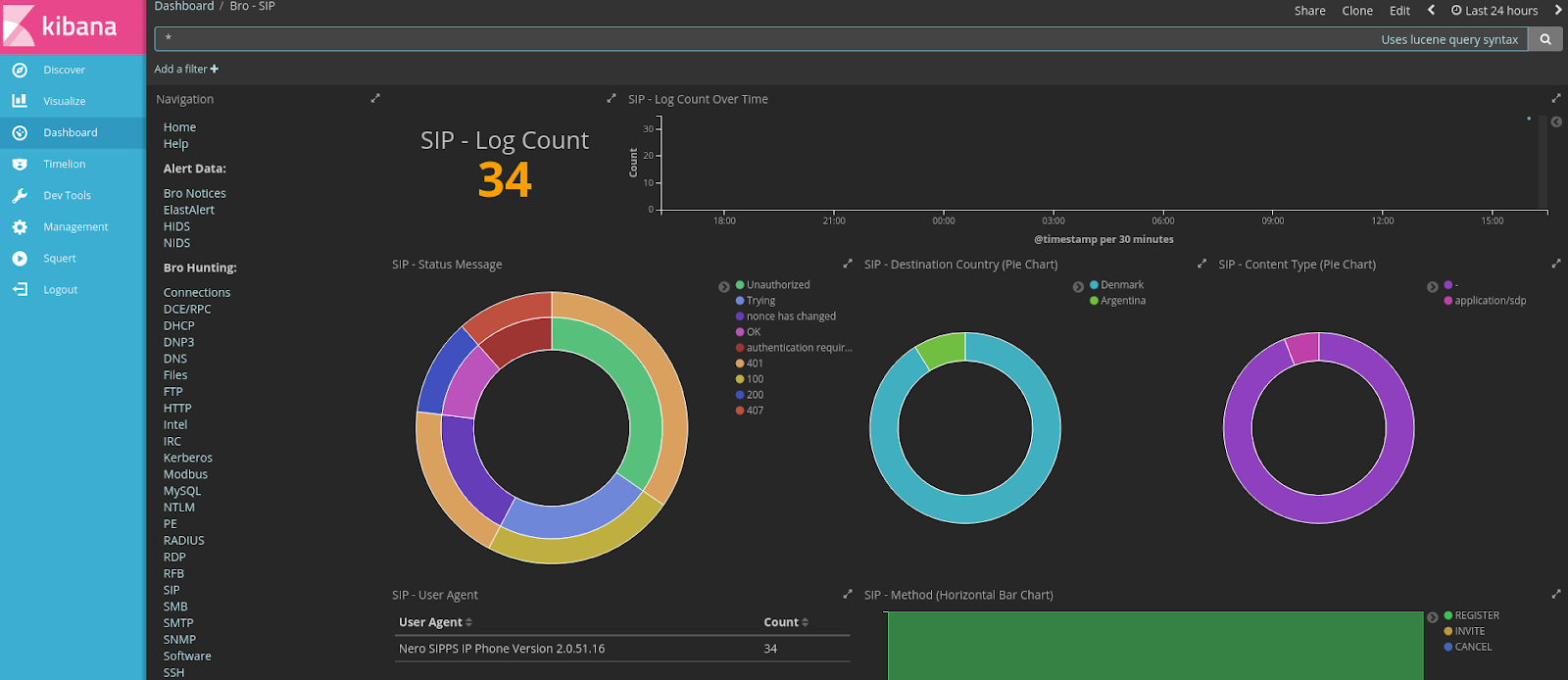 |
| Bro - SIP |
 |
| Bro - SMB |
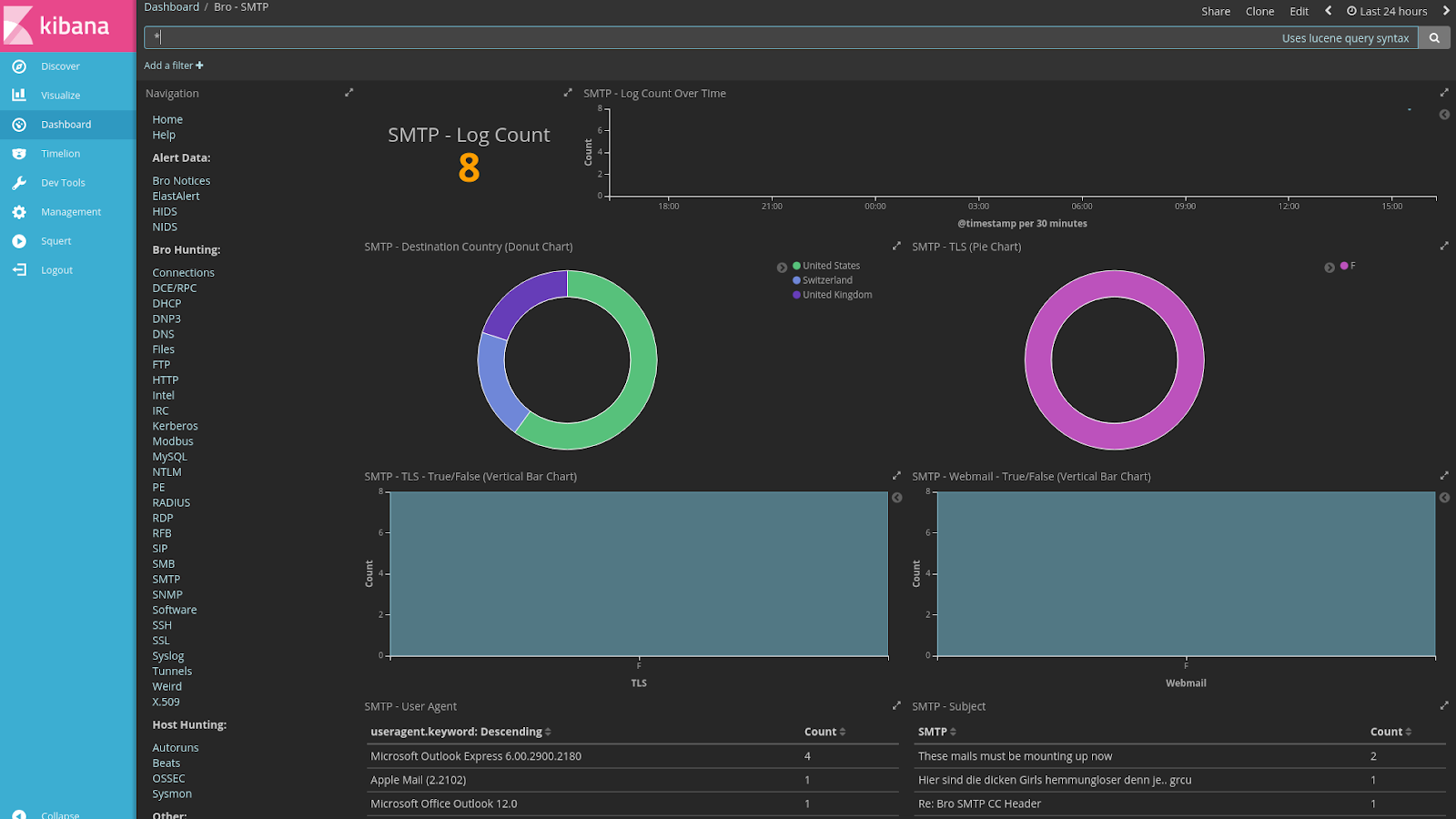 |
| Bro - SMTP |
 |
| Bro - SNMP |
 |
| Bro - Software |
 |
| Bro - SSH |
 |
| Bro - SSL |
 |
| Bro - Syslog |
 |
| Bro - Tunnels |
 |
| Bro - Weird |
 |
| Bro - X.509 |
 |
| Autoruns |
 |
| Beats |
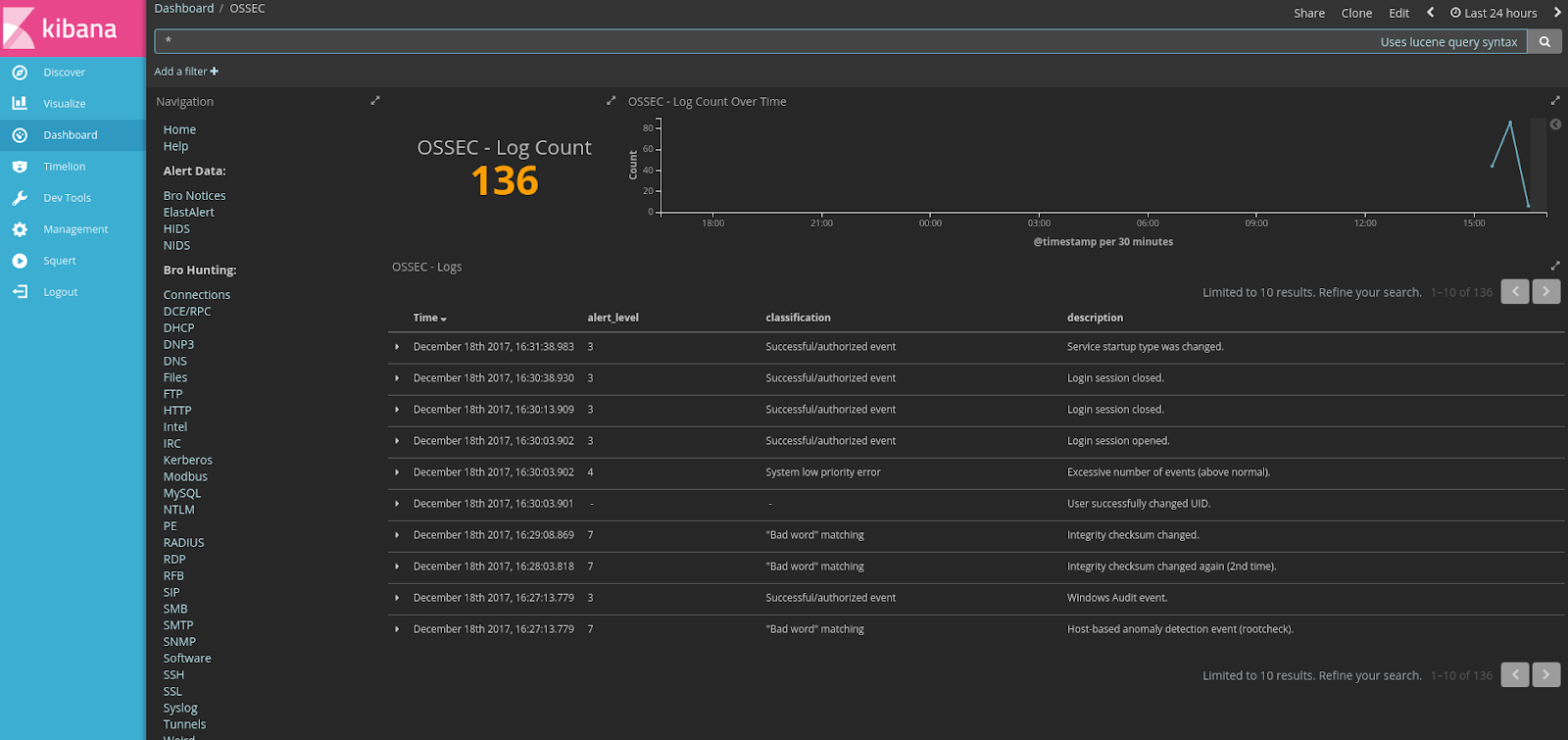 |
| OSSEC Logs |
 |
| Sysmon |
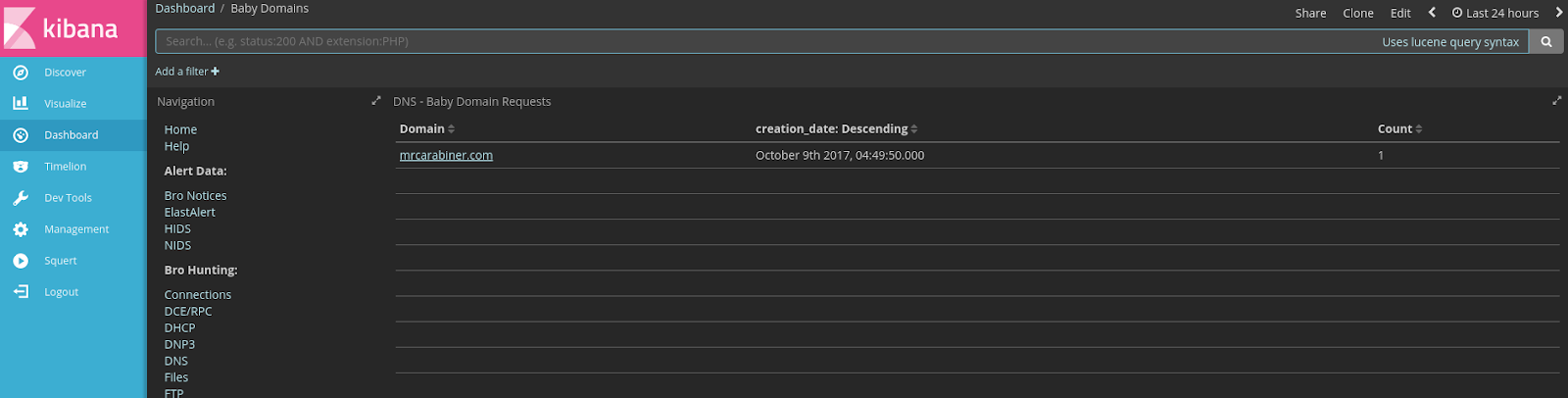 |
| Baby Domains |
 |
| Firewall |
 |
| Frequency Analysis |
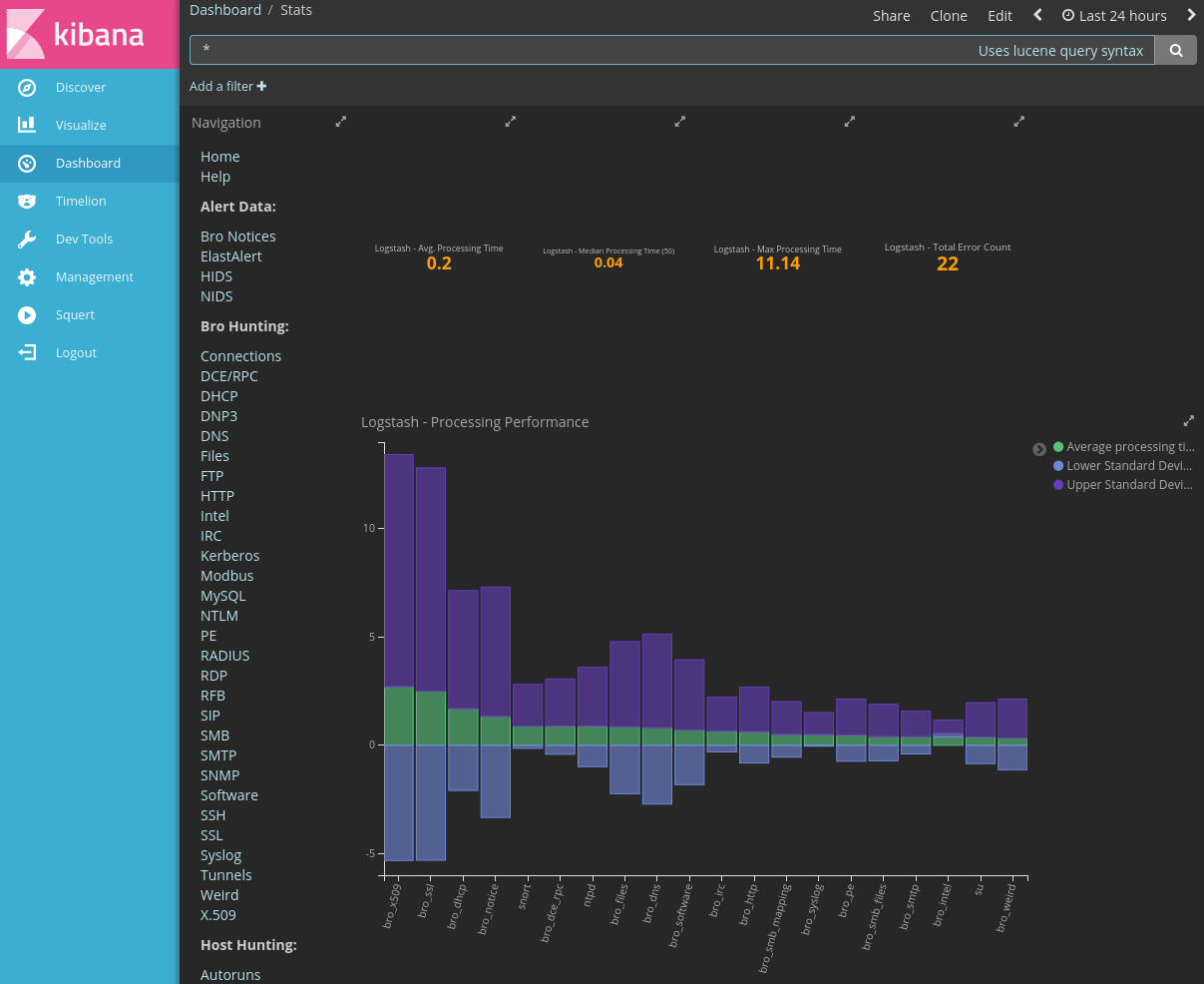 |
| Stats |
 |
| Syslog |
Subscribe to:
Posts (Atom)