Monday, November 26, 2018

Security Onion 16.04.5.4 now available featuring Suricata 4.1.0, CyberChef 8.8.1, Elastic 6.4.3, and more!

Security Onion 16.04.5.4 is now available!


Issues Resolved

Issue 1366: 16.04.5.4 ISO image
https://github.com/Security-Onion-Solutions/security-onion/issues/1366

Release Notes
For more information about this release, please see:
https://github.com/Security-Onion-Solutions/security-onion/wiki/16.04.5.4

Security Onion 14.04 EOL Reminder
As a reminder, all new development is now on Security Onion 16.04 and Security Onion 14.04 will reach EOL on November 30, 2018:
https://blog.securityonion.net/2018/06/6-month-eol-notice-for-security-onion.html

After that date, we will not provide any support for Security Onion 14.04.  Please plan to upgrade or replace any existing 14.04 systems before that date.

Installation Guide
We've updated the Installation guide to reflect the download locations for the new ISO image:
https://github.com/Security-Onion-Solutions/security-onion/wiki/Installation

Existing Deployments
If you have existing 16.04 installations, there is no need to download the new ISO image.  You can simply continue using our standard update process to install updated packages as they are made available:
https://github.com/Security-Onion-Solutions/security-onion/wiki/Upgrade

If you have existing installations of Security Onion 14.04, you can upgrade from 14.04 to 16.04:
https://github.com/Security-Onion-Solutions/security-onion/wiki/Upgrading-from-14.04-to-16.04

Thanks
Thanks to Wes Lambert for testing this new ISO image!

Training
We have 4-day Security Onion training classes coming up in San Antonio, Texas and Atlanta, Georgia!  Use promotional code CyberMonday to get 10% off through November 30!

If you can't make it to either of these onsite classes, we have a new online training platform!  For more information and other training options, please see:
https://securityonionsolutions.com

Appliances
We now offer hardware appliances!  For more information, please see:
https://blog.securityonion.net/2018/10/introducing-security-onion-solutions.html

Support
Need support?  Please see:
https://securityonion.net/wiki/Support

Screenshot Tour
ISO Boot Menu

Once Live Desktop appears, double-click the Install icon

Once you've completed the installer and rebooted, login with the credentials you specified in the installer

After logging in, run Setup

Welcome to Setup

Configure network interfaces, reboot, and log back in

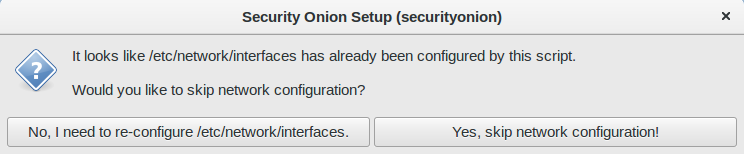
Run Setup again and skip network configuration

Choose Evaluation Mode or Production Mode

Monitor Interface Selection

Create username

Create password

Confirm password

Confirm options

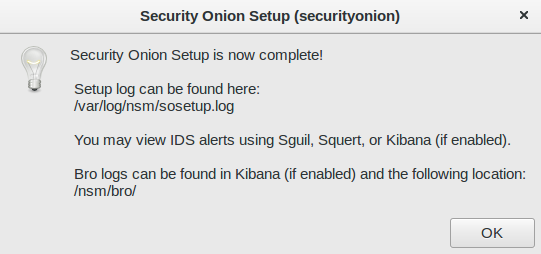
Setup complete

/usr/sbin/so-* scripts

CyberChef 8.8.1

Single Sign On (SSO) for Squert, Kibana, and CapMe

Reviewing NIDS and HIDS alerts with Squert
Retrieving full packet capture with CapMe

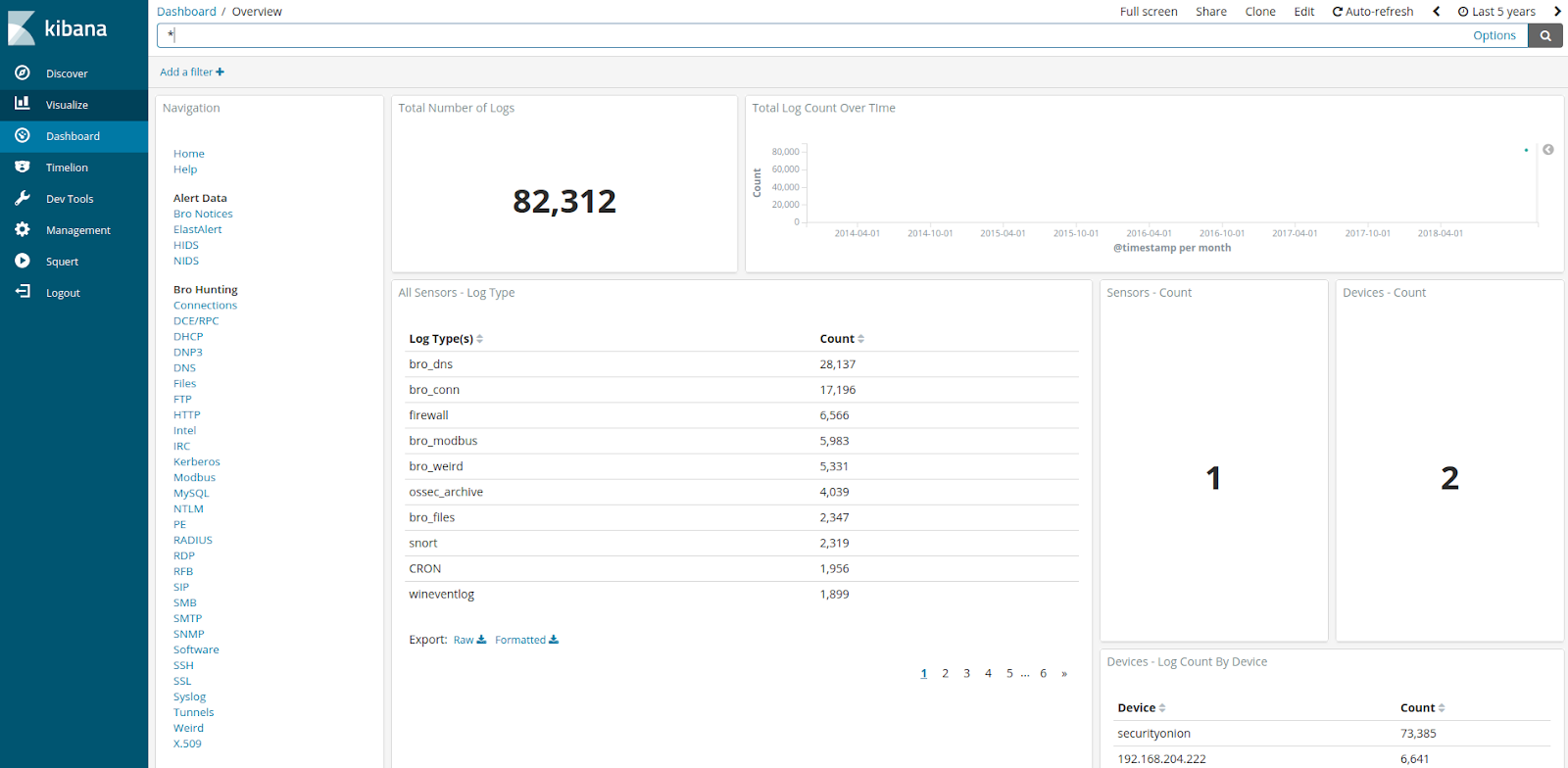
Kibana Overview Dashboard

If you prefer light dashboards, you can run so-elastic-configure-kibana-dashboards-light

Light Dashboards
If you want to switch back to dark dashboards, run so-elastic-configure-kibana-dashboards

Kibana Overview is now back to dark

Help

Bro Notices

ElastAlert

HIDS Alerts

NIDS Alerts

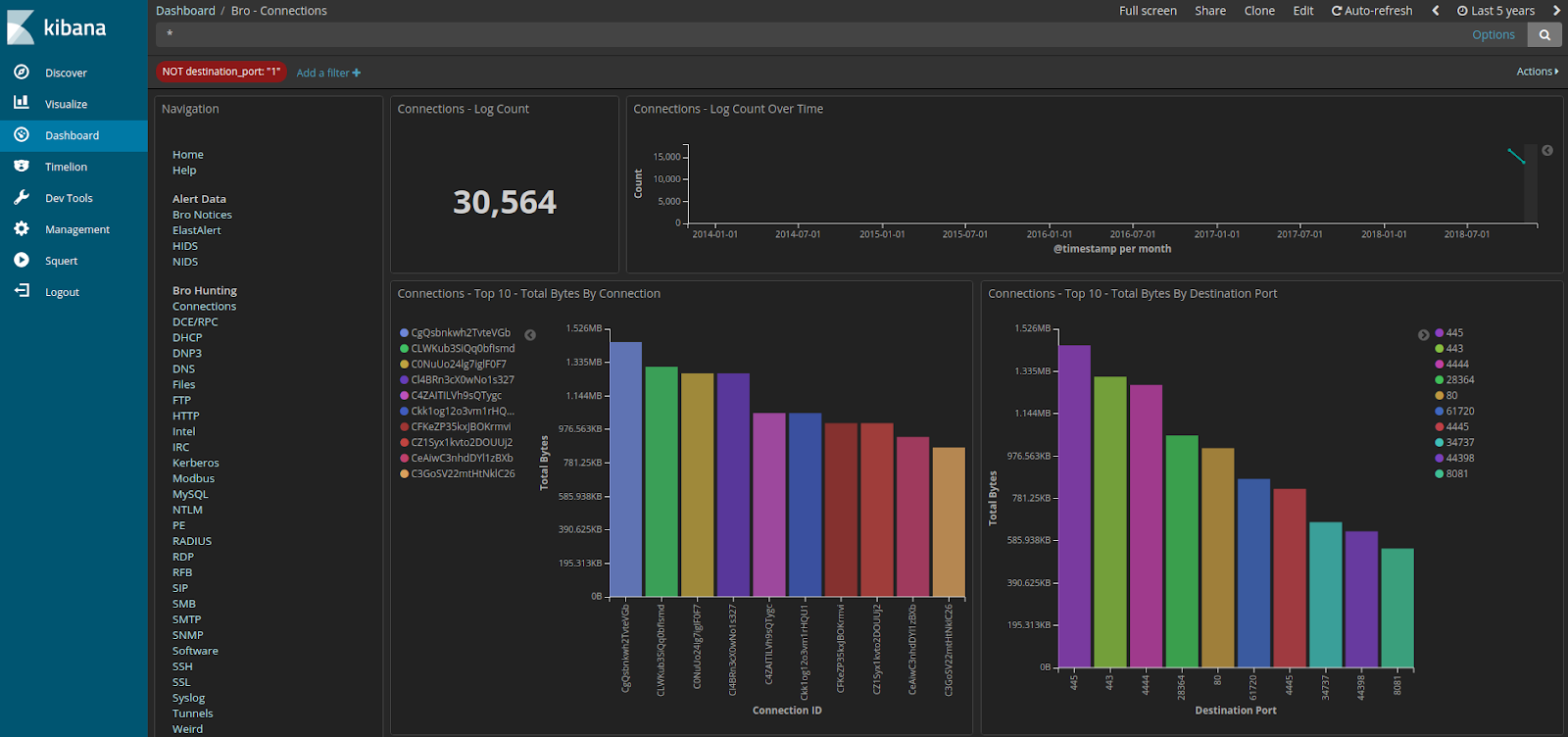
Connections

DCE/RPC

DHCP 
DNP3


DNS

Files

FTP

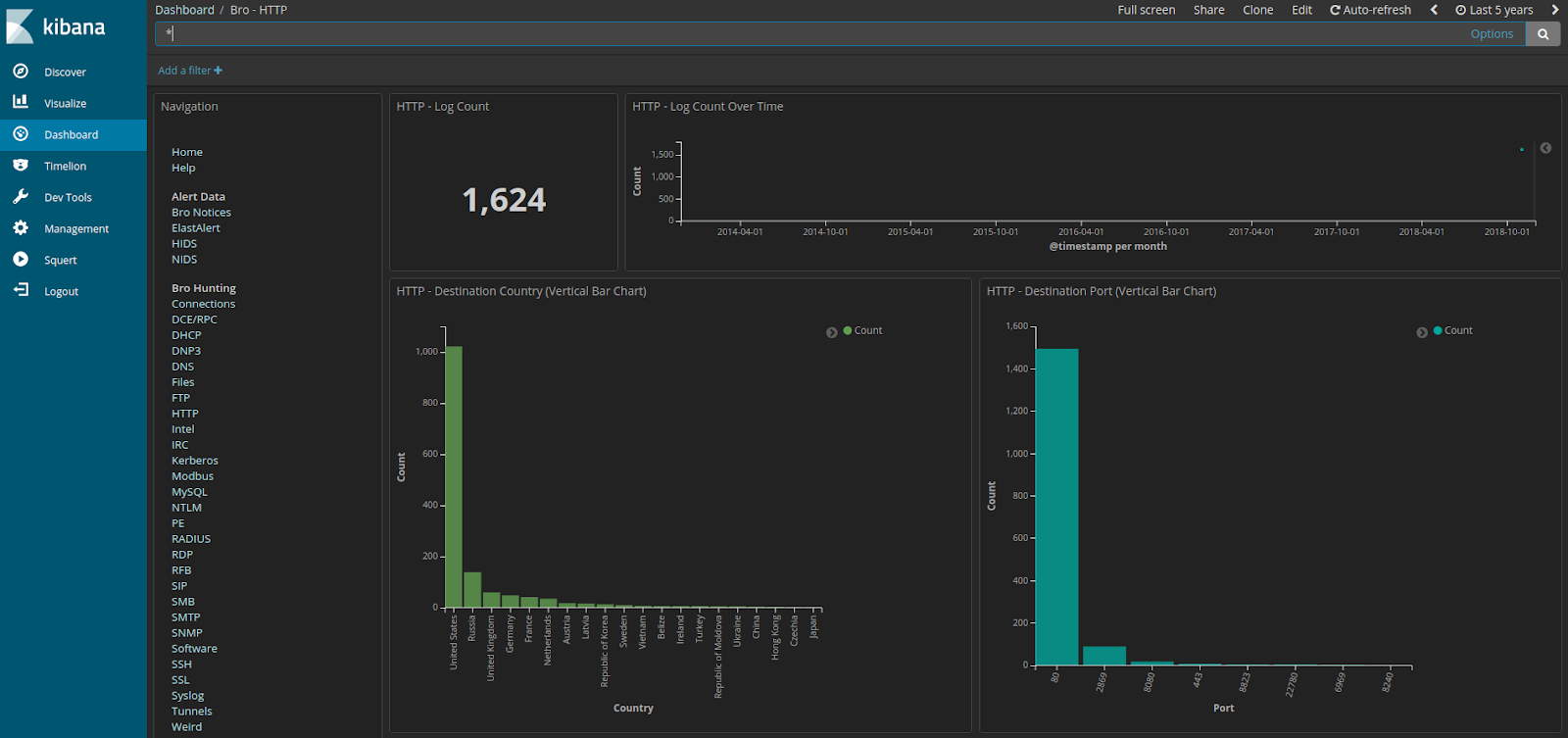
HTTP

Intel

IRC

Kerberos

Modbus

MySQL

NTLM

PE

RADIUS 
RDP


RFB

SIP

SMB

SMTP

SNMP

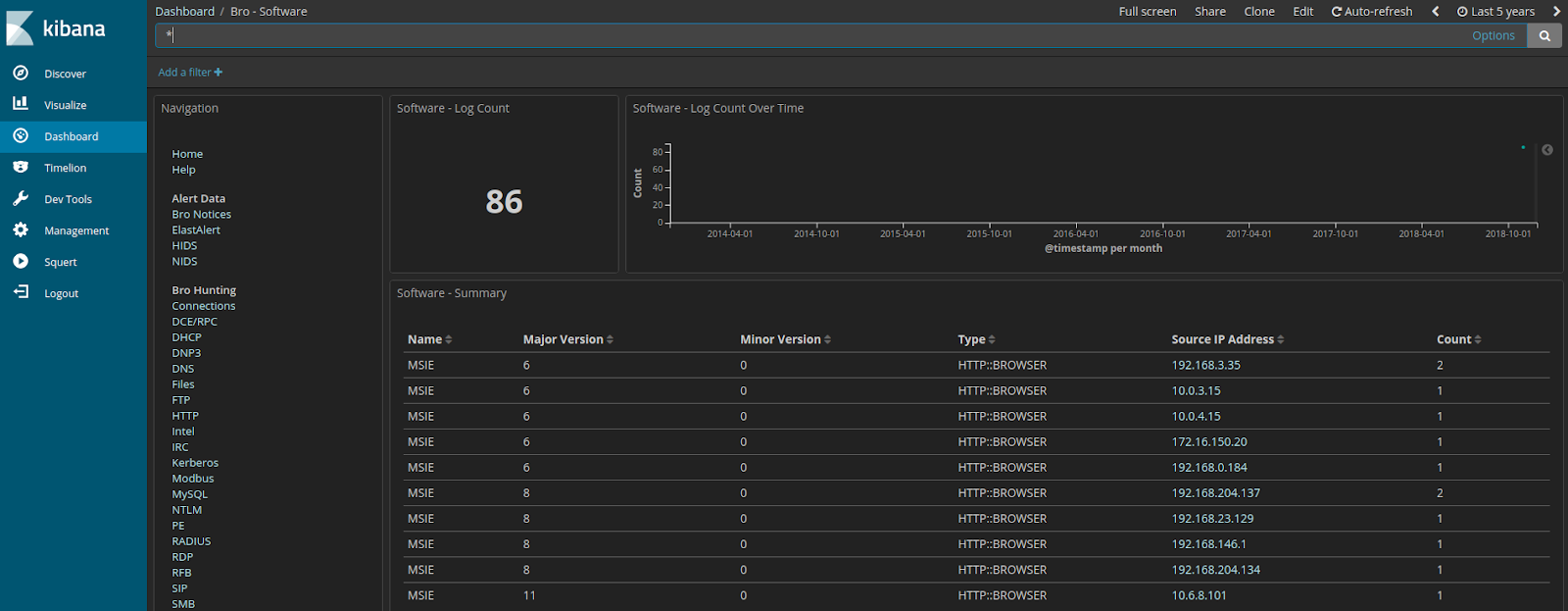
Software

SSH

SSL

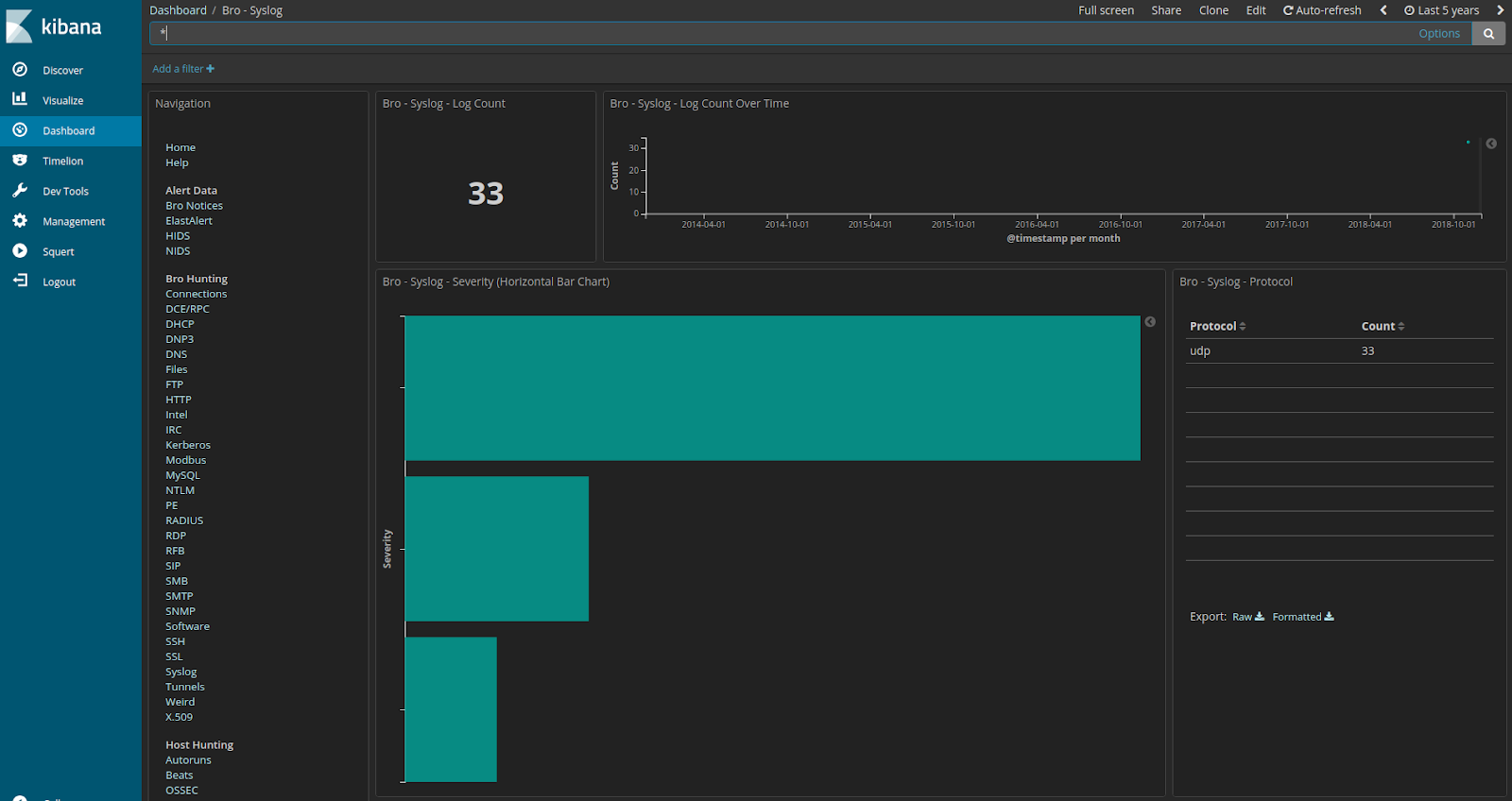
Syslog

Tunnels

Weird

X.509

Autoruns 
Beats


OSSEC/Wazuh Logs 

Sysmon

Domain Stats

Firewall

Frequency Analysis 
Stats


Syslog

4-day Security Onion training class in Atlanta, Georgia and CyberMonday discount!

We just scheduled a 4-day Security Onion training class in Atlanta, Georgia!  Use promotional code CyberMonday to get 10% off through November 30!  This discount is also good for the upcoming 4-day class in San Antonio, Texas.  For more information about these onsite classes and to register, please see:
https://securityonionsolutions.com/onsitetraining

If you can't make it to either of these onsite classes, we have a new online training platform!
https://onlinetraining.securityonionsolutions.com/

For more information and other training options, please see:
https://securityonionsolutions.com

pinguybuilder - 20180514-1ubuntu1securityonion13 now available for Security Onion 16.04!

The following package is now available:
pinguybuilder - 20180514-1ubuntu1securityonion13

This should resolve the following issues:

Issue 1367: pinguybuilder: increment version to 16.04.5.4
https://github.com/Security-Onion-Solutions/security-onion/issues/1367

Thanks
Thanks to Wes Lambert for testing this new package!

Updating
Please see the following page for full update instructions:
https://securityonion.net/wiki/Upgrade

Training
We have a 4-day Security Onion training class coming up in San Antonio, Texas!  If you can't make it to this onsite class, we have a new online training platform!  For more information and other training options, please see:
https://securityonionsolutions.com

Appliances
We now offer hardware appliances!  For more information, please see:
https://blog.securityonion.net/2018/10/introducing-security-onion-solutions.html

Support
Need support?  Please see:
https://securityonion.net/wiki/Support

Thanks!

Monday, November 19, 2018

Elastic 6.4.3 and updated securityonion-elastic package now available for Security Onion 16.04!

The following are now available for Security Onion 16.04:
securityonion-elastic - 20180130-1ubuntu1securityonion143
Docker images for Elastic 6.4.3

Elastic 6.4.3

This should resolve the following issues:

Issue 1365: Elastic 6.4.3
https://github.com/Security-Onion-Solutions/security-onion/issues/1365

Issue 1371: securityonion-elastic: update evaluation of template addition success/failure
https://github.com/Security-Onion-Solutions/security-onion/issues/1371

Issue 1372: securityonion-elastic: prevent multiple instances of so-curator-closed-delete cron job
https://github.com/Security-Onion-Solutions/security-onion/issues/1372

Issue 1370: securityonion-elastic: rotate /var/log/nsm/so-curator-closed-delete.log
https://github.com/Security-Onion-Solutions/security-onion/issues/1370

Issue 1364: securityonion-elastic: so-boot should log to /var/log/so-boot.log
https://github.com/Security-Onion-Solutions/security-onion/issues/1364

Issue 1369: Cron job not finishing since latest upgrade
https://github.com/Security-Onion-Solutions/security-onion/issues/1369

Thanks
Thanks to the Elastic team for Elastic 6.4.3!
Thanks to Wes Lambert for his work on these updates!

Updating
Please see the following page for full update instructions:
https://securityonion.net/wiki/Upgrade

Training
We have a 4-day Security Onion training class coming up in San Antonio, Texas!  If you can't make it to this onsite class, we have a new online training platform!  For more information and other training options, please see:
https://securityonionsolutions.com

Appliances
We now offer hardware appliances!  For more information, please see:
https://blog.securityonion.net/2018/10/introducing-security-onion-solutions.html

Support
Need support?  Please see:
https://securityonion.net/wiki/Support

Thanks!

Tuesday, November 13, 2018

securityonion-sostat - 20120722-0ubuntu0securityonion113 now available for Security Onion 16.04!

securityonion-sostat - 20120722-0ubuntu0securityonion113 is now available and should resolve the following issues:

Issue 1342: soup: improve detection of Docker image updates
https://github.com/Security-Onion-Solutions/security-onion/issues/1342

Issue 1358: soup: initialize MYSQL_DISABLED
https://github.com/Security-Onion-Solutions/security-onion/issues/1358

Thanks
Thanks to Wes Lambert for testing this package!

Updating
Please see the following page for full update instructions:
https://securityonion.net/wiki/Upgrade

Training
We have a 4-day Security Onion training class coming up in San Antonio, Texas!  If you can't make it to this onsite class, we have a new online training platform!  For more information and other training options, please see:
https://securityonionsolutions.com

Appliances
We now offer hardware appliances!  For more information, please see:
https://blog.securityonion.net/2018/10/introducing-security-onion-solutions.html

Support
Need support?  Please see:
https://securityonion.net/wiki/Support

Thanks!

securityonion-nsmnow-admin-scripts - 20120724-0ubuntu0securityonion179 now available for Security Onion 16.04!

securityonion-nsmnow-admin-scripts - 20120724-0ubuntu0securityonion179 now available for Security Onion 16.04!  This package should resolve the following issue:

Issue 1291: NSM: add cron jobs for backing up server/sensor config daily
https://github.com/Security-Onion-Solutions/security-onion/issues/1291

Issue 1292: NSM: Delay watchdog checks while any other nsm_sensor_ps script runs
https://github.com/Security-Onion-Solutions/security-onion/issues/1292

Issue 1176: nsm_sensor_clear: check for FORCE_YES
https://github.com/Security-Onion-Solutions/security-onion/issues/1176

Issue 1362: NSM: wait for network-online on boot
https://github.com/Security-Onion-Solutions/security-onion/issues/1362

Thanks
Thanks to Pete Nelson for his pull request!
Thanks to Wes Lambert for his work on this package!

Updating
Please see the following page for full update instructions:
https://securityonion.net/wiki/Upgrade

Training
We have a 4-day Security Onion training class coming up in San Antonio, Texas!  If you can't make it to this onsite class, we have a new online training platform!  For more information and other training options, please see:
https://securityonionsolutions.com

Appliances
We now offer hardware appliances!  For more information, please see:
https://blog.securityonion.net/2018/10/introducing-security-onion-solutions.html

Support
Need support?  Please see:
https://securityonion.net/wiki/Support

Thanks!

Monday, November 12, 2018

Suricata 4.1.0 now available for Security Onion!

Suricata 4.1.0 was released recently:
https://suricata-ids.org/2018/11/06/suricata-4-1-released/

We've packaged Suricata 4.1.0 and the following packages are now available:
securityonion-suricata - 4.1.0-1ubuntu1securityonion1 (16.04)
securityonion-suricata - 4.1.0-1ubuntu1securityonion2 (14.04)

These packages should resolve the following issue:

Issue 1361: Suricata 4.1.0
https://github.com/Security-Onion-Solutions/security-onion/issues/1361

Suricata 4.1.0

Thanks
Thanks to the Suricata team for Suricata 4.1.0!
Thanks to Wes Lambert for testing these packages!

Updating
Please see the following page for full update instructions:
https://securityonion.net/wiki/Upgrade

Training
We have a 4-day Security Onion training class coming up in San Antonio, Texas!  If you can't make it to this onsite class, we have a new online training platform!  For more information and other training options, please see:
https://securityonionsolutions.com

Appliances
We now offer hardware appliances!  For more information, please see:
https://blog.securityonion.net/2018/10/introducing-security-onion-solutions.html

Support
Need support?  Please see:
https://securityonion.net/wiki/Support

Thanks!

Elastic 6.4.2 and updated securityonion-elastic package now available for Security Onion 16.04!

UPDATE 2018/11/14: Some folks are experiencing an issue with this update.  If you haven't already installed it, you may want to wait for the next release which is in testing now.  For more information, please see:
https://github.com/Security-Onion-Solutions/security-onion/issues/1369

UPDATE 2018/11/19: We've released an update which should the resolve the issue described below:
https://blog.securityonion.net/2018/11/elastic-643-and-updated-securityonion.html

The following are now available for Security Onion 16.04:
securityonion-elastic - 20180130-1ubuntu1securityonion141
Docker images for Elastic 6.4.2

Elastic 6.4.2

This should resolve the following issues:

Issue 1356: Elastic 6.4.2
https://github.com/Security-Onion-Solutions/security-onion/issues/1356

Issue 1340: securityonion-elastic: curator won't delete closed indices
https://github.com/Security-Onion-Solutions/security-onion/issues/1340

Issue 1350: securityonion-elastic: so-elastic-reset should run so-bro-restart
https://github.com/Security-Onion-Solutions/security-onion/issues/1350

Issue 1343: securityonion-elastic: avoid overwriting logstash.yml
https://github.com/Security-Onion-Solutions/security-onion/issues/1343

Issue 1359: securityonion-elastic: avoid duplicating logs into multiple indices
https://github.com/Security-Onion-Solutions/security-onion/issues/1359

Thanks
Thanks to the Elastic team for Elastic 6.4.2!
Thanks to Wes Lambert for his work on these updates!
Thanks to David Szili for testing these updates!

Updating
Please see the following page for full update instructions:
https://securityonion.net/wiki/Upgrade

Training
We have a 4-day Security Onion training class coming up in San Antonio, Texas!  If you can't make it to this onsite class, we have a new online training platform!  For more information and other training options, please see:
https://securityonionsolutions.com

Appliances
We now offer hardware appliances!  For more information, please see:
https://blog.securityonion.net/2018/10/introducing-security-onion-solutions.html

Support
Need support?  Please see:
https://securityonion.net/wiki/Support

Thanks!

Saturday, November 3, 2018

Security Onion Hybrid Hunter 1.0.1 Tech Preview Available for Testing!

From Doug Burks:

When Mike Reeves joined Security Onion Solutions in January 2018, one of the first things we discussed was building a brand new Security Onion platform with the following characteristics:
  • Move from Ubuntu DEB packages to Docker images
  • Support both Ubuntu 16.04 and RedHat/CentOS 7
  • Higher performance
  • More centralized configuration

In just a few short months, Mike has done an incredible amount of work to make this idea a reality and we announced it at Security Onion Conference 2018:

Here’s Mike Reeves to tell you more about this exciting platform!

From Mike Reeves:

First off I would like to thank everyone who presented at or attended the 2018 Security Onion Conference. This was the best one yet and I am already excited about next year. I wanted to take the time to talk about some of the long term plans we have for the Security Onion platform and how these potential changes, which we’ve code named “Hybrid Hunter”, may affect your deployment. 

The general theme of Hybrid Hunter is simplification. We want you spending more time finding evil than running your sensor grid. Since 2008, Security Onion’s primary mission was to provide a Network Security Monitoring distribution that could be deployed in minutes instead of days or weeks.  Hybrid Hunter expands on this and allows it to scale better in large enterprise networks. 

At Security Onion Con 2018, Doug and I unveiled some details behind Hybrid Hunter. We received so much feedback and we are very appreciative to all of you. One item of feedback I received involved changes to the way Security Onion operates today. I think a perfect use case we can use to illustrate the changes is Logstash. Today, when there is an update to Logstash a couple of things happen. First, the Docker container gets replaced with a container running a newer version of Logstash. Additionally, an Ubuntu package is downloaded which updates the Logstash configuration, e.g., parsers, output configurations, etc. If we continued this method and wanted to support RedHat/CentOS, we would need to create a separate package to manage the parsers. Multiply that effort by over fifty packages, along with nuanced differences between the operating systems, and we would have an arduous task!

Our intent is for Hybrid Hunter to deliver as many components as possible as Docker containers. Gone would be the days where a new DEB or RPM package would be required for delivery of these changes, thus allowing us to support multiple Linux distributions going forward. Updating most Security Onion components would be as easy as updating Logstash and other Docker containers today. The process of updating would also allow for easy rollback. If something doesn’t work properly, the container can simply be stopped and the older version applied. The administrator will still run “soup”; however, it would not apply packages for SO components, just Docker containers!

For those of us that like to get our hands dirty when it comes to tweaking, you will be glad to know that the configurations will be centralized in the new platform. Today you have to visit multiple config files in multiple places to do tuning. Our goal is to put as much of this as possible into a single location, allowing you to tune more in less time. 

Even though there are some new tools being added or replaced, the end user experience should remain the same. The training you get from Security Onion Solutions will be applicable to the current version and Hybrid Hunter, with minor differences for advanced tuning. You will still pivot to PCAP the same way even though Google Stenographer will be gathering the packets instead of netsniff-ng. The whole reason for this change is to get more consistent results when pulling PCAP but it doesn’t change the way you use SO. The end result is the same PCAP with the same experience. Changing from PF_RING to AF_PACKET improves the way that we acquire packets but does not change the end result of what you will see in the console. AF_PACKET allows you to expand your tuning possibilities with Suricata and improves performance. Those alerts will still look the same and will be more consistent. Zeek (formerly Bro) will see a performance improvement over using PF_RING but the meta data will look the same.  We will also be allowing our users to select Community Bro if they so choose. Either choice will provide the same great metadata you have seen in Security Onion for years … and more!

I would also like to reiterate that there is no firm release date set. We are gathering input from you, the community, on other ways to make SO easier to deploy and tune. Our goal is to make the most successful experience for our users and expand our capabilities to fit the enterprise security monitoring needs of customers of all sizes.

Thanks,
Mike Reeves
Product Manager
Security Onion Solutions     

Try It Out
Try out the Hybrid Hunter Tech Preview here:

Feedback
If you have questions, problems, or other feedback regarding Hybrid Hunter, please post to our subreddit and prefix the title with [Hybrid Hunter]:

FAQ

Is the current Ubuntu-based platform still supported?
Yes, the current Ubuntu-based platform is still fully supported.  Once the new Hybrid Hunter platform reaches final release, we will announce plans to migrate from the current Ubuntu-based platform to the new platform.

Why the change from Ubuntu DEB packages to Docker images?
Docker images are easier to build and maintain and allow us to support other distros like CentOS.

Why the change from PF_RING to AF_PACKET?
AF_PACKET is included in the Linux kernel itself and thus doesn't require a separate kernel module.  It also provides some additional tuning capability.

Why manage everything with salt?
Salt will allow us to manage configuration centrally on the master node so that it won't matter whether you have 1 box or 100, you can still manage everything easily from a central location.

Thursday, November 1, 2018

CyberChef 8.8.1 now available for Security Onion 16.04!

The following package is now available:
securityonion-web-page - 20141015-0ubuntu0securityonion86

This should resolve the following issue:

securityonion-web-page: Cyberchef 8.8.1 #1357
https://github.com/Security-Onion-Solutions/security-onion/issues/1357

CyberChef 8.8.1

Thanks
Thanks to Wes Lambert for testing this new package!

Updating
Please see the following page for full update instructions:
https://securityonion.net/wiki/Upgrade

Training
We have a 4-day Security Onion training class coming up in San Antonio, Texas!  If you can't make it to this onsite class, we have a new online training platform!  For more information and other training options, please see:
https://securityonionsolutions.com

Appliances
We now offer hardware appliances!  For more information, please see:
https://blog.securityonion.net/2018/10/introducing-security-onion-solutions.html

Support
Need support?  Please see:
https://securityonion.net/wiki/Support

Thanks!

securityonion-setup - 20120912-0ubuntu0securityonion278 now available for Security Onion 16.04!

The following package is now available:
securityonion-setup - 20120912-0ubuntu0securityonion278

This should resolve the following issues:

Setup: ensure Apache SSO config is enabled #1355
https://github.com/Security-Onion-Solutions/security-onion/issues/1355

Thanks
Thanks to Wes Lambert for testing this new package!

Updating
Please see the following page for full update instructions:
https://securityonion.net/wiki/Upgrade

Training
We have a 4-day Security Onion training class coming up in San Antonio, Texas!  If you can't make it to this onsite class, we have a new online training platform!  For more information and other training options, please see:
https://securityonionsolutions.com

Appliances
We now offer hardware appliances!  For more information, please see:
https://blog.securityonion.net/2018/10/introducing-security-onion-solutions.html

Support
Need support?  Please see:
https://securityonion.net/wiki/Support

Thanks!

Search This Blog

Featured Post

Security Onion 3.4.0 Now Available including Agentic AI Automations!

Security Onion 3.4.0 is now available and includes new features, updated components, and many quality of life improvements! The highlight of...

Popular Posts

Blog Archive