Showing posts with label eol. Show all posts

Wednesday, April 1, 2026

6 month EOL notice for Security Onion 2.4

Yesterday, we released Security Onion 3:

https://blog.securityonion.net/2026/03/security-onion-300-now-available-with.html


Today, we are announcing the 6-month EOL notice for Security Onion 2.4 as it will reach EOL on October 1, 2026.


If you are currently running Security Onion 2.4, you can upgrade using the instructions in the documentation:

https://securityonion.net/docs/appendix/


If you are a current Security Onion Solutions customer with Professional Services or Appliance coverage and need assistance with your upgrade, please reach out to Support and we’ll be happy to assist you!


Monday, April 8, 2024

Security Onion 2.3 has reached End Of Life

On 10/6/2023, we announced a 6-month EOL notice for Security Onion 2.3:

https://blog.securityonion.net/2023/10/6-month-eol-notice-for-security-onion-23.html


Security Onion 2.3 has now reached End Of Life. If you still have existing installations of Security Onion 2.3, please upgrade to Security Onion 2.4:

https://docs.securityonion.net/en/2.4/appendix.html

Monday, April 1, 2024

Security Onion 2.3.300 now available!

Security Onion 2.3.300 is now available! It includes updates for both Suricata and Strelka:


https://docs.securityonion.net/en/2.3/release-notes.html#changes


Please note that Zeek now includes Community ID by default. This could potentially cause a problem if you've modified your Zeek config in the past. If you have /opt/so/saltstack/local/pillar/zeek/init.sls, then you should move it another location so that it doesn't override the new Zeek config. For example, please see:

https://github.com/Security-Onion-Solutions/securityonion/discussions/11922


Also note that, if you are running Security Onion as a VM in Proxmox, you may need to update the CPU type of your Security Onion VM due to changes in Docker containers:


https://docs.securityonion.net/en/2.3/proxmox.html#cpu


2.3 EOL


This 2.3.300 release is the LAST release for Security Onion 2.3! Security Onion 2.3 will reach End Of Life (EOL) on April 6, 2024:

https://blog.securityonion.net/2023/10/6-month-eol-notice-for-security-onion-23.html


Please migrate to Security Onion 2.4 soon!


Documentation


You can find our online documentation here:

https://docs.securityonion.net/en/2.3/


New Installations


If you want to perform a new installation, please review the documentation and then you can find instructions here:

https://docs.securityonion.net/en/2.3/download.html


Existing 2.3 Installations


WARNING! If you have an existing Security Onion 2.3 installation that hasn't yet been updated to version 2.3.140 or higher, then you should be aware that the Elastic components will undergo a major version upgrade to version 8. Please review and follow the steps at the link below. Failure to do so could result in loss of access to all data stored inside of Elastic and a non-functioning Security Onion installation.


https://docs.securityonion.net/en/2.3/soup.html#elastic-8


Please be aware that custom settings in Kibana may be overwritten during upgrade. We recommend that you test the upgrade process on a test deployment before deploying to production. If you have a distributed deployment, then we recommend monitoring SOC Grid while your update is running to verify that all nodes update properly. If there are issues, you can review logs, services, and containers for any additional clues. If you need help, please see our support information below.


If you have custom Elasticsearch templates, please see:

https://docs.securityonion.net/en/2.3/elasticsearch.html#custom-templates


For more information about the update process, please see:

https://docs.securityonion.net/en/2.3/soup.html


AWS Marketplace


Existing Security Onion 2 AMI users should use the "soup" command to upgrade:

https://docs.securityonion.net/en/2.3/soup.html


AMI Documentation:

https://docs.securityonion.net/en/2.3/cloud-ami.html


Azure Marketplace


Existing Security Onion 2 users on Azure should use the "soup" command to upgrade:

https://docs.securityonion.net/en/2.3/soup.html


Azure Documentation:

https://docs.securityonion.net/en/2.3/cloud-azure.html


Questions or Problems


If you have questions or problems, please see our community support forum guidelines:

https://docs.securityonion.net/en/2.3/community-support.html


You can then find the community support forum at:

https://securityonion.net/discuss


Thanks


Lots of love went into this release!


Special thanks to all our folks working so hard to make this release happen!


  • Josh Brower
  • Jason Ertel
  • Wes Lambert
  • Corey Ogburn
  • Josh Patterson
  • Mike Reeves


Training


Need training? Start with our free Security Onion Essentials training and then take a look at some of our other official Security Onion training!


https://securityonion.net/training


Hardware Appliances


We know Security Onion's hardware needs, and our appliances are the perfect match for the platform. Leave the hardware research, testing, and support to us, so you can focus on what's important for your organization. Not only will you have confidence that your Security Onion deployment is running on the best-suited hardware, you will also be supporting future development and maintenance of the Security Onion project!


https://securityonionsolutions.com/hardware


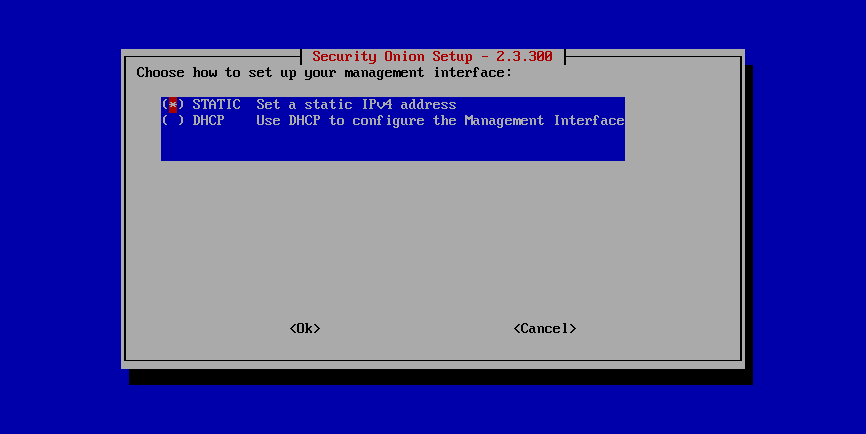
Screenshot Tour


If you want the quickest and easiest way to try out Security Onion 2, just follow the screenshots below to install an Import node and then optionally enable the Analyst Workstation. This can be done in a minimal VM with only 4GB RAM! For more information, please see:

https://docs.securityonion.net/en/2.3/first-time-users.html


Wednesday, March 6, 2024

1-month End Of Life (EOL) reminder for Security Onion 2.3

In October of last year, we announced the End Of Life (EOL) date for Security Onion 2.3:


https://blog.securityonion.net/2023/10/6-month-eol-notice-for-security-onion-23.html


2.3 EOL is now only 1 month away! If you haven't already, please make plans to move to Security Onion 2.4. If you would like to migrate your data from 2.3 to 2.4, you can find an overview of the process at:


https://docs.securityonion.net/en/2.4/appendix.html


Tuesday, February 6, 2024

2-month End Of Life (EOL) reminder for Security Onion 2.3

In October of last year, we announced the End Of Life (EOL) date for Security Onion 2.3:

https://blog.securityonion.net/2023/10/6-month-eol-notice-for-security-onion-23.html


2.3 EOL is now 2 months away. If you haven't already, please make plans to move to Security Onion 2.4. If you would like to migrate your data from 2.3 to 2.4, you can find an overview of the process at:

https://docs.securityonion.net/en/2.4/appendix.html


Friday, January 5, 2024

3-month End Of Life (EOL) reminder for Security Onion 2.3

We recently announced the End Of Life (EOL) date for Security Onion 2.3:

https://blog.securityonion.net/2023/10/6-month-eol-notice-for-security-onion-23.html


2.3 EOL is now 3 months away. If you haven't already, please make plans to move to Security Onion 2.4. If you would like to migrate your data from 2.3 to 2.4, you can find an overview of the process at:

https://docs.securityonion.net/en/2.4/appendix.html

Wednesday, December 6, 2023

4-month End Of Life (EOL) reminder for Security Onion 2.3

We recently announced the End Of Life (EOL) date for Security Onion 2.3:

https://blog.securityonion.net/2023/10/6-month-eol-notice-for-security-onion-23.html


2.3 EOL is now 4 months away. If you haven't already, please make plans to move to Security Onion 2.4. If you would like to migrate your data from 2.3 to 2.4, you can find an overview of the process at:

https://docs.securityonion.net/en/2.4/appendix.html

Monday, November 6, 2023

5-month End Of Life (EOL) reminder for Security Onion 2.3

We recently announced the End Of Life (EOL) date for Security Onion 2.3:

https://blog.securityonion.net/2023/10/6-month-eol-notice-for-security-onion-23.html


2.3 EOL is now 5 months away. If you haven't already, please make plans to move to Security Onion 2.4. If you would like to migrate your data from 2.3 to 2.4, you can find an overview of the process at:

https://docs.securityonion.net/en/2.4/appendix.html


Friday, October 6, 2023

6 month EOL notice for Security Onion 2.3

In August, we released Security Onion 2.4 and mentioned that a 2.3 End Of Life (EOL) announcement would be coming soon:
https://blog.securityonion.net/2023/08/security-onion-24-has-reached-general.html


Today, we are announcing that Security Onion 2.3 will reach EOL on April 6, 2024.


If you are a current Security Onion Solutions customer with Professional Services or Appliance coverage and have concerns about getting migrated by this date, reach out to Support and we’ll work with you. Keep in mind that CentOS 7 EOL is June 30, 2024.


If you would like to migrate your data from 2.3 to 2.4, you can find an overview of the process at https://docs.securityonion.net/en/2.4/appendix.html.

Monday, February 13, 2023

Ubuntu 18.04 Reaches End of Ubuntu Standard Support in April 2023

If you are running Security Onion 2.3 on Ubuntu 18.04, then you should be aware that Ubuntu 18.04 reaches the end of Ubuntu standard support in April 2023:
https://wiki.ubuntu.com/Releases

You should therefore start planning to upgrade or replace any Ubuntu 18.04 installations. We've added a guide to our documentation:
https://docs.securityonion.net/en/2.3/appendix-b.html

Tuesday, February 16, 2021

2 month EOL notice for Security Onion 16.04

On 10/16/2020, we released Security Onion 2 and announced a 6-month EOL notice for Security Onion 16.04:
https://blog.securityonion.net/2020/10/security-onion-2-has-reached-general.html

Ubuntu 16.04 reaches EOL in April 2021 and so therefore Security Onion 16.04 does as well. We will not provide any support for Security Onion 16.04 after April 16, 2021.  Please plan to upgrade or replace any existing 16.04 systems before then. If you have existing installations of Security Onion 16.04, you can upgrade to Security Onion 2:
https://docs.securityonion.net/en/2.3/appendix.html

Friday, June 1, 2018

6 month EOL notice for Security Onion 14.04

Yesterday we released Security Onion 16.04 and announced that all new development will now be on 16.04:
https://blog.securityonion.net/2018/05/security-onion-160441-iso-image-now.html

Security Onion 14.04 will reach EOL on November 30, 2018.  After that date, we will not provide any support for 14.04.  Please plan to upgrade or replace any existing 14.04 systems before that date.

If you have existing installations of 14.04, you can upgrade to 16.04:
https://github.com/Security-Onion-Solutions/security-onion/wiki/Upgrading-from-14.04-to-16.04

Want us to upgrade your deployment for you?  Please contact Security Onion Solutions for pricing and scheduling:
https://securityonionsolutions.com

Monday, April 9, 2018

Tuesday, December 5, 2017

6 month EOL notice for Security Onion Xplico package

Our Xplico package will reach EOL (End Of Life) on June 5, 2018. After that date, we will no longer provide updates or support of any kind for Xplico.

Since 2015, our Setup wizard has disabled Xplico by default when choosing the "Best Practices" option:
https://github.com/Security-Onion-Solutions/securityonion-setup/blob/dd9c8e098af3e6bc253570b75b789ff928c10323/debian/patches/streamline-Setup-with-new-defaults-and-add-new-Custom-option

Most users are not using Xplico at all.  Most of its functionality can be found in other tools.

We recently released our 14.04.5.5 ISO image and it no longer includes Xplico:
http://blog.securityonion.net/2017/11/elastic-stack-beta-2-release-and.html

Additionally, we recently made some changes to make it easier to totally remove the Xplico package from your existing system:
http://blog.securityonion.net/2017/11/securityonion-nsmnow-admin-scripts.html
http://blog.securityonion.net/2017/11/securityonion-iso-20151016.html
http://blog.securityonion.net/2017/11/securityonion-setup-20120912.html

To remove Xplico from your system, please follow the steps here:
https://securityonion.net/wiki/Xplico#removing

Search This Blog

Featured Post

Registration Now Open for Augusta Cyber Week 2026!

Registration is now open for Augusta Cyber Week in beautiful Augusta GA from October 19, 2026 through October 24, 2026! This includes: 4-day...

Popular Posts

Blog Archive